Author name: Wings Track Team

Phone Tracking Apps
Family Locator App

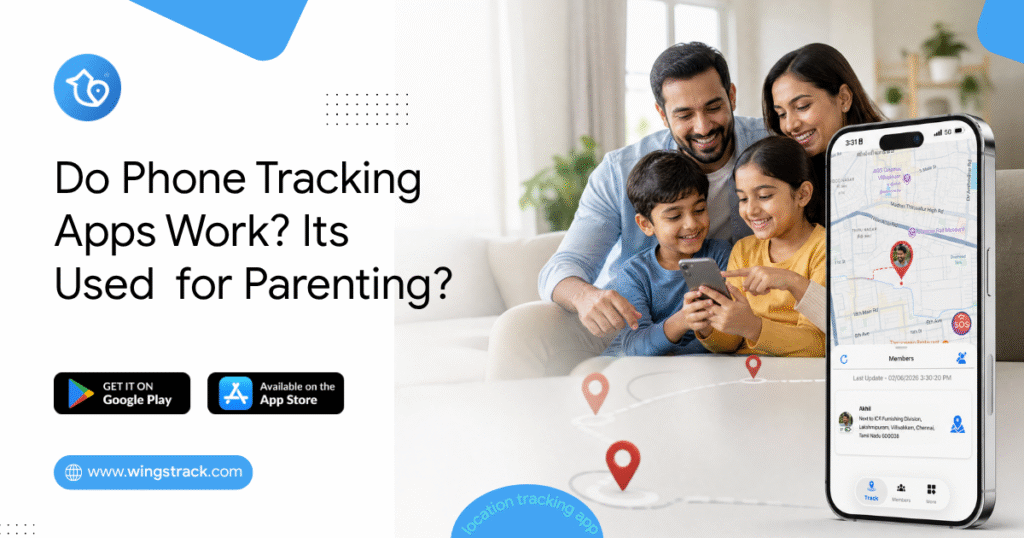
Do Phone Tracking Apps Work?

The Gap Between the Promise and the Reality A mother in Houston downloaded three different phone tracking apps over the course of eighteen months. The first one drained her daughter’s phone battery so aggressively that the phone was dead by 3 PM every school day — which was worse than no tracking at all, because a dead phone means no communication either. The second app showed her daughter’s location as a static dot that hadn’t updated in forty minutes, which turned out to be the app’s standard behavior on the free tier rather than a malfunction. The third one worked exactly as advertised. Spoiler: Yes — but only when you choose the right one for the right reason and set it up the right way. She’s still using the third one. Her experience isn’t unusual. It’s the majority experience. Parents who’ve heard that phone tracking apps work, downloaded the first result that appeared, and discovered the gap between what was marketed and what was delivered make up a significant portion of negative app store reviews in this entire category. The honest answer to “do phone tracking apps work” is: yes, they work — when they’re built correctly, configured properly, and matched to the specific use case they were designed for. The qualifications on that sentence matter as much as the yes. This guide breaks down what location tracking apps actually are, how they function technically, which families they genuinely serve, and the specific questions that separate reliable tools from unreliable ones. If you’ve been skeptical because a previous app disappointed you, this is the context that explains why — and what to look for instead. If you’re evaluating your first location app, this is the information you need before you download anything. 5 Key Takeaways About Family Locator Apps Before going deeper into the technical and comparative details, here are the five things worth knowing above everything else. The Technology Is Proven — The Implementation Varies Enormously GPS technology is mature, global, and reliable. The satellites that locate your phone don’t care which app is using them or which country you’re in. What varies is how different apps use that data — how frequently they update location, how they manage battery consumption while doing it, how they handle signal gaps, and whether they transmit information to your family circle reliably. Asking “do tracking apps work” is like asking “do cars work.” The technology works. Specific models are better or worse than others. Real-Time and Periodic Updates Are Not the Same Thing Many apps use “real-time” in their marketing to describe location that updates every ten to fifteen minutes. This is not real-time in any meaningful sense for family safety purposes. Genuine real-time location sharing updates every thirty to sixty seconds during movement — frequently enough that you can watch a family member commuting, confirm a child is on the correct route home, or notice immediately if someone stops moving unexpectedly. Before trusting any app with your family’s safety, test its actual update frequency during active movement, not just its marketing description. Free Doesn’t Mean Useless — But It Rarely Means Everything The best family location apps offer genuine core functionality — real-time location, arrival and departure alerts, family circle management — without mandatory payment. Wings Track operates this way. Several major competitors restrict the most useful features to paid tiers, which means the free experience is designed to frustrate you into upgrading rather than to actually serve your family’s safety needs. Knowing which model an app uses before investing setup time across your whole family saves significant frustration. Consent Determines Whether the App Works Long-Term A phone tracking app installed without a family member’s knowledge will be disabled, worked around, or will generate the kind of trust damage that outlasts whatever safety benefit it provided. The apps that continue working months after download — that become integrated into family life rather than resented — are universally the ones set up with everyone’s awareness and ideally with mutual visibility. The technology doesn’t create the relationship dynamic. The conversation before installation does. Cross-Platform Compatibility Is Non-Negotiable for Most Families If your family includes both iPhone and Android users — which statistically describes the majority of households — a location app that works on only one platform leaves family members out of the safety circle entirely. This seems obvious. It’s also the source of more failed family tracking setups than any other single factor. Verify cross-platform function before configuration, not after. What Are Location Tracking Apps? A location tracking app is a mobile application that uses a combination of GPS satellite data, cellular network positioning, and Wi-Fi triangulation to determine a device’s physical location and share that information with defined contacts or a family group. The GPS layer is the foundation. Satellites orbiting Earth transmit timing signals that a device’s GPS receiver uses to calculate its precise position. This works globally — the same satellite network covers Houston, Hyderabad, Helsinki, and every point between them. No subscription, no geographic restriction. The cellular and Wi-Fi layers fill the gaps. GPS accuracy degrades indoors, in dense urban environments, and in areas with limited sky visibility. Cellular tower triangulation and Wi-Fi positioning maintain location awareness in conditions where GPS alone would be insufficient — inside school buildings, in parking garages, on underground transit systems. The app layer transmits this location data to a server and then to the devices of other family circle members. This is where battery management becomes critical. An app that polls GPS continuously, at maximum frequency, regardless of whether the device is stationary or moving, will drain a battery significantly faster than one that uses motion detection to adjust polling frequency intelligently — high frequency when moving, reduced frequency when stationary. The result, in a well-built app: a family member’s location appears on a shared map, updates regularly during movement, sends alert notifications when defined boundaries are crossed, and does all of this without reducing a child’s phone to 15% battery
Track Real-Time Family Location
Family Locator App

What’s the Best App to Track My Family’s Location in Real-Time?

The Question Behind the Question Nobody searches for “best app to track my family’s location in real-time” because they’re curious about technology. They searched for it because something specific happened. A teenager didn’t come home when they said they would. A spouse’s commute ran forty-five minutes long with no message. A child walked to school alone for the first time, and the silence afterward felt louder than expected. An elderly parent lives alone and doesn’t always answer the phone. The anxiety that drives the search is real. The problem is that the search itself returns results optimized for advertising revenue rather than honest guidance — and a parent making a rushed decision based on app store rankings ends up with a tool that either doesn’t work for their specific family configuration, throttles the critical features behind a subscription, or handles their family’s location data in ways they’d object to if they’d read the fine print. This guide does something different. It answers the real question — which app actually delivers reliable real-time family location sharing for your specific situation — with the specificity that question deserves. Not a ranked list of popular apps. An honest framework for matching the right tool to the actual family using it. What “Real-Time” Actually Means And Why It Matters More Than You Think Before evaluating any app, establish what real-time means in practice. Because the app store definitions are inconsistent to the point of being misleading. A location that updates every thirty seconds while a family member is moving qualifies as real-time for practical safety purposes. You can watch a child walking home and confirm they’re on the right route. You can see a spouse’s commute progressing normally. You can confirm a teenager is where they said they’d be. A location that updates every ten to fifteen minutes is not real-time. It’s a delayed snapshot—useful for general awareness, but not useful for the moments when the information actually matters. If your teenager is driving and something goes wrong, a location that’s fourteen minutes old doesn’t help you understand where they are or whether they’re moving. The gap between these two experiences is where most family tracking apps hide their real pricing. Real-time updates — genuine ones — sit behind paid subscription tiers for several major apps in this category. The free tier shows you a location. The paid tier shows you where that person actually is right now. Every app evaluation in this guide includes an honest answer to whether genuine real-time updates are free or paid. That distinction shapes the entire decision. The Device Configuration Question You Have to Answer First Here’s the factor that eliminates the wrong options faster than any feature comparison: What devices does your family actually use? Not what devices you wish they used, or what devices would make the technology decision simpler. The actual mix of iPhones, Androids, and everything in between currently in your household. This matters because the two strongest free options in this category — Apple’s Find My and Google Family Link — are ecosystem-locked. Find My works only within Apple devices. Family Link is designed primarily for Android management. A family with mixed devices gets partial coverage from either option at best, and zero coverage for the family members on the other platform. The majority of families — statistically — are mixed-device households. If you have four people in your family and each chooses their phone independently, the probability that all four landed on the same operating system is lower than most people assume. One work-issued Android. One teenager who specifically wanted Samsung. One iPhone loyalist. One budget Android was bought two years ago. This single factor — mixed devices — makes cross-platform compatibility non-negotiable for most families. And it immediately moves the options that require device uniformity off the shortlist. Apple Find My: Outstanding Within Its Walls A family in Boston—mother, father, and two teenage daughters—all use iPhones. They’ve had Find My set up through Apple’s Family Sharing for two years. The father checks it once a day, usually when one of the daughters is driving home from an after-school activity. The mother has arrival alerts set for home and school. Nobody pays anything beyond their existing Apple accounts. For this family, Find My is the correct answer to the question. It’s accurate, free, battery-efficient, and deeply integrated into the iOS experience. The location updates within Apple’s ecosystem are reliable and fast. Geofence alerts — the notifications that fire when a family member arrives at or leaves a saved address — work consistently. The interface is familiar because it’s the same map app Apple users already know. Adding a family member to the location circle takes about two minutes. Removing them or adjusting what they can see takes thirty seconds. The real-world ceiling: Find My requires every person in the location circle to use an Apple device. This isn’t a quirk or a limitation that might be addressed in a future update—it’s fundamental to how the feature is architected. An Android user cannot appear in a Find My family circle regardless of any workaround. For the Boston family above, this isn’t a problem. For a family where one member uses Android—which is most families—it’s a complete blocker. Additionally, Find My has no driving behavior monitoring, no battery alert notifications, and no family-specific dashboard beyond a shared map. For families whose needs are straightforward location sharing within the Apple ecosystem, it’s the cleanest free option available. For families whose needs include any of those features or who have Android users, it’s incomplete. Best for: All-iPhone families who want free, accurate, low-maintenance location sharing with no third-party data concerns. The strongest option in this category for its specific audience. Google Family Link: Free Android Management With Location Built In A family in Phoenix—two children, ages nine and twelve, both on Android phones; parents on a mix of Android and iPhone—uses Family Link for the nine-year-old and wants something that works for the twelve-year-old whose

Child Locator App

How to Track a Mobile Number’s Live Location

Most people search “how to track a mobile number live location,” expecting a magic tool where they type in a phone number and see a pin drop on a map. That’s not how it works—and any website or app claiming otherwise is either lying or harvesting your data. Here’s what actually works, why the magic-number tracker doesn’t exist, and the legitimate ways to find someone’s location when you have a real reason to. Why You Can’t Track Any Number from a Website Your phone number is tied to a SIM card, not a GPS chip. A random website has no access to your carrier’s network, your device’s location services, or the cell towers your phone pings. When you see sites that say “Enter mobile number to track live location,” they fall into two categories: Scams — They show a fake loading animation, ask you to complete a survey or download something, and collect your data or money. Social engineering tools—They send a disguised link to the target’s phone. If the target clicks it and approves location access, their location shows up. This is deceptive and, depending on your jurisdiction, illegal without consent. Neither is the same as actual live tracking. Legitimate Ways to Track a Mobile Number’s Location 1. Built-In Phone Sharing Features (Best Option) Both Android and iPhone have native location sharing built in. These work in real time and require the other person’s consent. Google Maps (Android & iPhone) Open Google Maps, tap your profile photo, and select Location Sharing. The other person must have a Google account and accept the share You see their live location on the map as long as they choose to share Apple Find My (iPhone to iPhone) Go to Find My app → People tab → Share My Location Both users must be in each other’s contacts and agree to share Works even in low signal areas using Bluetooth mesh Samsung SmartThings Find / Galaxy Find Available on Samsung devices Similar consent-based sharing system These are reliable, real-time, and free. 2. Family Safety Apps If you’re a parent tracking a child’s device, or a family tracking each other for safety, dedicated apps give more control than built-in tools. Wings Track Parents can see a child’s device location in real time Works on Android; requires the child’s device to be set up under a family account Free Life360 Shows the live location of all family members on a shared map Includes driving alerts, crash detection, and check-in features Free tier available; paid tiers add more history and alerts Find My Friends (Apple) Built into iOS, no third-party app needed Works across iPhones with mutual consent For minors, location tracking by a parent or guardian is legal and expected. For adults, consent is required. 3. Carrier-Level Location Services Mobile carriers can locate a device using cell tower triangulation and GPS data. This is not available to the general public, but there are two legitimate paths: For emergencies: In India, dialing 112 connects to the national emergency response system. Law enforcement can request location data from carriers with proper authority. Carrier family plans: Some operators (Jio, Airtel, Vi) have parental control or family locator add-ons as paid features. These require all devices to be on the same family plan and enrolled with consent. 4. WhatsApp Live Location If the person you’re trying to reach uses WhatsApp: Open the chat → tap the attachment icon → Location → Share Live Location They choose a duration (15 minutes, 1 hour, or 8 hours) You see their real-time movement on the map during that window This requires them to initiate the share voluntarily. You can ask someone to do this if you have a genuine reason a late-night pickup, a child walking home, or coordinating at a crowded event. 5. IMEI Tracking (Law Enforcement Only) Every phone has a unique IMEI number. If a phone is stolen, you can file a complaint with police and provide the IMEI. Carriers can flag IMEI and, in coordination with law enforcement, trace which towers it’s connecting to. In India, the CEIR portal (ceir.gov.in) lets you block a stolen phone using its IMEI after filing an FIR. This doesn’t give you a live map view — it blocks the device from working on Indian networks. For actual location data from IMEI, only law enforcement with a court order can get that from carriers. The Legal Side Tracking someone’s location without their knowledge or consent is illegal in most countries. In India, it can fall under the IT Act (unauthorized access to a computer resource) and the Indian Penal Code (stalking). The only legal scenarios for non-consensual tracking are: Parents tracking minor children Law enforcement with proper authorization Employers tracking company-owned devices with prior disclosure to employees If you’re trying to track an adult without their knowledge, a partner, an ex, a stranger that’s surveillance, not safety. Quick Reference Method Real-Time Requires Consent Works On Wings Track Yes Yes Android, iPhone Life360 Yes Yes Android, iPhone Google Maps location sharing Yes Yes Android, iPhone Apple Find My Yes Yes iPhone only Carrier family locator Yes Yes (enrollment) Varies by carrier “Track by number” websites No N/A— these are scams N/A The tools that work all have one thing in common: the person being tracked knows about it. That’s not a limitation, it’s the design. Real-time location sharing is a coordination tool, not a surveillance tool. The moment you need to hide it, you’re in legally and ethically uncertain territory. If you’re trying to stay connected with family, every major platform already has this built in and it takes five minutes to set up.

Family Tracking App
Child Locator App

What’s a Good Family Tracking App

You’re at work. Your teenager should be home by 4 PM. It’s 5:30 PM and your calls are going unanswered. That knot in your stomach? Every parent knows it. A good family tracking app doesn’t just show you a dot on a map. It gives you peace of mind, opens up honest conversations with your kids, and keeps your whole family connected, without turning into a surveillance nightmare. Here’s everything you need to know, from how these apps work to whether you should actually use one. What Is a Family Locator App? A family locator app is a mobile application that lets family members share their real-time location with each other. Think of it as a private, family-only map where everyone can see where everyone else is, as long as they’ve agreed to share. It’s not just for tracking kids. Parents can share their location too. Grandparents can stay connected. It works both ways. Most apps also come with extras like check-in alerts, driving speed reports, and notifications when a family member arrives at or leaves a specific place, like school, home, or a friend’s house. How Does a Family Tracker App Work? It’s simpler than you think. Here’s the basic flow: You download the app and create a family group. Each family member installs the app and joins the group. Everyone’s location is shared in real time on a shared map. You set up alerts for specific places (called geofences). The app notifies you when someone arrives or leaves those places. The app runs quietly in the background using your phone’s GPS. It doesn’t drain battery the way older apps used to. Most modern location tracking apps for family are built to be lightweight and low-impact. Pro Tip: Set up geofences for your child’s school, your home, and any after-school activity locations. You’ll get automatic alerts without having to constantly check the app. This reduces anxiety and gives your child space. Can You Track Family Members on iPhone? Yes, absolutely. Apple has a built-in feature called Find My, which lets you share locations with family members through Wings Track. It’s free and works well for basic use. But here’s the honest truth: built-in tools are often limited. They don’t offer driving reports, crash detection, SOS alerts, or the kind of communication features that a dedicated location tracking app for family provides. If you want more than just a location pin, a dedicated family tracking app gives you a fuller picture. What Does a Family Locator App Actually Do? Let’s break it down practically. Here’s what a solid app covers: Feature What It Does for Your Family Real-time location sharing See where everyone is, right now Geofence alerts Get notified when kids arrive or leave specific places Driving reports Know if your teen is speeding SOS / panic button Family members can send an instant alert if they feel unsafe Check-in messages Quick “I’m here” updates without a full phone call Location history See where someone was earlier in the day These features aren’t about control. They’re about connection and safety. When your child knows you can see their location, it actually encourages more open conversations about where they’re going and why. Should Parents Track Their Child? This is the question most parents wrestle with. And the honest answer is it depends on how you do it. Here’s what research and real-world experience consistently show. When parents involve their children in the decision, explain why the app is being used, and make location sharing mutual, kids feel more secure, not monitored. Tracking without conversation = surveillance. Tracking with conversation = safety and trust . A Real-World Example Sarah, a mother of two in Chicago, started using a family tracking app when her 13-year-old began taking the bus to school alone. Instead of secretly installing the app, she sat down with her daughter, showed her how it worked, and explained that she’d be sharing her own location too. Her daughter’s response? “That’s actually kind of cool, Mom.” Six months later, the app helped Sarah locate her daughter quickly when her phone died during a school trip. No panic. No worst-case scenarios. Just a quick check and a sigh of relief. Parenting Checklist: Is Your Family Ready for a Tracking App? Have you talked with your child about why you want to use it? Will you share your own location too, making it mutual? Have you agreed on boundaries, like not checking every five minutes? Does your child know they can talk to you if they feel uncomfortable? Have you set up the app together as a family activity? Are you using it as a safety tool, not a punishment tool? If you can check all six, you’re approaching this the right way. FAQ What is a family locator app? A family locator app is a mobile tool that lets family members share their real-time GPS location with each other in a secure way. It often includes features like arrival alerts, geofencing, and SOS buttons. It’s designed to keep families connected and safe, not to spy on each other. How does a family tracker app work? Each family member downloads the app and joins a shared group. The app uses your phone’s GPS to show everyone’s location on a private map. You can set alerts for specific locations, review location history, and send check-ins. It runs quietly in the background and updates in real time. Can you track family members on an iPhone? Yes. Apple supports family location-sharing apps available in the market. However, dedicated family tracking apps offer more features, including driving behavior reports, geofence notifications, SOS alerts, and cross-platform support for families with both iPhone and Android users. What does a family locator app do beyond showing location? Beyond real-time location, most apps offer geofence alerts, driving speed monitoring, crash detection, SOS panic buttons, and location history. Some apps also include family messaging features, making it easier to stay in touch without switching between multiple apps. Should I tell

Family Location Tracking App Options for Parents in the US
Family Tracking App

Best Family Location Tracking App Options for Parents in the US

What actually works, what costs more than it should, and which tool fits your specific family, not someone else’s. The Sunday Night Moment A father in suburban Atlanta is sitting in his car in a Costco parking lot. His sixteen-year-old daughter borrowed the family car two hours ago to drive to a friend’s house, her third solo drive since getting her license six weeks earlier. She said she’d be back by 7. It’s 7:23. His texts are going unread. He’s not panicking. He’s doing something worse than panic; he’s sitting in the specific suspended state of a parent who has no information and no good options. Call and seem overbearing. Don’t call and sit with the uncertainty. Neither choice feels right. Twenty-three minutes later, she pulls into the driveway. She’d left her phone in her friend’s car and hadn’t noticed. She was completely fine and completely confused by her father’s visible relief. He downloaded a family location app that night. He’d been meaning to for months. The twenty-three minutes in the Costco parking lot finally moved it from “I should probably” to “I’m doing this right now.” This is how most American families come to location-tracking apps: not through careful research and comparison shopping but through a specific moment that makes the abstract anxiety of parenting suddenly, urgently concrete. The problem with arriving this way is that urgent decisions made at 10 PM produce downloads that get abandoned in three weeks because the wrong tool was chosen for the wrong reasons. This guide slows that process down. It covers the real options available to US parents in 2025: what each tool actually does, what it genuinely costs, where it fails, and which combination of tools matches which family situation. The goal is a decision you’ll still feel good about six months from now, not just one that felt resolved at 10 PM on a Sunday. What the US Market Actually Looks Like in 2025 The American family location tracking market is more crowded and more confusing than it needs to be. Dozens of apps compete for the same search terms with similar marketing language and wildly different actual capabilities. A few structural facts worth knowing before evaluating any specific tool: The US has a higher iPhone adoption rate than most countries, roughly 57% of smartphone users as of recent data, but that still means a significant portion of American families includes Android users. Any tool that requires device brand uniformity excludes a meaningful portion of the actual market. Privacy regulation in the US is less stringent than in the EU. American families don’t have GDPR protections, which means the data practices of location-sharing apps are governed primarily by each company’s own policies, and enforcement is lighter. Reading privacy policies before installation is more important for US users than for users in jurisdictions with stronger regulatory protection. Several major US parenting apps have documented histories of selling location data to third-party brokers, a practice that is legal in most US states and was common before public reporting created reputational pressure to change course. “We updated our privacy policy” is not the same as “we never did this and our architecture prevents it.” Life360: The Market Leader With Real Trade-offs Life360 has more US users than any other family location app. That’s a fact worth acknowledging because millions of American families have chosen it, and many of them use it consistently. Understanding why they also leave in large numbers requires understanding the trade-offs the product makes. What Life360 does well: The family circle interface is the most polished in this category. Setup is genuinely straightforward. The driving safety features speed alerts, hard braking detection, and phone use while driving detection are more developed than any competitor’s and particularly relevant for American families with teenage drivers. US roads produce the highest teen driving fatality rates of any high-income country; tools that give parents visibility into driving behavior are addressing a real and documented risk. The cross-platform compatibility is genuine; Android and iPhone users can share the same family circle with equivalent functionality. The free tier problem: Life360’s free tier has been progressively hollowed out over time. Real-time location updates, the feature that makes location sharing actually useful rather than decorative, are restricted to update intervals that make the “live” label inaccurate for practical safety purposes. Driving safety features, location history, and crash detection sit behind subscription tiers that run from roughly $8 to $30 per month depending on the plan. For US families who want Life360’s driving safety features specifically, the paid tier is what delivers them. At that price point, the comparison against alternatives becomes more relevant. The data history: Multiple US publications documented that Life360 sold precise location data of its users, including minors to data brokers and advertising networks. This practice was legal under US law at the time. Life360 modified its policies following the reporting. The architectural question of whether the system was rebuilt to prevent this or simply redirected is worth investigating for parents who are considering placing their minor children’s daily location data on the platform. Best for:  US families who specifically need driving behavior monitoring for teenage drivers and are willing to pay for the tier that makes those features functional. For pure location sharing without driving safety features, alternatives offer more for less. Wings Track: Cross-Platform Location Sharing Built for Real Family Configurations The Atlanta father from the opening of this piece has a family with two Android phones and one iPhone. Life360 works across both platforms. Find My doesn’t cover his Android. Family Link doesn’t cover his daughter’s iPhone. Wings Track handles this configuration as a design baseline rather than an edge case. The family circle in Wings Track covers iOS and Android users with equivalent functionality across all devices. The father’s Android, his wife’s iPhone, and their daughter’s iPhone are all full participants in the same location circle, with the same location accuracy, the same update frequency, and same notification reliability, regardless

Free parenting app
Child Locator App

How Parenting App Help Modern Families Stay Connected

Not every parenting app does the same thing. Here’s what they actually are, what each category genuinely handles, and how to figure out which type your family actually needs. The Drawer Full of Downloaded Apps That Nobody Uses A mother of two downloads a parenting app after reading about it in a Facebook group. She sets it up on a Saturday afternoon, configures a few settings, and fully intends to use it starting Monday. By Wednesday, it’s still technically installed. By the following weekend, she’s forgotten it exists. This scenario is so common it has become a cliché of modern parenting. The app market aimed at parents has exploded over the past decade, with thousands of tools claiming to make parenting easier, safer, more connected, or more organized. Most families have tried at least one. Far fewer are still using one six months later. The reason isn’t that the apps don’t work. It’s that most parents download a parenting app without a clear answer to a question that should come first:  What specific problem is trying to solve? A parenting app is not a single category of tool any more than “medicine” is a single category of treatment. The phrase covers everything from location sharing to screen time management to developmental milestone trackers to co-parenting coordination tools. These are fundamentally different solutions to fundamentally different problems. Downloading the wrong one, even a well-built, highly rated one, produces a drawer full of unused apps because the tool and the problem never matched. This guide clarifies what parenting apps are actually used for, what each category genuinely delivers, which families benefit most from each type, and how to approach the selection decision in a way that results in a tool your family will actually use. 5 Distinct Categories of Parenting Apps Understanding that “parenting app” is an umbrella term covering five different tool categories is the single most useful reframe for any parent navigating this space. 1) Family Location and Safety Apps These apps exist to answer one question: where are the people I love, right now? They share real-time GPS location within a defined family group, send alerts when family members arrive at or depart from saved locations, and maintain ambient awareness of whether children, elderly relatives, or traveling partners are where they’re supposed to be. The daily use case is specific and consistent: a parent who wants to know their child left school, a spouse tracking a partner’s long commute on a bad weather night, a family managing a teenager’s first weeks of driving independence, or an adult child who wants to confirm an elderly parent got home safely from a medical appointment. What they don’t do: manage what happens on a device, filter content, or address anything about a child’s digital life. They track physical location. That’s it. When that’s the problem of physical safety, location anxiety, and distance management, they solve it well. Wings Track sits in this category. It’s built specifically around family location sharing as the primary function, with genuine cross-platform compatibility across iOS and Android, real-time updates, and arrival and departure alerts that replace the cycle of anxious check-in texts that interrupt everyone’s day. The core features are accessible without mandatory payment, which matters for families who want to confirm a tool works before committing financially. 2) Parental Control and Screen Time Management Apps These apps manage what happens on a child’s device, not where the device physically is, but what the child does with it. The functions covered: daily screen time limits that automatically lock the device when the limit is reached, content filtering that blocks specific categories of websites and apps, approval requirements for new app downloads, safe search enforcement across browsers and search engines, communication limits that restrict who a child can contact during specific hours, and downtime scheduling that makes the phone unavailable during school hours or bedtime. The families who need this category most are those with younger children who have smartphones or tablets and no structured limits on how those devices are used. The research on children’s sleep, attention, and mental health and their relationship to unmanaged smartphone use is consistent and concerning enough that this category of app addresses a genuine, documented need rather than a parental anxiety without substance. Google Family Link (free, Android-focused) and Apple Screen Time (free, iOS-only) are the built-in options that handle this category competently for most families without requiring a third-party subscription. Qustodio and Bark handle it more comprehensively across multiple platforms for families whose needs exceed what the built-in tools provide, at a cost. What these apps don’t do: track where a child physically is. A screen time manager tells you what your child is doing on their device. It tells you nothing about where the device and the child carrying it actually are. 3) Child Development and Milestone Tracking Apps These are the apps designed for parents of infants, toddlers, and young children who want to track developmental milestones, feeding schedules, sleep patterns, growth measurements, and health records. The use case is specific to the early childhood period. A new parent tracking nursing sessions and sleep intervals. Parents monitor whether their toddler is hitting developmental milestones within typical ranges. Families maintain organized health records for pediatric appointments. Multiple caregivers, parents, grandparents, and nannies are coordinating a child’s daily schedule through a shared platform. Apps in this category include Huckleberry (sleep tracking and scheduling), Baby Connect (comprehensive daily activity logging), and The Wonder Weeks (developmental milestone guidance based on research). They serve a clearly defined need for a clearly defined period of parenting. What they don’t do: any of the functions in the other four categories. They’re early childhood tools that become irrelevant as children grow, which is a feature rather than a limitation. The problem they solve is age-specific. 4) Co-Parenting Coordination Apps These apps are designed for separated or divorced parents who share custody and need to coordinate parenting responsibilities, communicate about their children, and manage shared schedules

Scroll to Top