The Question Behind the Question
Nobody searches for “best app to track my family’s location in real-time” because they’re curious about technology.
They searched for it because something specific happened. A teenager didn’t come home when they said they would. A spouse’s commute ran forty-five minutes long with no message. A child walked to school alone for the first time, and the silence afterward felt louder than expected. An elderly parent lives alone and doesn’t always answer the phone.
The anxiety that drives the search is real. The problem is that the search itself returns results optimized for advertising revenue rather than honest guidance — and a parent making a rushed decision based on app store rankings ends up with a tool that either doesn’t work for their specific family configuration, throttles the critical features behind a subscription, or handles their family’s location data in ways they’d object to if they’d read the fine print.
This guide does something different. It answers the real question — which app actually delivers reliable real-time family location sharing for your specific situation — with the specificity that question deserves. Not a ranked list of popular apps. An honest framework for matching the right tool to the actual family using it.
What “Real-Time” Actually Means And Why It Matters More Than You Think
Before evaluating any app, establish what real-time means in practice. Because the app store definitions are inconsistent to the point of being misleading.
A location that updates every thirty seconds while a family member is moving qualifies as real-time for practical safety purposes. You can watch a child walking home and confirm they’re on the right route. You can see a spouse’s commute progressing normally. You can confirm a teenager is where they said they’d be.
A location that updates every ten to fifteen minutes is not real-time. It’s a delayed snapshot—useful for general awareness, but not useful for the moments when the information actually matters. If your teenager is driving and something goes wrong, a location that’s fourteen minutes old doesn’t help you understand where they are or whether they’re moving.
The gap between these two experiences is where most family tracking apps hide their real pricing. Real-time updates — genuine ones — sit behind paid subscription tiers for several major apps in this category. The free tier shows you a location. The paid tier shows you where that person actually is right now.
Every app evaluation in this guide includes an honest answer to whether genuine real-time updates are free or paid. That distinction shapes the entire decision.
The Device Configuration Question You Have to Answer First
Here’s the factor that eliminates the wrong options faster than any feature comparison:
What devices does your family actually use?
Not what devices you wish they used, or what devices would make the technology decision simpler. The actual mix of iPhones, Androids, and everything in between currently in your household.
This matters because the two strongest free options in this category — Apple’s Find My and Google Family Link — are ecosystem-locked. Find My works only within Apple devices. Family Link is designed primarily for Android management. A family with mixed devices gets partial coverage from either option at best, and zero coverage for the family members on the other platform.
The majority of families — statistically — are mixed-device households. If you have four people in your family and each chooses their phone independently, the probability that all four landed on the same operating system is lower than most people assume. One work-issued Android. One teenager who specifically wanted Samsung. One iPhone loyalist. One budget Android was bought two years ago.
This single factor — mixed devices — makes cross-platform compatibility non-negotiable for most families. And it immediately moves the options that require device uniformity off the shortlist.
Apple Find My: Outstanding Within Its Walls
A family in Boston—mother, father, and two teenage daughters—all use iPhones. They’ve had Find My set up through Apple’s Family Sharing for two years. The father checks it once a day, usually when one of the daughters is driving home from an after-school activity. The mother has arrival alerts set for home and school. Nobody pays anything beyond their existing Apple accounts.
For this family, Find My is the correct answer to the question. It’s accurate, free, battery-efficient, and deeply integrated into the iOS experience. The location updates within Apple’s ecosystem are reliable and fast. Geofence alerts — the notifications that fire when a family member arrives at or leaves a saved address — work consistently.
The interface is familiar because it’s the same map app Apple users already know. Adding a family member to the location circle takes about two minutes. Removing them or adjusting what they can see takes thirty seconds.
The real-world ceiling:
Find My requires every person in the location circle to use an Apple device. This isn’t a quirk or a limitation that might be addressed in a future update—it’s fundamental to how the feature is architected. An Android user cannot appear in a Find My family circle regardless of any workaround.
For the Boston family above, this isn’t a problem. For a family where one member uses Android—which is most families—it’s a complete blocker.
Additionally, Find My has no driving behavior monitoring, no battery alert notifications, and no family-specific dashboard beyond a shared map. For families whose needs are straightforward location sharing within the Apple ecosystem, it’s the cleanest free option available. For families whose needs include any of those features or who have Android users, it’s incomplete.
Best for: All-iPhone families who want free, accurate, low-maintenance location sharing with no third-party data concerns. The strongest option in this category for its specific audience.
Google Family Link: Free Android Management With Location Built In
A family in Phoenix—two children, ages nine and twelve, both on Android phones; parents on a mix of Android and iPhone—uses Family Link for the nine-year-old and wants something that works for the twelve-year-old whose device management needs are shifting.
Family Link delivers app approval before installation, daily screen time limits, content filtering through Google’s SafeSearch enforcement, and continuous location sharing. All free. All functional from day one.
The location component is accurate and updates with reasonable frequency for the free tier. Arrival and departure alerts work for saved locations. The parent dashboard shows both children’s locations on a shared map alongside device usage data—which apps they’ve been using and for how long.
For families with Android-using children who need both device management and location awareness simultaneously, Family Link handles both from a single interface without requiring a subscription.
Where it ends:
Family Link’s location sharing has no iPhone component. A parent on iPhone can use the Family Link app to view their child’s Android location, but an iPhone-using child cannot be added to a Family Link circle. Mixed-device families hit this ceiling quickly.
The age transition is the other significant limitation. When a child’s Google account reaches 13, Family Link’s management structure shifts automatically to a permission-based model. The robust controls that parents relied on begin requiring the teenager’s consent to maintain—a transition that happens at exactly the developmental stage where digital oversight tends to become more necessary rather than less.
Best for: Families with children under 13 on Android devices who need device management alongside location sharing. Pairs well with a cross-platform location tool for families where not everyone uses Android.
Life360: The Market Leader With an Honest Assessment
Life360 has the largest user base of any dedicated family location app. In the United States specifically, it has been the default choice for parents who’ve decided they want a location sharing tool for long enough that its name appears in search results almost automatically.
Understanding why families also leave Life360 at significant rates requires looking at the product honestly.
What it genuinely does well:
The family circle interface is the most polished in this category. Setup is straightforward. The app is cross-platform in the genuine sense — Android and iPhone users share the same circle with equivalent visibility. The driving safety features—speed monitoring, hard braking detection, and phone use while driving alerts—are more developed than any competitor’s and address a real statistical risk for families with teenage drivers.
For families where a teenager’s driving is the primary safety concern, Life360’s driving behavior features provide information that no other family app offers comparably.
The free tier reality:
Life360 has progressively restricted its free tier over time. Real-time location updates — meaning the update frequency that qualifies as genuinely real-time rather than periodic — require a paid subscription. The free tier shows location, but on an update interval that makes it less reliable for the moments when precision matters.
The subscription tiers run from approximately $8 to $30 per month depending on which features are included. For a family who needs the driving safety monitoring specifically, the paid tier may justify the cost. For a family who needs basic location sharing without the driving features, the value proposition against free alternatives weakens considerably.
The data history:
Multiple publications reported that Life360 sold precise user location data — including data from minor children — to third-party data broker networks. This was legal under US law. Life360 modified its data practices following the coverage. For parents placing minor children’s precise daily location data on a platform, the question of whether architectural changes accompanied the policy changes is worth investigating directly before installation.
Best for: Families who specifically need driving behavior monitoring for teenage drivers and are willing to pay for the subscription tier that makes the relevant features functional. For pure cross-platform location sharing without driving features, other options provide more for less.
Wings Track: Cross-Platform Location Sharing Built for Mixed-Device Reality
The Phoenix family mentioned in the Family Link section has a problem: their twelve-year-old is transitioning off Family Link’s strict management model, the mother uses an iPhone, and they need a location solution that works across the whole family, regardless of which device each person carries.
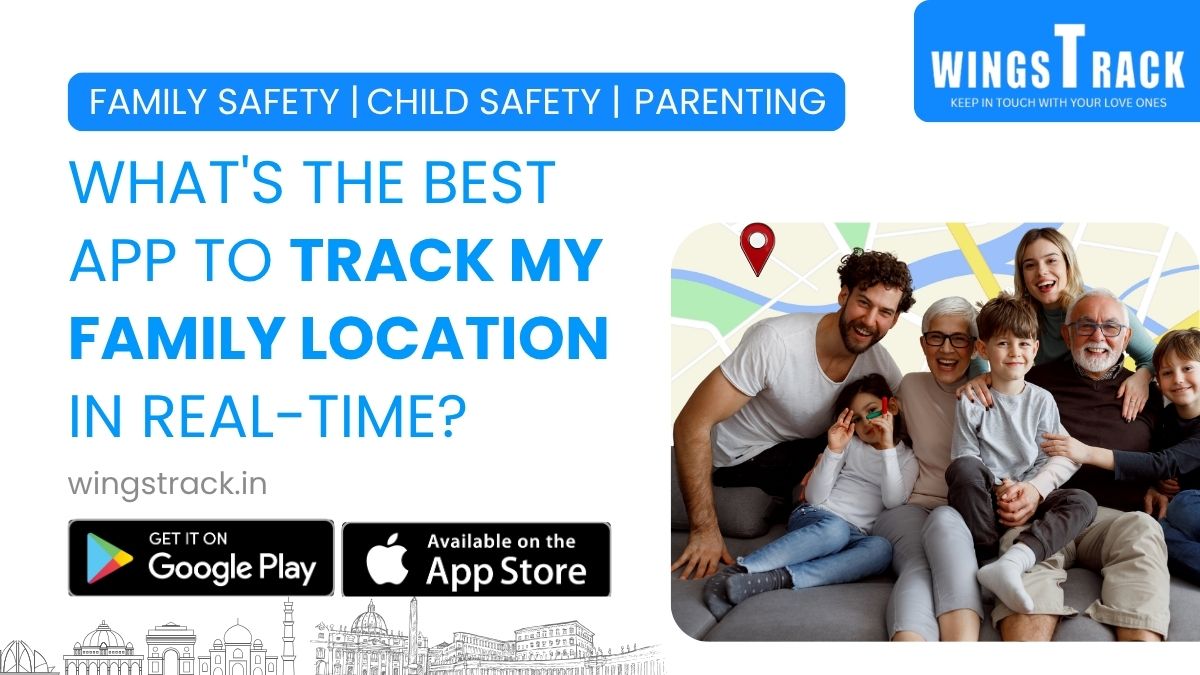
Wings Track handles this configuration without requiring device standardization.
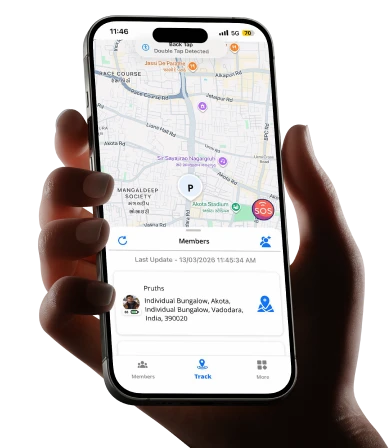
A family circle in Wings Track includes any combination of iOS and Android users. The father’s Android, the mother’s iPhone, and the twelve-year-old’s Android are all full, equal participants in the same location circle. Location accuracy, update frequency, and notification reliability are equivalent across all devices. Nobody’s experience is degraded because of which phone they happen to carry.
The free tier delivers the core function:
Real-time location sharing within a family circle, arrival and departure alerts for saved addresses, and family circle management for multiple members are accessible without payment. This reflects a product decision about what the core function is—location sharing is the reason the app exists, not a premium feature added on top of a free baseline.
The practical test: install Wings Track on two different devices — one Android, one iPhone. Walk a known route. Compare how each device displays the other’s location update frequency and accuracy. The gap between them tells you more about cross-platform quality than any feature description.
International function:
For families with members who travel internationally or live abroad — a father working in another country, a college student studying overseas, or extended family spread across borders—Wings Track maintains location sharing across international boundaries without configuration changes. The family circle works from the US to Europe to Asia with the same functionality it provides locally. Location updates wherever the device has cellular data or Wi-Fi, which covers the vast majority of waking hours in most locations globally.
What it doesn’t cover:
Wings Track is a location tool. Screen time management, content filtering, app approval for children’s devices — these sit outside its scope. Families who need both location awareness and device management use Wings Track alongside Family Link or Screen Time rather than instead of them. The combination of a cross-platform location tool with a native device management tool — both free — covers both dimensions without compromise.
Best for: Mixed-device families who need location sharing that includes all family members regardless of iPhone or Android. Families with international connections. Parents who want real-time alerts—arrival, departure, and low battery—without a subscription gate blocking the feature that makes the tool actually useful.
Bark: When Location Isn’t the Real Concern
A parent in Seattle whose fourteen-year-old is, by all external measures, doing fine—good grades, active social life, no visible warning signs—chooses Bark not because they’re worried about where their teenager physically is, but because they’re aware that the most serious adolescent situations often develop invisibly until they don’t.
Bark monitors digital communication content, messages, social platforms, and email using automated pattern detection rather than giving parents direct access to read conversations. When the system identifies content associated with self-harm, bullying, depression, explicit material, or predatory contact, it sends the parent an alert. Day-to-day private communication remains private.
This is a genuinely different tool from a location app. It answers “what’s happening in my child’s digital communications” rather than “where is my child physically.” For some families, the communication safety concern is more urgent than the location concern.
The cost reality:
Bark’s meaningful monitoring features require a paid subscription of approximately $14 per month for the family plan. The free tier covers basic filtering and isn’t where the product’s distinctive value lives.
What it doesn’t do:
Bark doesn’t track location. For comprehensive coverage, it pairs with a location tool—Wings Track handles the physical awareness while Bark handles the digital communication monitoring.
Best for: Parents of teenagers whose primary safety concern is digital — online predators, cyberbullying, mental health warning signs in communications — rather than physical location. Particularly appropriate when a teenager’s social life is primarily digital, and the parent wants intelligent alerting without reading through all private communications.
The Comparison That Actually Matters
Rather than a feature checklist, here’s the decision mapped to real family situations:
All iPhones, children under 16, domestic
Apple Find My plus Screen Time. Both free, both native, both reliable. No third-party app needed.
All Android children under 13:
Google Family Link. Free, covers app management and location simultaneously, and is reliable on Android hardware, including budget devices.
Mixed iOS and Android — the majority of families:
Wings Track as the cross-platform location foundation. Family Link or Screen Time on children’s devices for device management. Both are free, covering both dimensions without privacy compromise.
Teenage driver in the household:
Wings Track for family location sharing. Life360 paid tier if driving behavior monitoring specifically justifies the subscription cost. Or Wings Track alone if general location awareness is sufficient and driving-specific features are secondary.
International family members:
Wings Track. It maintains location sharing across borders without feature restrictions. Other options either don’t cover mixed devices or restrict international function to paid tiers.
Teenager whose primary risks are digital rather than physical:
Wings Track for location plus Bark’s paid tier for communication monitoring. The combination covers both safety dimensions that produce the most parental anxiety with teenagers.
The Setup That Produces Long-Term Use
The families that are still using their location app six months after download share one consistent characteristic: they set it up together, with everyone’s knowledge, framed as mutual rather than one-directional.
The technical setup for Wings Track download, creating a circle, inviting family members, and configuring arrival and departure alerts for relevant addresses takes one afternoon. The social setup of the conversation that happens before anyone opens the app determines whether the tool works long-term or generates resentment that leads to disabled location permissions and deleted apps.
For children: “This means I don’t have to text you constantly asking where you are. You get fewer interruptions. I get fewer worried hours. We both have visibility.” Most children accept this readily when it’s framed as mutual benefit rather than surveillance.
For teenagers: make it reciprocal. If they can see your location and you can see theirs, the dynamic shifts from monitoring to shared awareness. This framing produces significantly less resistance and significantly more honest use.
For spouses and partners: “I worry when you’re commuting late. This means I don’t have to call you while you’re driving.” Simple, honest, and addresses the actual concern.
The conversation is the work. The app is just the tool.
Conclusion: The Best App Is the One That Fits Your Actual Family
There is no universal answer to “what’s the best app to track my family’s location in real-time.” There is the right answer for your specific combination of devices, distances, ages, and daily anxieties.
All iPhone families have a clear free answer in Find My. Android-primary families with younger children have a clear free answer in Family Link. For mixed-device families, the majority have their clearest cross-platform answer in Wings Track, which delivers genuine real-time location sharing without requiring everyone to standardize on the same device brand or the same budget for a monthly subscription.
The anxiety that sent you to this search was real. The information gap it identified is real. The technology to close that gap is available right now, free at the level that matters, and set up faster than most families expect. Pick the option that matches your family’s actual configuration. Test it for a week against your real daily routine. Have the conversation before the download. The Sunday night parking lot experience of suspended, helpless waiting with no information is optional in 2025. You have better options.
The right app for your family is the one still on everyone’s phone six months from now because it solved something real, set up honestly, used by choice. The short answer depends on your devices, your distance, and what “real-time” actually means in the app you’re considering.