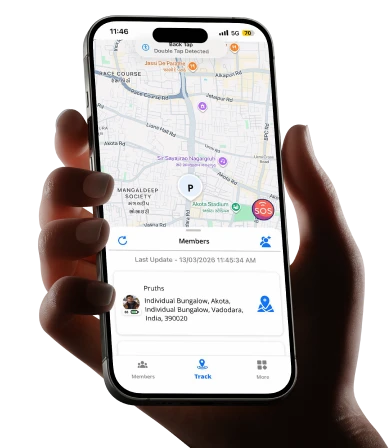
The Gap Between the Promise and the Reality
A mother in Houston downloaded three different phone tracking apps over the course of eighteen months. The first one drained her daughter’s phone battery so aggressively that the phone was dead by 3 PM every school day — which was worse than no tracking at all, because a dead phone means no communication either. The second app showed her daughter’s location as a static dot that hadn’t updated in forty minutes, which turned out to be the app’s standard behavior on the free tier rather than a malfunction. The third one worked exactly as advertised. Spoiler: Yes — but only when you choose the right one for the right reason and set it up the right way.
She’s still using the third one.
Her experience isn’t unusual. It’s the majority experience. Parents who’ve heard that phone tracking apps work, downloaded the first result that appeared, and discovered the gap between what was marketed and what was delivered make up a significant portion of negative app store reviews in this entire category.
The honest answer to “do phone tracking apps work” is: yes, they work — when they’re built correctly, configured properly, and matched to the specific use case they were designed for. The qualifications on that sentence matter as much as the yes.
This guide breaks down what location tracking apps actually are, how they function technically, which families they genuinely serve, and the specific questions that separate reliable tools from unreliable ones. If you’ve been skeptical because a previous app disappointed you, this is the context that explains why — and what to look for instead. If you’re evaluating your first location app, this is the information you need before you download anything.
5 Key Takeaways About Family Locator Apps
Before going deeper into the technical and comparative details, here are the five things worth knowing above everything else.
- The Technology Is Proven — The Implementation Varies Enormously
GPS technology is mature, global, and reliable. The satellites that locate your phone don’t care which app is using them or which country you’re in. What varies is how different apps use that data — how frequently they update location, how they manage battery consumption while doing it, how they handle signal gaps, and whether they transmit information to your family circle reliably. Asking “do tracking apps work” is like asking “do cars work.” The technology works. Specific models are better or worse than others.
- Real-Time and Periodic Updates Are Not the Same Thing
Many apps use “real-time” in their marketing to describe location that updates every ten to fifteen minutes. This is not real-time in any meaningful sense for family safety purposes. Genuine real-time location sharing updates every thirty to sixty seconds during movement — frequently enough that you can watch a family member commuting, confirm a child is on the correct route home, or notice immediately if someone stops moving unexpectedly. Before trusting any app with your family’s safety, test its actual update frequency during active movement, not just its marketing description.
- Free Doesn’t Mean Useless — But It Rarely Means Everything
The best family location apps offer genuine core functionality — real-time location, arrival and departure alerts, family circle management — without mandatory payment. Wings Track operates this way. Several major competitors restrict the most useful features to paid tiers, which means the free experience is designed to frustrate you into upgrading rather than to actually serve your family’s safety needs. Knowing which model an app uses before investing setup time across your whole family saves significant frustration.
- Consent Determines Whether the App Works Long-Term
A phone tracking app installed without a family member’s knowledge will be disabled, worked around, or will generate the kind of trust damage that outlasts whatever safety benefit it provided. The apps that continue working months after download — that become integrated into family life rather than resented — are universally the ones set up with everyone’s awareness and ideally with mutual visibility. The technology doesn’t create the relationship dynamic. The conversation before installation does.
- Cross-Platform Compatibility Is Non-Negotiable for Most Families
If your family includes both iPhone and Android users — which statistically describes the majority of households — a location app that works on only one platform leaves family members out of the safety circle entirely. This seems obvious. It’s also the source of more failed family tracking setups than any other single factor. Verify cross-platform function before configuration, not after.
What Are Location Tracking Apps?
A location tracking app is a mobile application that uses a combination of GPS satellite data, cellular network positioning, and Wi-Fi triangulation to determine a device’s physical location and share that information with defined contacts or a family group.
The GPS layer is the foundation. Satellites orbiting Earth transmit timing signals that a device’s GPS receiver uses to calculate its precise position. This works globally — the same satellite network covers Houston, Hyderabad, Helsinki, and every point between them. No subscription, no geographic restriction.
The cellular and Wi-Fi layers fill the gaps. GPS accuracy degrades indoors, in dense urban environments, and in areas with limited sky visibility. Cellular tower triangulation and Wi-Fi positioning maintain location awareness in conditions where GPS alone would be insufficient — inside school buildings, in parking garages, on underground transit systems.
The app layer transmits this location data to a server and then to the devices of other family circle members. This is where battery management becomes critical. An app that polls GPS continuously, at maximum frequency, regardless of whether the device is stationary or moving, will drain a battery significantly faster than one that uses motion detection to adjust polling frequency intelligently — high frequency when moving, reduced frequency when stationary.
The result, in a well-built app: a family member’s location appears on a shared map, updates regularly during movement, sends alert notifications when defined boundaries are crossed, and does all of this without reducing a child’s phone to 15% battery by 2 PM.
The distinction between well-built and poorly built implementations of this same technology is what separates the apps that families use consistently from the ones that get uninstalled within three weeks.
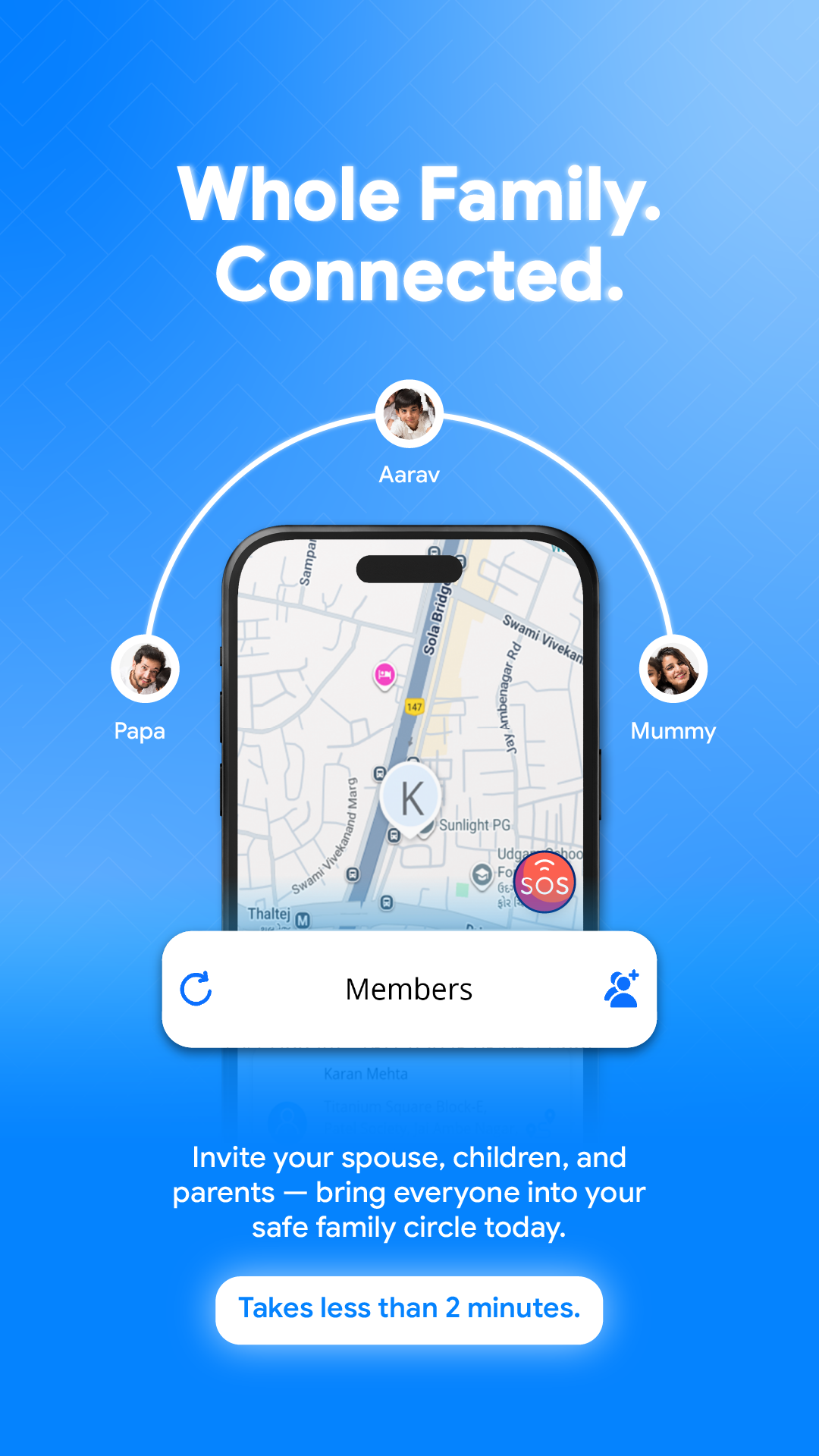
Is Location Tracking Safe?
This question has two dimensions that deserve separate answers: technical safety and relationship safety.
Technical safety covers whether the app exposes your family’s location data to unauthorized access, whether it stores location history securely, and whether the company behind it handles data in ways consistent with your family’s privacy interests.
The honest assessment: not all family location apps are built with equal privacy rigor. Several major apps in this category have documented histories of selling user location data — including data from minor children — to third-party data brokers and advertising networks. This is legal in most jurisdictions and was standard practice until public reporting created reputational pressure to change.
Before installing any location app on a child’s device, read the privacy policy specifically for language about third-party data sharing, data broker relationships, and the sale of anonymized location data. “Anonymized” location data has been demonstrated in academic research to be re-identifiable from home address, workplace, and daily routine — so anonymization provides less protection than the term implies.
Wings Track’s privacy architecture treats family location data as sensitive personal information belonging to the family rather than as a commercial asset. This principle should be the baseline expectation for any app given access to your family’s precise daily movements.
Relationship safety covers whether the implementation of location tracking supports or undermines trust within the family.
The research on this is consistent: covert location monitoring — particularly of teenagers — tends to produce workarounds rather than safety. Teenagers who discover they’ve been tracked without their knowledge report feeling surveilled rather than protected and respond by becoming more skilled at managing what their parents can see rather than making safer choices.
Location tracking is relationally safe when it’s transparent, mutual, and framed around reducing communication overhead rather than monitoring behavior. An arrangement where everyone in the family circle can see everyone else, where the app sends arrival notifications so nobody has to send check-in texts, and where both parents and children have agreed to the arrangement—this produces genuinely different family outcomes than covert installation.
Safe location tracking is consent-based location tracking. The technology is the same either way. The relationship outcome is entirely different.
Wings Track vs. Life360: The Honest Comparison
| Feature | Wings Track | Life360 |
| Real-time location (free tier) | ✅ Included in free | ❌ Restricted — paid tier required |
| Android support | ✅ Full functionality | ✅ Full functionality |
| iOS support | ✅ Full functionality | ✅ Full functionality |
| Cross-platform parity | ✅ Equal iOS and Android experience | ✅ Equal across platforms |
| Arrival / departure alerts (free) | ✅ Included in free | ❌ Limited on free tier |
| Driving behavior monitoring | ❌ Not included | ✅ Available (paid tier) |
| International tracking | ✅ Full cross-border function | ✅ Available (functionality varies by tier) |
| Location history | ✅ Available | ❌ Paid tier |
| Battery impact | ✅ Optimized — low impact | ⚠️ Moderate to high on some devices |
| Free tier genuine usefulness | ✅ High — core safety functions included | ⚠️ Limited — key features behind paywall |
| Monthly subscription cost | Free for Now with core features | $8–$30/month depending on plan |
| Privacy / data practices | ✅ Family-first, no data broker history | ⚠️ Documented third-party data sales (policy updated) |
| Setup complexity | ✅ Simple — 15–20 minutes | ✅ Simple — similar setup time |
| Best suited for | Mixed-device families, international use, and cost-conscious families | Families needing driving behavior monitoring for teen drivers |
The clearest summary: for families whose primary need is reliable, cross-platform real-time location sharing without mandatory subscription cost, Wings Track delivers the core function more honestly. For families where driving behavior monitoring of a teenage driver is the specific concern, Life360’s paid tier offers features that Wings Track doesn’t currently include.
The choice between them should be driven by which use case describes your family — not by which brand has larger advertising spend.
Can I Track Location From iPhone to Android?
Yes — with the right tool. This is one of the most practically important questions in the family location space, and the answer varies significantly by app.
Apple’s native Find My feature cannot track Android devices. This isn’t a limitation that will change — it’s architectural. Find My requires all participants to be within the Apple ecosystem. A parent on iPhone wanting to see their child’s location on an Android device simply cannot do this through Find My.
Google’s native Family Link manages Android devices from either Android or iPhone parent accounts, but Android-only children are in the circle. iPhone-using children cannot participate.
Cross-platform location sharing — iPhone tracking Android and vice versa, simultaneously, within the same family circle — requires a dedicated cross-platform app. Wings Track handles this specifically. A parent on iPhone can see their child’s Android location in real time. The Android user can see the iPhone user’s location with equal accuracy and update frequency. No feature degradation, no compatibility workarounds, no requirement that anyone change their device.
The practical setup: both the iPhone and Android user download Wings Track on their respective devices. The parent creates a family circle and sends an invitation to the child’s device. The child accepts. From that point, both devices appear in the shared circle with equivalent visibility.
This setup works across any combination of iOS and Android devices. A family with three iPhones and two Androids creates a single circle where all five members are visible to each other. The circle doesn’t care about device brand.
For families managing international distance — a parent abroad on an Android work phone whose family at home uses iPhones—this cross-border, cross-platform functionality is what makes Wings Track specifically suited to their situation rather than a workaround.
5 FAQs About Location Tracking Apps
Q1: Will a location tracking app work if my family member turns off their phone or disables location permissions?
Location sharing requires both an active device and enabled location permissions. If a phone is powered off, the app shows the last known location with a timestamp. If location permissions are disabled for the app, location sharing stops. Most dedicated family apps — including Wings Track — send a notification to the family circle when a member’s device goes offline or location sharing is disabled. This ensures parents aren’t operating under the false assumption that silence equals safety. The notification that location has been disabled is itself useful information.
Q2: How much data does a location tracking app consume monthly?
Well-optimized location apps use minimal mobile data — typically between 5MB and 20MB per month per device for standard family circle use. The app transmits location coordinates, not video or high-bandwidth content, so data consumption is low even on limited prepaid plans. Battery impact varies more significantly by app quality than data consumption does.
Q3: Can my child see that I’m checking their location?
This depends on the app’s design. Some apps send a notification each time a family member views another member’s location. Others — including Wings Track — operate on continuous circle sharing, where all members’ locations are visible to all other members as a default state without individual view notifications. The continuous sharing model generally produces less anxiety and more honest use because it removes the dynamic of a parent “checking up” and replaces it with ambient mutual awareness.
Q4: Do location tracking apps work in areas with poor signal?
In areas with limited cellular coverage, GPS may continue to function for position calculation, but location transmission to the family circle requires data connectivity. In no-signal areas, the app shows the last known location with a timestamp until connectivity resumes. Wi-Fi connectivity can maintain location transmission even without cellular data, which means location often continues updating at hotels, homes, offices, and other Wi-Fi environments even without active cellular service.
Q5: Is there an age where location tracking becomes inappropriate?
There’s no universal standard — it depends on the child’s maturity, the family’s trust dynamic, and what specific concern the tracking addresses. The general pattern that works: younger children benefit from location tracking as a safety measure with little resistance when it’s explained simply. As teenagers develop autonomy, the arrangement works better when framed as mutual family awareness rather than parental oversight — where teenagers can see parents’ locations as well, making it a shared safety system rather than a one-directional monitoring arrangement. Most families find the tracking arrangement naturally shifts from formal monitoring to mutual convenience as teenagers consistently demonstrate responsible behavior over time.
Conclusion:
Phone Tracking Apps Work — When You Choose the Right One
The Houston mother who tried three apps before finding one that worked wasn’t unlucky. She was navigating a market where the quality gap between apps using the same underlying technology is enormous—and where marketing language obscures that gap rather than clarifying it.
Phone tracking apps work. GPS is reliable. The satellite network is global. The technology for sharing that location information accurately, in real time, across different devices and different countries, is mature and proven.
What doesn’t always work is the specific implementation — the app that throttles updates on the free tier, drains batteries aggressively, or handles family location data as a commercial asset rather than a personal safety tool.