What actually works, what costs more than it should, and which tool fits your specific family, not someone else’s.
The Sunday Night Moment
A father in suburban Atlanta is sitting in his car in a Costco parking lot. His sixteen-year-old daughter borrowed the family car two hours ago to drive to a friend’s house, her third solo drive since getting her license six weeks earlier. She said she’d be back by 7. It’s 7:23. His texts are going unread.
He’s not panicking. He’s doing something worse than panic; he’s sitting in the specific suspended state of a parent who has no information and no good options. Call and seem overbearing. Don’t call and sit with the uncertainty. Neither choice feels right. Twenty-three minutes later, she pulls into the driveway. She’d left her phone in her friend’s car and hadn’t noticed. She was completely fine and completely confused by her father’s visible relief.
He downloaded a family location app that night. He’d been meaning to for months. The twenty-three minutes in the Costco parking lot finally moved it from “I should probably” to “I’m doing this right now.” This is how most American families come to location-tracking apps: not through careful research and comparison shopping but through a specific moment that makes the abstract anxiety of parenting suddenly, urgently concrete.
The problem with arriving this way is that urgent decisions made at 10 PM produce downloads that get abandoned in three weeks because the wrong tool was chosen for the wrong reasons. This guide slows that process down. It covers the real options available to US parents in 2025: what each tool actually does, what it genuinely costs, where it fails, and which combination of tools matches which family situation. The goal is a decision you’ll still feel good about six months from now, not just one that felt resolved at 10 PM on a Sunday.
What the US Market Actually Looks Like in 2025
The American family location tracking market is more crowded and more confusing than it needs to be. Dozens of apps compete for the same search terms with similar marketing language and wildly different actual capabilities.
A few structural facts worth knowing before evaluating any specific tool:
The US has a higher iPhone adoption rate than most countries, roughly 57% of smartphone users as of recent data, but that still means a significant portion of American families includes Android users. Any tool that requires device brand uniformity excludes a meaningful portion of the actual market.
Privacy regulation in the US is less stringent than in the EU. American families don’t have GDPR protections, which means the data practices of location-sharing apps are governed primarily by each company’s own policies, and enforcement is lighter. Reading privacy policies before installation is more important for US users than for users in jurisdictions with stronger regulatory protection.
Several major US parenting apps have documented histories of selling location data to third-party brokers, a practice that is legal in most US states and was common before public reporting created reputational pressure to change course. “We updated our privacy policy” is not the same as “we never did this and our architecture prevents it.”
Life360: The Market Leader With Real Trade-offs
Life360 has more US users than any other family location app. That’s a fact worth acknowledging because millions of American families have chosen it, and many of them use it consistently. Understanding why they also leave in large numbers requires understanding the trade-offs the product makes.
What Life360 does well:
The family circle interface is the most polished in this category. Setup is genuinely straightforward. The driving safety features speed alerts, hard braking detection, and phone use while driving detection are more developed than any competitor’s and particularly relevant for American families with teenage drivers. US roads produce the highest teen driving fatality rates of any high-income country; tools that give parents visibility into driving behavior are addressing a real and documented risk.
The cross-platform compatibility is genuine; Android and iPhone users can share the same family circle with equivalent functionality.
The free tier problem:
Life360’s free tier has been progressively hollowed out over time. Real-time location updates, the feature that makes location sharing actually useful rather than decorative, are restricted to update intervals that make the “live” label inaccurate for practical safety purposes. Driving safety features, location history, and crash detection sit behind subscription tiers that run from roughly $8 to $30 per month depending on the plan.
For US families who want Life360’s driving safety features specifically, the paid tier is what delivers them. At that price point, the comparison against alternatives becomes more relevant.
The data history:
Multiple US publications documented that Life360 sold precise location data of its users, including minors to data brokers and advertising networks. This practice was legal under US law at the time. Life360 modified its policies following the reporting. The architectural question of whether the system was rebuilt to prevent this or simply redirected is worth investigating for parents who are considering placing their minor children’s daily location data on the platform.
Best for:
US families who specifically need driving behavior monitoring for teenage drivers and are willing to pay for the tier that makes those features functional. For pure location sharing without driving safety features, alternatives offer more for less.

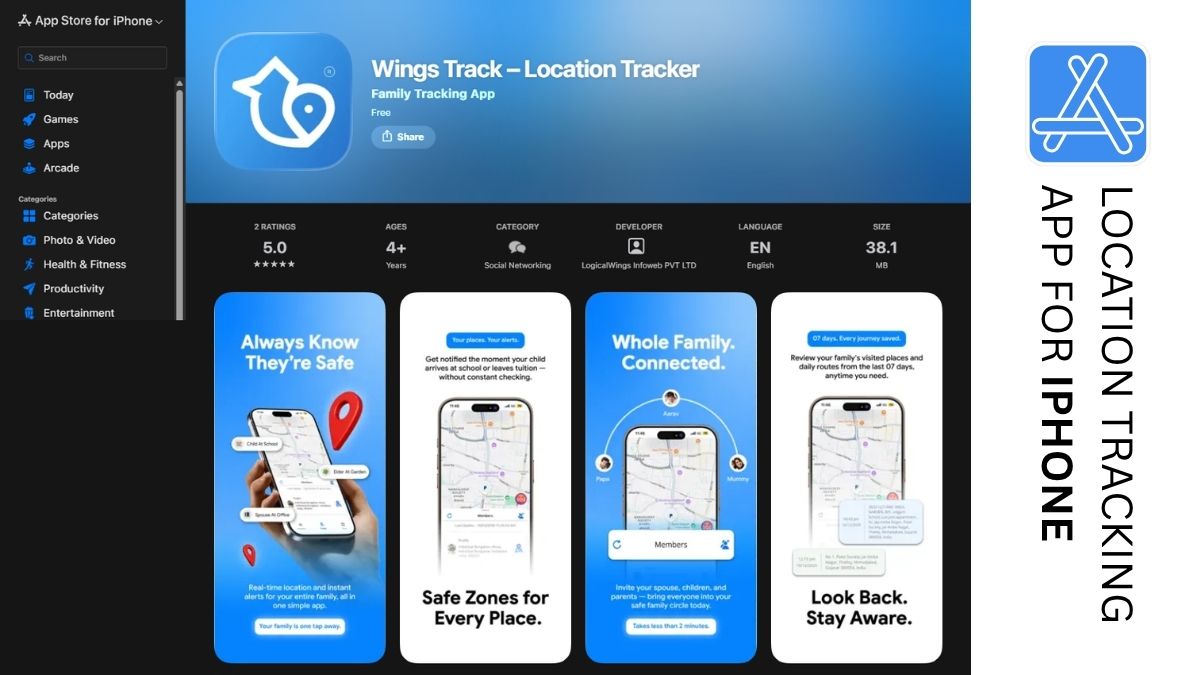
Wings Track: Cross-Platform Location Sharing Built for Real Family Configurations
The Atlanta father from the opening of this piece has a family with two Android phones and one iPhone. Life360 works across both platforms. Find My doesn’t cover his Android. Family Link doesn’t cover his daughter’s iPhone.
Wings Track handles this configuration as a design baseline rather than an edge case.
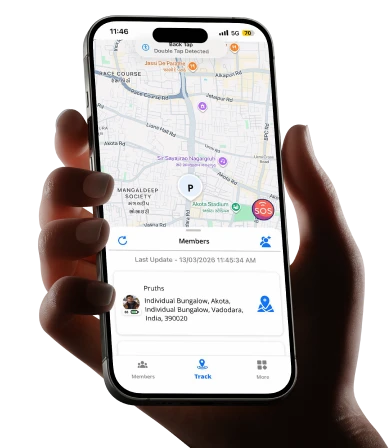
The family circle in Wings Track covers iOS and Android users with equivalent functionality across all devices. The father’s Android, his wife’s iPhone, and their daughter’s iPhone are all full participants in the same location circle, with the same location accuracy, the same update frequency, and same notification reliability, regardless of which device each person carries.
The free tier is functional, not promotional:
Wings Track’s core location features real-time location sharing within a family circle, arrival and departure alerts for saved addresses, and family circle management across multiple members are accessible without payment. This reflects a different product philosophy from freemium tools that restrict real-time updates behind subscriptions: the feature that makes location sharing useful for safety purposes is the free feature, not the upgrade incentive.
For US families evaluating location apps, the test worth running: install Wings Track, set up the family circle across all devices, configure arrival and departure alerts for home and school or workplace, and use it for a full week against your family’s actual daily routine. The experience during that week tells you more than any feature comparison.
International function:
A meaningful portion of American families includes members who travel internationally for business, study abroad, or have family spread across borders. Wings Track maintains location sharing across international borders without configuration changes or feature restrictions. The family circle works from the US to Europe to Asia with the same functionality it provides within a single city.
What Wings Track doesn’t cover:
It’s a location tool, not a device management tool. Screen time limits, content filtering, and app approval are outside its scope. US families who need both location awareness and device management use Wings Track alongside Family Link (for Android children) or Screen Time (for iPhone children), rather than instead of them.
Best for:
US families with mixed Android and iOS devices who need cross-platform location sharing, families with international connections, and parents who want real-time location alerts without a subscription gate in front of the feature that makes the tool actually useful.
Google Family Link: The Free Android Foundation
A family in Phoenix with two kids, ages nine and twelve, both on Android phones, sets up Family Link on a Saturday morning. By noon, both children’s devices require parental approval before any new app can be installed. Daily screen time limits are active. The location is visible on the parent’s phone continuously. The whole setup took about forty-five minutes, including the time spent explaining to the kids what was changing and why.
Total cost: zero dollars.
Google Family Link is the most genuinely free parental tool available to American families with Android-using children. It covers the functions that matter most for younger children: app approval before installation, daily screen time limits that lock the device automatically, content filtering through Google’s SafeSearch and YouTube restricted mode, and continuous location sharing with arrival and departure alerts for saved addresses.
The experience is native built into the Android operating system rather than running as a third-party app on top of it. This produces better reliability and lower battery impact than most third-party alternatives on the same devices.
Where it ends:
Family Link’s management structure is designed for children under 13. When a child’s Google account reaches that age threshold, the system transitions to a permission-based model where the teenager can begin declining oversight features. This transition happens automatically and catches many parents off guard the protections they’d been relying on for years quietly shift in the child’s favor at exactly the developmental point where digital safety concerns tend to increase.
Family Link has no iOS component. A family with one child on Android and another on iPhone cannot manage both from the same Family Link dashboard. The iPhone child is simply outside the system.
Best for:
US families with children under 13 on Android devices who need app management, content filtering, screen time limits, and basic location sharing, all without subscription cost.
Apple Find My and Screen Time: Strong Tools Inside a Walled Garden
Apple’s native family tools cover two distinct functions that most parents conflate: Find My handles location sharing, and Screen Time handles device management. They’re separate features that work together for all-iPhone families.
Find My’s family sharing is accurate, battery-efficient, deeply integrated with iOS, and free. Within a family sharing group, all members’ locations are visible on a shared map. Geofence alerts notifications when a family member arrives at or leaves a saved location, work reliably. For a family where everyone uses an iPhone, it handles location sharing as well as any dedicated third-party app.
Screen Time handles the device management side: daily limits per app or app category, downtime scheduling that makes non-essential apps unavailable during school hours and bedtime, communication limits that restrict who a child can contact during specified hours, and content restrictions that apply at the operating system level rather than just within a specific browser.
The combination of Find My and Screen Time, both free, covers the primary safety and oversight needs of all-iPhone families comprehensively.
The wall:
The moment an Android device enters the family, both tools break down for cross-family use. Find My doesn’t include Android users. Screen Time has no Android component. A family where the father uses a work-issued Android phone, the mother uses an iPhone, and the children are on different devices cannot build a unified family location circle using Apple’s native tools.
This isn’t a minor limitation in the US context. Mixed-device households represent the majority of American families. The 57% iPhone adoption rate means that 43% of US smartphone users are on Android, and in households with multiple members, the probability of at least one Android device is high.
Best for:
All iPhone families in the US who want comprehensive, free device management and location sharing without third-party involvement. The strongest available option for this specific configuration.
Bark: Monitoring for What Location Can’t See
A family in Seattle has a fifteen-year-old who is, by all visible measures, doing fine. Good grades. Reasonable social life. No obvious warning signs. But her parents are aware that the most serious adolescent mental health situations, depression, self-harm, eating disorders, predatory contact often don’t produce visible warning signs until they’ve been developing for months.
Bark addresses a specific problem that no location tracking app touches: what is happening in a teenager’s digital communications?
Rather than giving parents access to read their teenager’s messages, a surveillance approach that most adolescent development researchers view as trust-damaging when discovered, Bark uses automated monitoring to scan messaging apps, social platforms, and email for content patterns associated with bullying, self-harm, depression, sexual content, and predatory contact. Parents receive alerts only when something concerning is flagged.
This philosophy of monitoring without reading represents a genuine middle position between full parental surveillance and complete digital blindness. The teenager retains privacy in their day-to-day communications. The parent receives actionable alerts when the automated system identifies content that warrants attention.
The cost reality:
Bark’s meaningful features, the communication monitoring that differentiates it require a paid subscription. The family plan runs approximately $14 per month. The free tier covers basic content filtering and isn’t where Bark’s distinctive value lives.
What Bark doesn’t do:
Bark doesn’t track location. It monitors digital communication content, not physical whereabouts. For comprehensive family safety coverage, it needs to be paired with a location tool.
Best for:
Parents of US teenagers whose primary concern is digital safety, online predators, cyberbullying, and mental health warning signs in communications, rather than physical location. Particularly appropriate for families where a teenager’s social life is primarily digital, and the parents want intelligent alerting without reading through all private communications.
The Combination That Covers Most US Families
Single-app solutions that promise to do everything tend to do several things at a mediocre level. The families with the most functional setups typically use two tools covering distinct problems.
For families with younger children on Android:
Google Family Link (device management, content filtering, basic location) plus Wings Track (cross-platform family circle if any family members use iPhone). Both free.
For all-iPhone families:
Apple Screen Time (device management, content restrictions, communication limits) plus Find My (location sharing within the Apple ecosystem). Both free, both built-in.
For mixed-device families the majority of US households:
Wings Track (cross-platform location sharing that includes both Android and iPhone users equally) plus Family Link or Screen Time on children’s devices for device management. Wings Track’s free core covers the location function. Family Link and Screen Time cover device management at no additional cost.
For families with teenage drivers:
Wings Track for family location sharing plus Life360’s paid tier specifically for driving behavior monitoring, if the driving safety features justify the subscription cost for your family. Or Wings Track alone if location awareness is the primary need and driving-specific monitoring is secondary.
For families with teenagers whose primary risks are digital:
Wings Track for location plus Bark’s paid tier for communication monitoring. The combination covers physical safety and digital safety across the two dimensions that produce the most parental anxiety with teenagers.
The Privacy Decision US Parents Need to Make Explicitly
In the EU, GDPR creates a baseline of data protection that applies to location apps regardless of their stated policies. In the US, no equivalent federal standard exists. California’s CPRA provides some protections for California residents, but most Americans have significantly weaker legal recourse when a location app misuses their family’s data.
This makes the privacy policy review a necessary step for US parents, not optional, not skimmable.
Before installing any family location app on a child’s device, read the privacy policy specifically for: language about third-party data sharing, references to data brokers or advertising networks, statements about selling anonymized location data, and how long location history is retained.
The standard worth applying: Would you be comfortable if your child’s daily movement patterns, home address, school location, after-school activities, weekend routines were visible to companies you’ve never heard of? If not, the privacy policy of the app you’re considering should explicitly prevent that outcome in language that doesn’t leave interpretive room.
“We may share data with trusted partners” is not explicit. “We do not sell user location data to third parties or data brokers” is explicit. The difference matters when the data in question is your minor child’s precise daily location.
The Decision Framework, Simplified
Before downloading anything, answer these four questions:
What devices does your family use?
All iPhone → Apple’s native tools. All Android → Family Link plus Wings Track for cross-platform coverage. Mixed → Wings Track as the cross-platform foundation.
What ages are your children?
Under 13 → device management is the primary need alongside location. Teenagers → location plus either communication monitoring (Bark) or driving behavior monitoring (Life360 paid), depending on where the concern is greatest.
What is the specific daily anxiety you’re trying to reduce?
Physical location and safety → location tools. Device use and content → screen time and filtering tools. Communication safety → monitoring tools. Match the tool to the actual problem.
What are you willing to spend?
Free options cover the primary safety needs of most US families without compromise. Paid options add specific capabilities driving safety monitoring, communication scanning, comprehensive cross-platform management that free tools don’t include. Pay for specific capabilities you need, not for the category in general.
Conclusion:
The Right Tool Exists. Finding It Takes Honesty About What You Actually Need.
The Atlanta father ended up with Wings Track for family location sharing cross-platform because his family’s devices don’t match and Google Family Link on his son’s Android for device management. His daughter, at sixteen, participates in the location circle voluntarily after a conversation about why it matters to him and how it reduces the anxious phone calls she finds as irritating as he finds them necessary.
The setup took one afternoon. He checks the app rarely mostly he receives arrival notifications that his daughter made it to her destination and departure notifications when she leaves. The Sunday night parking lot experience hasn’t repeated. That’s what the right family location tracking app actually delivers. Not constant surveillance. Not a solution to every parenting challenge. Just the specific, targeted replacement of uncertainty with information in the moments when that information reduces the anxiety that parenting at distance always carries. The tools exist. The question is choosing the right one for your family’s actual configuration rather than the most advertised one for someone else’s.
Find your configuration. Test the free options first. Add paid capabilities only where the gap is real and the cost is proportionate to what you’re getting.