Not every parenting app does the same thing. Here’s what they actually are, what each category genuinely handles, and how to figure out which type your family actually needs.
The Drawer Full of Downloaded Apps That Nobody Uses
A mother of two downloads a parenting app after reading about it in a Facebook group. She sets it up on a Saturday afternoon, configures a few settings, and fully intends to use it starting Monday. By Wednesday, it’s still technically installed. By the following weekend, she’s forgotten it exists.
This scenario is so common it has become a cliché of modern parenting. The app market aimed at parents has exploded over the past decade, with thousands of tools claiming to make parenting easier, safer, more connected, or more organized. Most families have tried at least one. Far fewer are still using one six months later.
The reason isn’t that the apps don’t work. It’s that most parents download a parenting app without a clear answer to a question that should come first:
What specific problem is trying to solve?
A parenting app is not a single category of tool any more than “medicine” is a single category of treatment. The phrase covers everything from location sharing to screen time management to developmental milestone trackers to co-parenting coordination tools. These are fundamentally different solutions to fundamentally different problems. Downloading the wrong one, even a well-built, highly rated one, produces a drawer full of unused apps because the tool and the problem never matched.
This guide clarifies what parenting apps are actually used for, what each category genuinely delivers, which families benefit most from each type, and how to approach the selection decision in a way that results in a tool your family will actually use.
5 Distinct Categories of Parenting Apps
Understanding that “parenting app” is an umbrella term covering five different tool categories is the single most useful reframe for any parent navigating this space.
1) Family Location and Safety Apps
These apps exist to answer one question: where are the people I love, right now?
They share real-time GPS location within a defined family group, send alerts when family members arrive at or depart from saved locations, and maintain ambient awareness of whether children, elderly relatives, or traveling partners are where they’re supposed to be.
The daily use case is specific and consistent: a parent who wants to know their child left school, a spouse tracking a partner’s long commute on a bad weather night, a family managing a teenager’s first weeks of driving independence, or an adult child who wants to confirm an elderly parent got home safely from a medical appointment.
What they don’t do: manage what happens on a device, filter content, or address anything about a child’s digital life. They track physical location. That’s it. When that’s the problem of physical safety, location anxiety, and distance management, they solve it well.
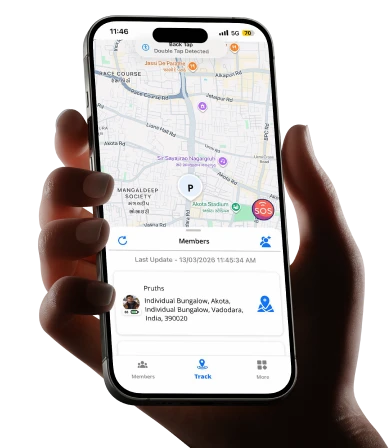
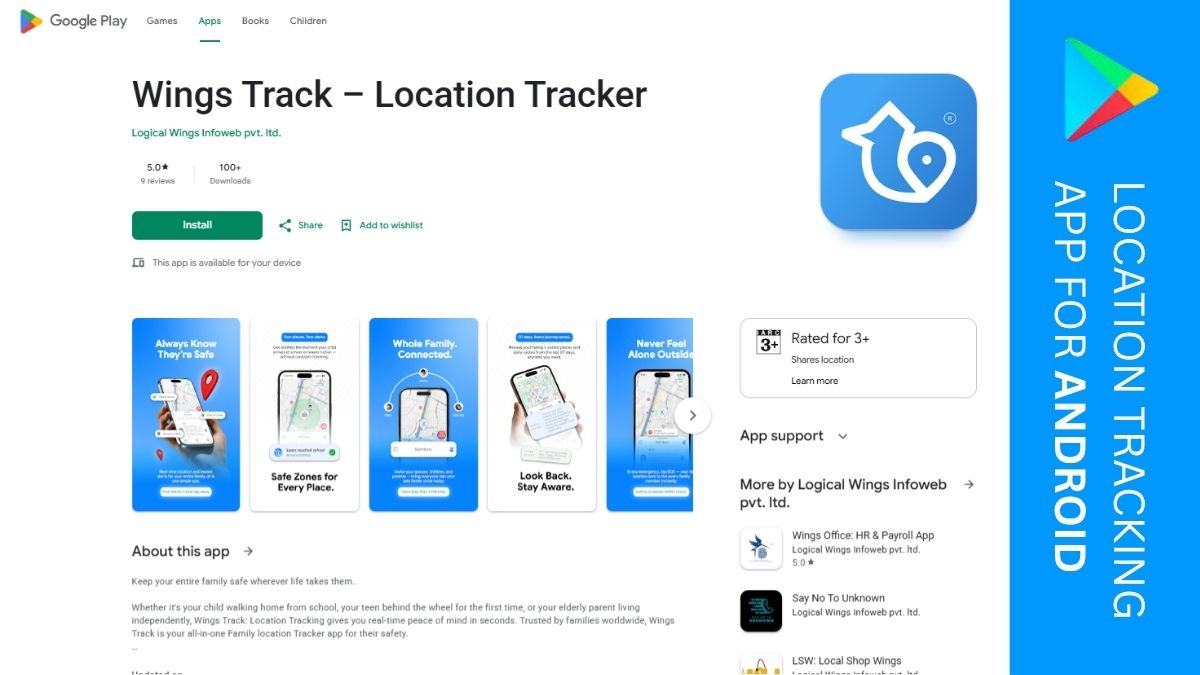
Wings Track sits in this category. It’s built specifically around family location sharing as the primary function, with genuine cross-platform compatibility across iOS and Android, real-time updates, and arrival and departure alerts that replace the cycle of anxious check-in texts that interrupt everyone’s day. The core features are accessible without mandatory payment, which matters for families who want to confirm a tool works before committing financially.
2) Parental Control and Screen Time Management Apps
These apps manage what happens on a child’s device, not where the device physically is, but what the child does with it.
The functions covered: daily screen time limits that automatically lock the device when the limit is reached, content filtering that blocks specific categories of websites and apps, approval requirements for new app downloads, safe search enforcement across browsers and search engines, communication limits that restrict who a child can contact during specific hours, and downtime scheduling that makes the phone unavailable during school hours or bedtime.
The families who need this category most are those with younger children who have smartphones or tablets and no structured limits on how those devices are used. The research on children’s sleep, attention, and mental health and their relationship to unmanaged smartphone use is consistent and concerning enough that this category of app addresses a genuine, documented need rather than a parental anxiety without substance.
Google Family Link (free, Android-focused) and Apple Screen Time (free, iOS-only) are the built-in options that handle this category competently for most families without requiring a third-party subscription. Qustodio and Bark handle it more comprehensively across multiple platforms for families whose needs exceed what the built-in tools provide, at a cost. What these apps don’t do: track where a child physically is. A screen time manager tells you what your child is doing on their device. It tells you nothing about where the device and the child carrying it actually are.
3) Child Development and Milestone Tracking Apps
These are the apps designed for parents of infants, toddlers, and young children who want to track developmental milestones, feeding schedules, sleep patterns, growth measurements, and health records.
The use case is specific to the early childhood period. A new parent tracking nursing sessions and sleep intervals. Parents monitor whether their toddler is hitting developmental milestones within typical ranges. Families maintain organized health records for pediatric appointments. Multiple caregivers, parents, grandparents, and nannies are coordinating a child’s daily schedule through a shared platform.
Apps in this category include Huckleberry (sleep tracking and scheduling), Baby Connect (comprehensive daily activity logging), and The Wonder Weeks (developmental milestone guidance based on research). They serve a clearly defined need for a clearly defined period of parenting. What they don’t do: any of the functions in the other four categories. They’re early childhood tools that become irrelevant as children grow, which is a feature rather than a limitation. The problem they solve is age-specific.
4) Co-Parenting Coordination Apps
These apps are designed for separated or divorced parents who share custody and need to coordinate parenting responsibilities, communicate about their children, and manage shared schedules without the emotional friction that often accompanies direct communication between former partners.
The functions: shared custody calendars that both parents can view and update, expense tracking for child-related costs and reimbursements, structured messaging systems that keep parenting communication organized and documented, information sharing for medical records, school updates, and activity schedules. OurFamilyWizard and TalkingParents are the most established tools in this category. Family courts in some jurisdictions recommend or require their use because they maintain documented communication records and reduce the conflict that often arises from informal co-parenting communication.
This category serves a genuinely specific family structure. For intact families without co-parenting arrangements, these tools are irrelevant. For separated families managing shared custody, they address a real coordination need that generic calendar or messaging apps handle poorly.
5) Family Organization and Communication Apps
The broadest category of apps is designed to help intact families manage shared schedules, household tasks, grocery lists, and communication within a single platform. Problems they address are recognizable to any parent managing a household with multiple children, multiple activities, and multiple adults who need to stay coordinated: who is picking up which child, what’s needed from the grocery store, whose turn it is for which household responsibility, and what appointments are coming up that everyone needs to know about.
Cozi Family Organizer is the most widely used tool in this category, a shared family calendar combined with grocery lists, to-do lists, and a family journal. OurHome gamifies household task management for children by assigning points for completed chores. Google Calendar with shared family calendars serves the scheduling function for families already operating within the Google ecosystem.
These apps don’t track location, manage device use, or address any safety-related function. They’re organizational tools for families whose primary friction is coordination rather than safety.

Understanding the categories in theory is useful. Seeing how they map to real daily situations makes the selection decision concrete.
The family with a newly independent child:
A ten-year-old has started walking home from school alone for the first time. The parents’ daily anxiety: did she leave on time, is she taking the right route, has she arrived safely? The right category: location and safety apps. A family location tool with departure and arrival alerts for school and home addresses this specific anxiety directly and completely. Screen time management or milestone tracking tools address entirely different problems.
The family managing excessive device use:
A twelve-year-old is staying up until 1 AM on his phone, his grades are slipping, and he’s irritable in the mornings. The parents’ daily problem: how do we create real limits on phone use without manual enforcement that creates constant conflict?
The right category: parental control and screen time management apps. Scheduled downtime that locks the phone automatically at 9 PM removes the nightly negotiation. App limits that cut off gaming after a set daily duration enforce the limit without requiring parental presence each time it’s reached. A location tracking app addresses none of this.
The family managing international distance:
A father works in Saudi Arabia on a rotating schedule three months abroad, one month home. His wife and children are in Kerala. The family’s daily need: ambient awareness that everyone is safe without the overhead of scheduled video calls that require both sides to be available simultaneously.
The right category: location and safety apps with international function. The family can see each other’s locations across time zones without requiring real-time communication. Wings Track handles cross-border location sharing with equivalent functionality for both the Android user abroad and the iOS users at home.
The separated family with shared custody:
Two parents share custody of their children on a week-on, week-off arrangement. Communication between them is tense, and disagreements about scheduling and expenses create ongoing conflict.
The right category: co-parenting coordination apps. A structured platform that keeps communication documented, expenses tracked, and schedules visible to both parents reduces the friction points that informal communication creates.
The large family managing household chaos:
Two parents, four children, multiple school schedules, after-school activities, grocery shopping, and household tasks that nobody can keep track of simultaneously.
The right category: family organization apps. A shared calendar visible to all family members, a grocery list that any member can add to, and a chore management system that the children actually engage with address the coordination problem. Location tracking doesn’t help when the problem is organizational rather than safety-related.
The Combination Question: Do Families Need More Than One?
Yes and this is where most parenting app advice falls short by treating the decision as a single choice rather than a potentially layered one.
The categories address different problems. A family with both a location anxiety and a screen time concern needs tools from two different categories. Trying to solve both with a single app that partially addresses each produces a mediocre experience in both areas.
The combination that works for most families with school-age children covers two bases:
A location and safety tool for physical awareness, where family members are, that children arrived safely, and that commuting partners are on their way home. Wings Track handles this across mixed-device households without requiring payment for the core function.
A screen time management tool for digital oversight, daily limits, content filtering, app approval. Google Family Link (Android) or Apple Screen Time (iOS) handles this at no cost for families whose needs don’t exceed what the built-in tools provide.
These two tools, together, both free, cover the daily safety concerns of most families with children navigating the combination of physical independence and smartphone access. Adding a family organization app, Cozi, a shared Google Calendar, covers the coordination dimension for households managing complex schedules.
Three tools. All are free at a functional level. Each addresses a distinct daily problem without overlapping into the territory the others handle better.
What to Ask Before Downloading Anything
The question that determines whether a parenting app becomes a daily household asset or another abandoned download:
What specific situation am I trying to prevent or manage?
Not “I want my child to be safe.” That’s a value, not a problem statement. Not “I want to be a better parent.” That’s an aspiration, not a use case.
The specific version: My child walks home alone, and I don’t know when she arrives. That’s a location app problem. My son is on his phone until 2 AM, and I can’t enforce limits. That’s a screen time app problem. My ex and I can’t coordinate our children’s schedule without it becoming an argument. That’s a co-parenting app problem.
The specificity of the problem determines the category of the solution. The category of the solution narrows the field from thousands of apps to a short list of genuinely appropriate options. The short list makes the final selection decision manageable rather than overwhelming.
Start with the problem. The app follows from it.
Conclusion: The Right App for the Right Problem
Parenting apps are used for five distinct purposes: tracking family location and physical safety, managing device use and screen time, monitoring child development in early years, coordinating co-parenting arrangements, and organizing family schedules and household tasks. These are not interchangeable. The families that get lasting value from parenting technology are the ones who identified a specific problem, matched it to the right category, and chose a tool that was genuinely built for that use case.
For families whose primary concern is knowing their children are physically safe — school arrivals, commute monitoring, location awareness across distances — Wings Track provides a free, cross-platform, genuinely functional starting point that doesn’t require a credit card to confirm it does what you need.
For families managing multiple concerns simultaneously, the right answer is often two or three targeted tools rather than one comprehensive platform that handles everything moderately.
The goal was never to have more apps. The goal was to have the specific information you need, at the moment you need it, without the anxiety of not knowing. That’s what the right parenting app in the right category, for the right problem, actually delivers.
Find your specific problem. Find the tool built for it. Start there.
The best parenting app is the one still on your phone six months from now because it solved something real.