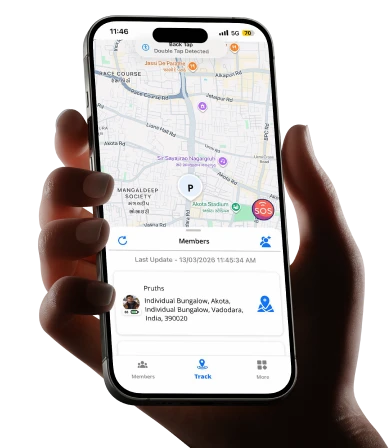
You’re at work. Your teenager should be home by 4 PM. It’s 5:30 PM and your calls are going unanswered. That knot in your stomach? Every parent knows it. A good family tracking app doesn’t just show you a dot on a map. It gives you peace of mind, opens up honest conversations with your kids, and keeps your whole family connected, without turning into a surveillance nightmare. Here’s everything you need to know, from how these apps work to whether you should actually use one.
What Is a Family Locator App?
A family locator app is a mobile application that lets family members share their real-time location with each other. Think of it as a private, family-only map where everyone can see where everyone else is, as long as they’ve agreed to share. It’s not just for tracking kids. Parents can share their location too. Grandparents can stay connected. It works both ways. Most apps also come with extras like check-in alerts, driving speed reports, and notifications when a family member arrives at or leaves a specific place, like school, home, or a friend’s house.
How Does a Family Tracker App Work?
It’s simpler than you think. Here’s the basic flow:
- You download the app and create a family group.
- Each family member installs the app and joins the group.
- Everyone’s location is shared in real time on a shared map.
- You set up alerts for specific places (called geofences).
- The app notifies you when someone arrives or leaves those places.
The app runs quietly in the background using your phone’s GPS. It doesn’t drain battery the way older apps used to. Most modern location tracking apps for family are built to be lightweight and low-impact.
Pro Tip: Set up geofences for your child’s school, your home, and any after-school activity locations. You’ll get automatic alerts without having to constantly check the app. This reduces anxiety and gives your child space.
Can You Track Family Members on iPhone?
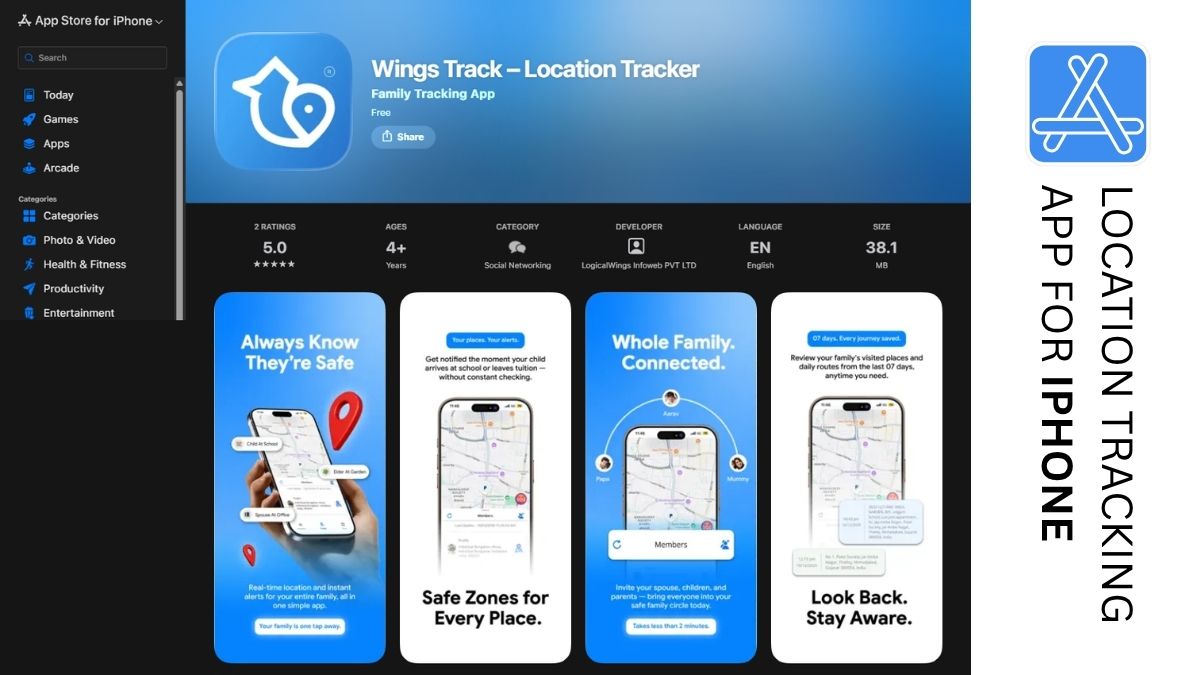
Yes, absolutely. Apple has a built-in feature called Find My, which lets you share locations with family members through Wings Track. It’s free and works well for basic use. But here’s the honest truth: built-in tools are often limited. They don’t offer driving reports, crash detection, SOS alerts, or the kind of communication features that a dedicated location tracking app for family provides. If you want more than just a location pin, a dedicated family tracking app gives you a fuller picture.
What Does a Family Locator App Actually Do?
Let’s break it down practically. Here’s what a solid app covers:
| Feature | What It Does for Your Family |
|---|---|
| Real-time location sharing | See where everyone is, right now |
| Geofence alerts | Get notified when kids arrive or leave specific places |
| Driving reports | Know if your teen is speeding |
| SOS / panic button | Family members can send an instant alert if they feel unsafe |
| Check-in messages | Quick “I’m here” updates without a full phone call |
| Location history | See where someone was earlier in the day |
These features aren’t about control. They’re about connection and safety. When your child knows you can see their location, it actually encourages more open conversations about where they’re going and why.
Should Parents Track Their Child?
This is the question most parents wrestle with. And the honest answer is it depends on how you do it. Here’s what research and real-world experience consistently show. When parents involve their children in the decision, explain why the app is being used, and make location sharing mutual, kids feel more secure, not monitored.
Tracking without conversation = surveillance.
Tracking with conversation = safety and trust .
A Real-World Example
Sarah, a mother of two in Chicago, started using a family tracking app when her 13-year-old began taking the bus to school alone. Instead of secretly installing the app, she sat down with her daughter, showed her how it worked, and explained that she’d be sharing her own location too.
Her daughter’s response? “That’s actually kind of cool, Mom.” Six months later, the app helped Sarah locate her daughter quickly when her phone died during a school trip. No panic. No worst-case scenarios. Just a quick check and a sigh of relief.
Parenting Checklist: Is Your Family Ready for a Tracking App?
- Have you talked with your child about why you want to use it?
- Will you share your own location too, making it mutual?
- Have you agreed on boundaries, like not checking every five minutes?
- Does your child know they can talk to you if they feel uncomfortable?
- Have you set up the app together as a family activity?
- Are you using it as a safety tool, not a punishment tool?
If you can check all six, you’re approaching this the right way.
FAQ
What is a family locator app?
A family locator app is a mobile tool that lets family members share their real-time GPS location with each other in a secure way. It often includes features like arrival alerts, geofencing, and SOS buttons. It’s designed to keep families connected and safe, not to spy on each other.
How does a family tracker app work?
Each family member downloads the app and joins a shared group. The app uses your phone’s GPS to show everyone’s location on a private map. You can set alerts for specific locations, review location history, and send check-ins. It runs quietly in the background and updates in real time.
Can you track family members on an iPhone?
Yes. Apple supports family location-sharing apps available in the market. However, dedicated family tracking apps offer more features, including driving behavior reports, geofence notifications, SOS alerts, and cross-platform support for families with both iPhone and Android users.
What does a family locator app do beyond showing location?
Beyond real-time location, most apps offer geofence alerts, driving speed monitoring, crash detection, SOS panic buttons, and location history. Some apps also include family messaging features, making it easier to stay in touch without switching between multiple apps.
Should I tell my child I’m using a tracking app?
Yes, always. Transparency builds trust. When children know about the app and understand it’s a mutual safety tool, they’re more likely to feel secure rather than watched. Involve them in setting it up, share your own location too, and agree on how and when you’ll check it.
Final Thoughts
A good family tracking app isn’t about distrust. It’s about staying connected in a world that moves fast and doesn’t always wait for you to catch up. When you use it openly, set it up together as a family, and treat it as a shared safety tool, it becomes something your kids actually appreciate as they get older. If you’re ready to bring your family closer and reduce the daily worry that comes with parenting, it’s time to download a location tracking app built for real families.
Explore a family tracking app that works for your whole family, and start to use it from today.