Family Tracking App

best location tracking app
Family Tracking App, Featurs

Best Tracking Location App

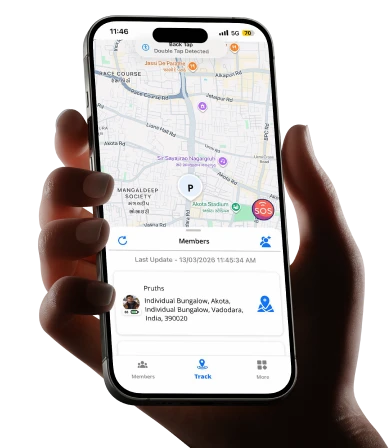
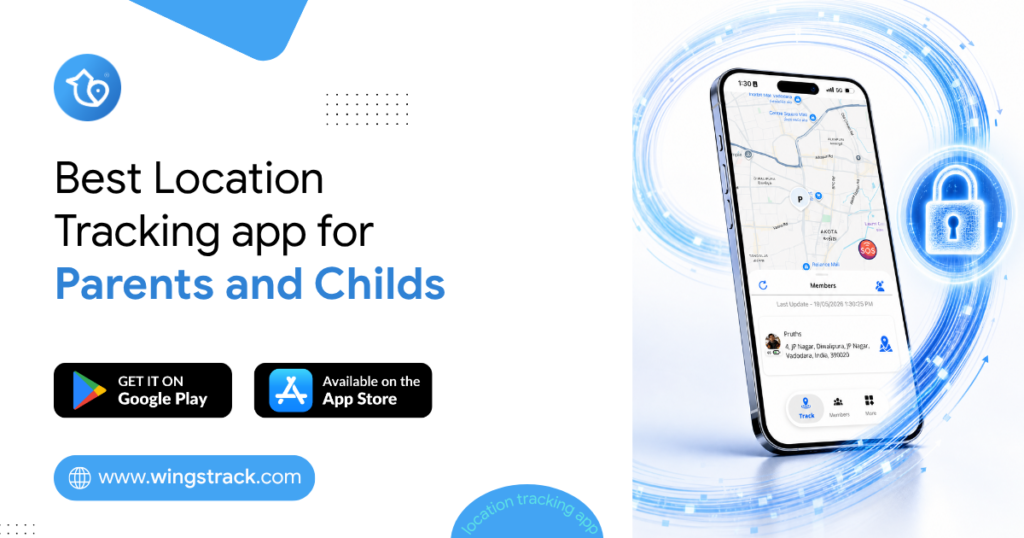
Your teenager was supposed to be home an hour ago. You’ve called twice. No answer. Your mind races through every possibility while you stare at the front door. Most parents know this feeling. And it’s exactly why location tracking apps have moved from a nice-to-have to something families genuinely rely on. The best location tracking app doesn’t spy on your kids or replace trust. It gives you a calm way to know everyone got where they were going, safely. This guide walks you through what actually matters when choosing one, which apps are worth your time, and how to pick the right fit for your family. What a Family Location App Really Does Before comparing options, it helps to understand what these tools are built for. At their core, they share real-time location between family members who’ve agreed to it. Parents see where children are. Adult children can check on aging parents. Partners can coordinate pickups without a dozen texts. Good apps go beyond a dot on a map. Many now include: Location history and timelines, so you can see where someone traveled during the day rather than only their current spot. This is useful when a child forgets to check in after school. Safe zone alerts, which notify you automatically when a family member arrives at or leaves a set place like home, school, or a grandparent’s house. SOS or panic features, letting a family member send an instant alert with their location if they feel unsafe. Battery and phone status, so you know whether someone’s phone died or they’re simply not responding. The point isn’t surveillance. It’s shared awareness that reduces the small daily worries every family carries. Why the Best Location Tracking App Matters for Busy Families Coordinating a household is harder than it looks. Multiple schedules, different destinations, elderly relatives who may need help, and kids old enough to move around on their own but young enough to still worry about. A reliable app cuts down the mental load. Instead of texting “where are you?” every twenty minutes, you glance at your phone and get an answer. That’s the real value. It’s not about control. It’s about spending less energy tracking logistics in your head. Consider a household with two working parents, a teen who takes public transport, and a grandparent living nearby. On any given afternoon, three people are moving in three directions. A shared family map turns that chaos into a single, calm view. There’s a trade-off worth naming, though. These apps only work when everyone participates honestly and understands why it’s being used. A family locator app used without an open conversation can feel invasive to a teenager. Used with agreement, it becomes a tool everyone benefits from. Pro Tip: Before installing anything, have a short, honest talk with older kids about what the app shares and what it doesn’t. Framing it as mutual safety, where they can see you too, tends to lower resistance far more than presenting it as a rule. Best Location Tracking Apps Worth Considering Here are options families commonly turn to, along with who each one tends to suit. Availability and features change over time, so confirm the current details before you commit. Wings Track Built with families in mind, Wings Track focuses on straightforward, reliable location sharing without overwhelming you with clutter. It suits parents who want real-time location, movement history, and simple alerts in one place, along with an interface that older relatives can actually use without help. If you want a family locator that keeps setup simple and puts everyday safety first, this is the one to start with. Life360 One of the more widely known family locator apps. It offers location sharing, place alerts, and driving-related features in its paid tiers. It suits larger families comfortable with a feature-heavy app, though some users find the free version limited. Google Maps Location Sharing Free and already on most phones. You can share your live location with specific people for a set time or indefinitely. It’s a solid starting point for families who want basic sharing without installing anything new, but it lacks safe-zone alerts and dedicated family features. Apple Find My For all-Apple households, this is built in and reliable. It shares location between Apple devices and works well for locating family members and lost devices. The obvious limit is that it doesn’t help if anyone in the family uses Android. The right pick depends less on which app is objectively “best” and more on which matches your family’s phones, ages, and how much you actually need. Comparing the Options at a Glance App Best For Cross-Platform Standout Strength Wings Track Families wanting simple, focused tracking Yes Easy setup and clean interface Life360 Larger, feature-loving families Yes Broad feature set Google Maps Basic, free live sharing Yes Already installed Apple Find My All-Apple households No Built in, no extra app Use this as a shortlist, not a final verdict. A family with mixed phones has different needs than one fully on iPhones. How to Choose the Right Family Locator App for Your Home Rather than chasing the longest feature list, work backward from what your family actually deals with day to day. Start with your phones. If everyone uses iPhones, a built-in option may be enough. Mixed households almost always need a cross-platform app that treats Android and iPhone equally. Then think about who’s using it. A young child, a self-conscious teenager, and an elderly parent all interact with technology differently. An app that a grandparent can’t figure out won’t get used, which defeats the purpose. Simplicity often beats power here. Consider what problem you’re really solving: Daily coordination, where you mainly want to reduce check-in texts and know when kids reach school or home safely. Peace of mind for elderly relatives, where automatic arrival alerts and an easy SOS button matter more than driving reports or detailed history. Safety in specific situations, like a teen traveling alone at night, where real-time accuracy and
SoS-Alerts app
Family Locator App, Family Tracking App

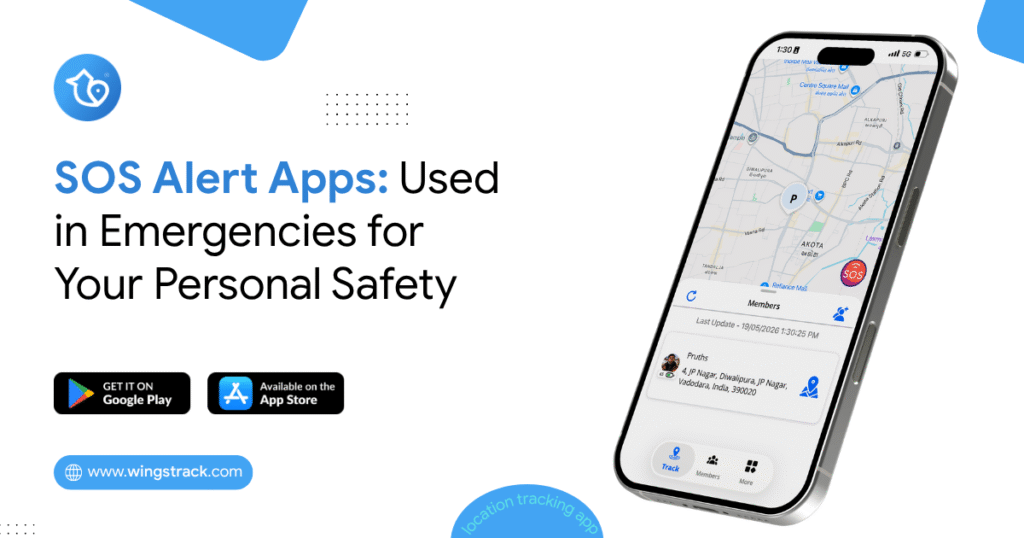
SOS Alert App: For Emergency and Personal Safety

Your teenage daughter texts that she’s leaving her friend’s house. Twenty minutes pass. She’s usually home in ten. You call. No answer. That knot in your stomach tightens. Most parents know this feeling. And in those minutes of not knowing, an SOS Alerts app can be the difference between guessing and knowing exactly where your child is and whether they need help right now. This isn’t about hovering over your family or tracking their every move. It’s about giving the people you love a fast, simple way to reach you when something goes wrong and giving yourself a way to check in when your instincts say something’s off. How They Can Support Emergency and Personal Safety When an emergency happens, every second can matter. Whether someone is traveling alone, walking home late, caring for an elderly parent, or simply finds themselves in an uncomfortable situation, having a reliable way to alert trusted people can provide an additional layer of safety. An SOS Alert feature in a family locator app is designed to make emergency communication faster and simpler. With a single action, users can notify their trusted contacts and share important information such as their location, identity, and the time the alert was triggered. Here are the key components of an SOS alert and how each one can support personal and family safety. 1. Current or Live Location One of the most important pieces of information during an emergency is knowing where the person is. When a user activates an SOS alert, the app can share their current location with their selected trusted contacts, provided location permissions and connectivity are available. If the app supports live location updates, contacts may also be able to see changes in the user’s location after the alert is triggered. What information can be provided? Depending on the app’s capabilities, an SOS alert may include the following: Current location on a map Approximate address or location name Last known location Location update time Live location updates, when supported Why is it useful? In an emergency, a person may not have enough time to explain where they are. Sharing their location can give family members important information immediately. For example, if someone is traveling alone and feels unsafe, they can trigger an SOS alert instead of spending valuable time describing their surroundings. Safety benefit: Location information can help trusted contacts understand where the user was when the alert was triggered and coordinate appropriate assistance. 2. Emergency Notification The emergency notification is the core part of the SOS system. It informs selected contacts that the user has activated an SOS alert and may need assistance. Instead of sending a regular message that could be overlooked, the app can present the notification as an emergency alert. What can the notification contain? An emergency notification may include: User’s name SOS or emergency status Current or last known location Time the alert was triggered A link or button to view the location Options to call or contact the user For example: Emergency Alert Priya has activated an SOS alert and may need assistance. View her available location information and contact her immediately. Why is it useful? A clear emergency notification helps trusted contacts understand that the message requires attention. It also reduces the need for the person experiencing the emergency to manually contact several people individually. Safety benefit: A clear and immediate alert can help trusted contacts respond more quickly. 3. Identifying Who Needs Help In a family locator app, several people may belong to the same family group. When an SOS alert is received, it is important to know exactly who triggered it. The app can identify the person who activated the SOS alert using their name, profile information, or relationship within the family group. What information can be displayed? Depending on the app, this could include: Name of the person Profile picture Family relationship Contact information SOS status For example: SOS Alert from Priya Priya has activated an emergency alert. View her available location information or contact her. Why is it useful? Imagine a family group with parents, children, and grandparents. Knowing exactly who triggered the alert eliminates confusion and allows family members to focus on the person who may need assistance. Safety benefit: Clear identification helps the family understand who requires immediate attention. 4. Time of the Alert Knowing when an SOS alert was triggered provides important context. The app can record the date and time when the user activated the SOS feature. If location updates continue afterward, the app can also show when the location was last updated. What information can be provided? An SOS record may include: Date of the alert Time the SOS was activated Time of the last location update Time of subsequent location updates, if available Why is it useful? The timestamp helps trusted contacts understand how recent the alert is. It can also provide a timeline of the event when multiple location updates are available. Safety benefit: Time information gives contacts better context when deciding how to respond. 5. Immediate Notification to Trusted Contacts An SOS feature becomes most useful when it is connected to a trusted safety circle. Before an emergency occurs, users can select family members or trusted contacts who should receive SOS alerts. When the user activates SOS, the app can notify those contacts automatically, depending on the app’s notification and connectivity capabilities. Trusted contacts could include: Parents Spouse or partner Children Siblings Close friends Caregivers Other trusted family members How does it work? The process can be simple: User activates SOS → App creates the alert → Trusted contacts receive the notification → Contacts view available information → Contacts contact the user or seek appropriate assistance This reduces the number of steps the user needs to take during a stressful situation. Why is it useful? During an emergency, a person may not be able to make multiple calls or send individual messages. An SOS feature provides a simple way to communicate with their pre-selected safety network. Safety

Location Tracking Apps for Kids
Child Locator App, Family Tracking App

Best Location Tracking Apps for Kids in 2026

If you’ve ever stood in a crowded parking lot scanning for a kid who wandered off, you already understand why location tracking apps for kids have moved from “nice to have” to “part of the family routine.” Between school commutes, after-school activities, and older kids heading out with friends, parents want a simple way to know everyone got where they were going. This guide walks through what actually matters when choosing a real-time location tracking app in 2026, which features are worth paying for, and how to tell a genuinely useful tool from one that just drains a phone battery. We’ll keep it practical. No fear-mongering, no promises that any app replaces good conversations with your kids. What a Location Tracking App for Kids Actually Does At its core, one of these apps runs quietly on your child’s phone (or on a dedicated GPS device) and reports its position to a parent app. Good ones do more than drop a pin on a map. Most 2026 options bundle several capabilities: Live location and location history: You see where your child is now and where they’ve been over the past day or week. The history piece matters more than people expect, because it answers questions like “did they actually go to practice?” without needing to interrogate anyone. Geofencing and place alerts: You set a zone around home, school, or a grandparent’s house, and the app pings you when your child arrives or leaves. This is the feature most parents rely on daily once they set it up. SOS or check-in buttons: A quick way for a child to signal they need help or confirm they’re safe, usually with a single tap. Battery and connection status: Knowing a phone died at 4pm is very different from thinking your child is ignoring you. Some tools add driving reports for teens, screen-time visibility, or crash detection. Whether you need those depends heavily on your child’s age. Why a Real-Time Location Tracking App Matters More Than a Basic Locator There’s a meaningful gap between an app that updates every few minutes and one that updates continuously. For a younger child walking home, a five-minute delay might mean a two-block difference in position, which is enough to matter if something feels off. A real-time location tracking app closes that gap by refreshing location frequently and pushing alerts the moment a geofence is crossed. Real-time performance is also the feature most likely to be oversold. Nearly every app claims it. Fewer deliver it consistently, because true real-time tracking is a trade-off against battery life. An app that pings GPS every few seconds will flatten a phone by early afternoon. The better-engineered apps adjust update frequency intelligently: frequent updates while a child is moving, relaxed updates while they’re sitting in a classroom. When you evaluate options, treat “real-time” as a claim to verify during a trial, not a spec sheet you take at face value. Watch how the map behaves when your child is actually walking around, and check what it does to their battery over a full school day. Comparing the Main Types of Tracking Tools Not every family needs the same category of product. Broadly, your choices fall into three buckets. Type Best for Trade-offs App on child’s phone Kids who already carry a smartphone (usually 10+) Depends on the child keeping the phone charged and not disabling it Dedicated GPS device Younger kids without phones Extra hardware, separate charging, monthly fee Wearable (watch-style) Ages roughly 5 to 10 Limited range of features, smaller battery Phone-based apps are the most common because they piggyback on hardware you already own. Dedicated devices and wearables make more sense for children too young for a phone, or when you want a tracker that can’t be casually switched off. A watch that also makes calls, for instance, gives a young child a lifeline without handing them a full smartphone and everything that comes with it. What Separates the Best Real Time Location Tracking App From the Rest Once you’ve narrowed down the category, the differences between products come down to reliability and honesty. The best real time location tracking app tends to share a few traits that marketing pages rarely highlight. Location accuracy in dense areas: Tracking works fine in open spaces. The real test is a shopping mall, a multi-story school, or a downtown block where GPS signals bounce. Apps that blend GPS with Wi-Fi and cellular data hold up better indoors. Alert reliability, not just alert quantity: An alert that arrives ten minutes late is worse than no alert, because it teaches you to distrust the system. Consistency beats volume. Battery discipline: As mentioned, this is the quiet dealbreaker. If tracking kills the phone, kids stop charging it, and the whole system falls apart. Clear privacy handling: You’re sharing your child’s whereabouts with a company. How that data is stored, who can access it, and how long it’s retained should be easy to find, not buried in a policy nobody reads. Pro tip: Before committing to any paid plan, run the app on your own phone for a week alongside your child’s. Comparing two devices side by side is the fastest way to catch inconsistent updates, lagging maps, or phantom alerts that a single-device trial would hide. The Practical Problems Nobody Warns You About Choosing an app is the easy part. Living with it day to day surfaces friction that’s worth anticipating. The most common is the charging problem. Location tracking is only as good as the battery behind it. Families that succeed with these tools build a simple habit, like charging on the kitchen counter overnight, rather than relying on the child to remember. If an app is heavy on battery, that habit becomes a nightly argument. The second is the trust conversation. Tracking a six-year-old is uncontroversial. Tracking a fifteen-year-old is a relationship decision, not just a technical one. Older kids often figure out how to disable or spoof location, and when they do, it’s

Family Location Tracking App Options for Parents in the US
Family Tracking App

Best Family Location Tracking App Options for Parents in the US

What actually works, what costs more than it should, and which tool fits your specific family, not someone else’s. The Sunday Night Moment A father in suburban Atlanta is sitting in his car in a Costco parking lot. His sixteen-year-old daughter borrowed the family car two hours ago to drive to a friend’s house, her third solo drive since getting her license six weeks earlier. She said she’d be back by 7. It’s 7:23. His texts are going unread. He’s not panicking. He’s doing something worse than panic; he’s sitting in the specific suspended state of a parent who has no information and no good options. Call and seem overbearing. Don’t call and sit with the uncertainty. Neither choice feels right. Twenty-three minutes later, she pulls into the driveway. She’d left her phone in her friend’s car and hadn’t noticed. She was completely fine and completely confused by her father’s visible relief. He downloaded a family location app that night. He’d been meaning to for months. The twenty-three minutes in the Costco parking lot finally moved it from “I should probably” to “I’m doing this right now.” This is how most American families come to location-tracking apps: not through careful research and comparison shopping but through a specific moment that makes the abstract anxiety of parenting suddenly, urgently concrete. The problem with arriving this way is that urgent decisions made at 10 PM produce downloads that get abandoned in three weeks because the wrong tool was chosen for the wrong reasons. This guide slows that process down. It covers the real options available to US parents in 2025: what each tool actually does, what it genuinely costs, where it fails, and which combination of tools matches which family situation. The goal is a decision you’ll still feel good about six months from now, not just one that felt resolved at 10 PM on a Sunday. What the US Market Actually Looks Like in 2025 The American family location tracking market is more crowded and more confusing than it needs to be. Dozens of apps compete for the same search terms with similar marketing language and wildly different actual capabilities. A few structural facts worth knowing before evaluating any specific tool: The US has a higher iPhone adoption rate than most countries, roughly 57% of smartphone users as of recent data, but that still means a significant portion of American families includes Android users. Any tool that requires device brand uniformity excludes a meaningful portion of the actual market. Privacy regulation in the US is less stringent than in the EU. American families don’t have GDPR protections, which means the data practices of location-sharing apps are governed primarily by each company’s own policies, and enforcement is lighter. Reading privacy policies before installation is more important for US users than for users in jurisdictions with stronger regulatory protection. Several major US parenting apps have documented histories of selling location data to third-party brokers, a practice that is legal in most US states and was common before public reporting created reputational pressure to change course. “We updated our privacy policy” is not the same as “we never did this and our architecture prevents it.” Life360: The Market Leader With Real Trade-offs Life360 has more US users than any other family location app. That’s a fact worth acknowledging because millions of American families have chosen it, and many of them use it consistently. Understanding why they also leave in large numbers requires understanding the trade-offs the product makes. What Life360 does well: The family circle interface is the most polished in this category. Setup is genuinely straightforward. The driving safety features speed alerts, hard braking detection, and phone use while driving detection are more developed than any competitor’s and particularly relevant for American families with teenage drivers. US roads produce the highest teen driving fatality rates of any high-income country; tools that give parents visibility into driving behavior are addressing a real and documented risk. The cross-platform compatibility is genuine; Android and iPhone users can share the same family circle with equivalent functionality. The free tier problem: Life360’s free tier has been progressively hollowed out over time. Real-time location updates, the feature that makes location sharing actually useful rather than decorative, are restricted to update intervals that make the “live” label inaccurate for practical safety purposes. Driving safety features, location history, and crash detection sit behind subscription tiers that run from roughly $8 to $30 per month depending on the plan. For US families who want Life360’s driving safety features specifically, the paid tier is what delivers them. At that price point, the comparison against alternatives becomes more relevant. The data history: Multiple US publications documented that Life360 sold precise location data of its users, including minors to data brokers and advertising networks. This practice was legal under US law at the time. Life360 modified its policies following the reporting. The architectural question of whether the system was rebuilt to prevent this or simply redirected is worth investigating for parents who are considering placing their minor children’s daily location data on the platform. Best for:  US families who specifically need driving behavior monitoring for teenage drivers and are willing to pay for the tier that makes those features functional. For pure location sharing without driving safety features, alternatives offer more for less. Wings Track: Cross-Platform Location Sharing Built for Real Family Configurations The Atlanta father from the opening of this piece has a family with two Android phones and one iPhone. Life360 works across both platforms. Find My doesn’t cover his Android. Family Link doesn’t cover his daughter’s iPhone. Wings Track handles this configuration as a design baseline rather than an edge case. The family circle in Wings Track covers iOS and Android users with equivalent functionality across all devices. The father’s Android, his wife’s iPhone, and their daughter’s iPhone are all full participants in the same location circle, with the same location accuracy, the same update frequency, and same notification reliability, regardless

Family Tracking Apps
Family Tracking App

What Is the Best Family Tracking Apps in 2025?

The best family tracking apps are not about spying. They are about reducing stress, improving safety, staying connected during busy schedules, and helping families make better decisions in real time. Whether you are a father managing work travel, a mother coordinating school pickups, parents caring for aging relatives, or a family spread across cities and countries, location tools can solve daily problems you may already accept as normal. Every family has that one moment. A child misses the school bus. A parent is driving home late and not answering calls. A spouse lands in another country, and mobile data is weak. Grandparents go out alone and forget to charge their phones. A teenager says, “I’m almost there,” but you know that could mean anything from two minutes to forty. This is where a family tracking app stops being “just another app” and becomes peace of mind. But not all apps are equal. Some drain battery. Some confuse older users. Some focus too much on control and not enough on trust. Others work well only on one device type. And many “free” apps give you limited features when you need them most. If you are serious about safety, convenience, and family connection, keep reading. Because “best” depends entirely on who your family is, where they are, and what you’re actually trying to solve. The Question Nobody Asks Precisely Enough Walk into any conversation about family tracking apps, and you’ll hear the same question repeated in a hundred different forms: What’s the best one? It’s the wrong question. Not because the answer doesn’t matter, it matters enormously, but because “best” without context is meaningless. The best family tracking app for a mother in Chicago managing three kids across two schools is a fundamentally different tool from the best option for an Indian family whose father works in Dubai while the rest of the family lives in Hyderabad. Both are real situations. Both have real anxiety attached to them. Both require genuinely different answers. What is the best family tracking app for my family’s exact situation? This distinction is what most comparison articles miss entirely. They rank apps by feature count, by app store rating, by subscriber numbers, metrics that tell you what’s popular but not what’s appropriate for the specific mix of devices, distances, privacy concerns, and daily logistics that define your household. This guide takes a different approach. It walks through the real questions that real families are searching for answers to, from cross-platform compatibility to privacy concerns with elderly relatives to international tracking while traveling in Europe, and gives honest, specific answers that actually help you make a decision. By the end, you’ll know not just which apps exist but which ones belong on your family’s phones, and why. Which Parental Monitoring App Is More Effective for Live Location Tracking? When parents search for live location tracking specifically, they’re not asking about screen time management or content filtering. They want to know: where is my child, right now, with a location that reflects where they actually are rather than where they were twelve minutes ago? This narrows the field significantly, because many apps that market themselves as parental monitoring tools offer location as a secondary feature present in the app, but not built around it as a core function. The apps that handle live location most effectively share three technical characteristics: they update location during movement at a frequency that qualifies as genuinely real-time (every 30–60 seconds rather than every 5–10 minutes), they combine GPS with cellular and Wi-Fi triangulation to maintain accuracy in challenging environments like school buildings and underground transit, and they manage this without reducing a child’s phone battery to critical levels by midday. Wings Track is built around location as its primary function rather than a secondary one. The update frequency during movement, the geofence alert reliability, and the cross-platform consistency between iOS and Android make it the most practically effective option specifically for live location tracking within a family context. Google Family Link includes location sharing that is accurate and free, a meaningful combination. The limitation is Android-only coverage, which becomes a problem the moment an iPhone enters the family. Life360 was the original dedicated location tool in this space and still has a significant market presence. The free tier throttles location update frequency in a way that undermines the “live” claim; real-time updates require a paid subscription. The documented history of third-party data sharing is worth weighing seriously before installing it on a child’s device. For pure live location tracking effectiveness, Wings Track handles the use case most honestly without paywalling the core function that makes it useful. How Do Families Manage Privacy Concerns With Older Relatives? This is one of the most emotionally nuanced situations in the family tracking conversation, and it deserves a thoughtful answer rather than a technical one. Adult children who want to monitor elderly parents to confirm they got home safely, to check on a parent with early-stage memory concerns, to know a parent living alone hasn’t had a fall, are navigating a dynamic where the relationship is inverted from the child-tracking context. The person being tracked is an adult with full autonomy and, often, a strong sense of independence and dignity. The families who handle this most successfully approach it as a mutual arrangement rather than a management decision. The conversation that works: “Mum, I worry about you when I can’t reach you. Would you be comfortable if we both had this app on our phones so I can see you’re okay without calling three times a day? I’ll be visible to you as well.” Framing it as reciprocal, where the parent can also see the adult child’s location, removes the surveillance dynamic and replaces it with connected awareness. Most elderly parents, when approached this way, agree. Many find they prefer it to the daily welfare check calls. The practical setup for elderly relatives: Choose an app with a simple interface that doesn’t require the elderly family