
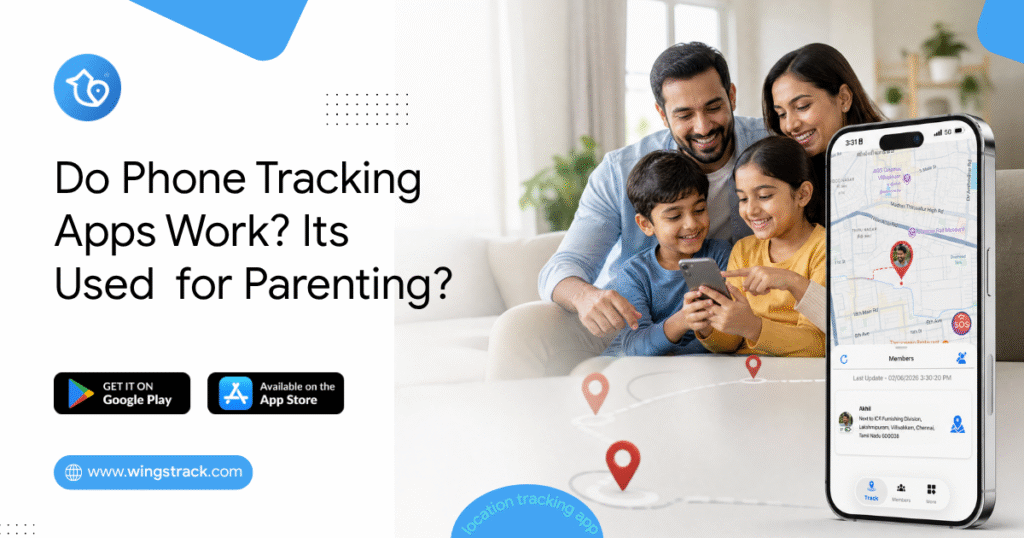
Do Phone Tracking Apps Work?
The Gap Between the Promise and the Reality A mother in Houston downloaded three different phone tracking apps over the course of eighteen months. The first one drained her daughter’s phone battery so aggressively that the phone was dead by 3 PM every school day — which was worse than no tracking at all, because a dead phone means no communication either. The second app showed her daughter’s location as a static dot that hadn’t updated in forty minutes, which turned out to be the app’s standard behavior on the free tier rather than a malfunction. The third one worked exactly as advertised. Spoiler: Yes — but only when you choose the right one for the right reason and set it up the right way. She’s still using the third one. Her experience isn’t unusual. It’s the majority experience. Parents who’ve heard that phone tracking apps work, downloaded the first result that appeared, and discovered the gap between what was marketed and what was delivered make up a significant portion of negative app store reviews in this entire category. The honest answer to “do phone tracking apps work” is: yes, they work — when they’re built correctly, configured properly, and matched to the specific use case they were designed for. The qualifications on that sentence matter as much as the yes. This guide breaks down what location tracking apps actually are, how they function technically, which families they genuinely serve, and the specific questions that separate reliable tools from unreliable ones. If you’ve been skeptical because a previous app disappointed you, this is the context that explains why — and what to look for instead. If you’re evaluating your first location app, this is the information you need before you download anything. 5 Key Takeaways About Family Locator Apps Before going deeper into the technical and comparative details, here are the five things worth knowing above everything else. The Technology Is Proven — The Implementation Varies Enormously GPS technology is mature, global, and reliable. The satellites that locate your phone don’t care which app is using them or which country you’re in. What varies is how different apps use that data — how frequently they update location, how they manage battery consumption while doing it, how they handle signal gaps, and whether they transmit information to your family circle reliably. Asking “do tracking apps work” is like asking “do cars work.” The technology works. Specific models are better or worse than others. Real-Time and Periodic Updates Are Not the Same Thing Many apps use “real-time” in their marketing to describe location that updates every ten to fifteen minutes. This is not real-time in any meaningful sense for family safety purposes. Genuine real-time location sharing updates every thirty to sixty seconds during movement — frequently enough that you can watch a family member commuting, confirm a child is on the correct route home, or notice immediately if someone stops moving unexpectedly. Before trusting any app with your family’s safety, test its actual update frequency during active movement, not just its marketing description. Free Doesn’t Mean Useless — But It Rarely Means Everything The best family location apps offer genuine core functionality — real-time location, arrival and departure alerts, family circle management — without mandatory payment. Wings Track operates this way. Several major competitors restrict the most useful features to paid tiers, which means the free experience is designed to frustrate you into upgrading rather than to actually serve your family’s safety needs. Knowing which model an app uses before investing setup time across your whole family saves significant frustration. Consent Determines Whether the App Works Long-Term A phone tracking app installed without a family member’s knowledge will be disabled, worked around, or will generate the kind of trust damage that outlasts whatever safety benefit it provided. The apps that continue working months after download — that become integrated into family life rather than resented — are universally the ones set up with everyone’s awareness and ideally with mutual visibility. The technology doesn’t create the relationship dynamic. The conversation before installation does. Cross-Platform Compatibility Is Non-Negotiable for Most Families If your family includes both iPhone and Android users — which statistically describes the majority of households — a location app that works on only one platform leaves family members out of the safety circle entirely. This seems obvious. It’s also the source of more failed family tracking setups than any other single factor. Verify cross-platform function before configuration, not after. What Are Location Tracking Apps? A location tracking app is a mobile application that uses a combination of GPS satellite data, cellular network positioning, and Wi-Fi triangulation to determine a device’s physical location and share that information with defined contacts or a family group. The GPS layer is the foundation. Satellites orbiting Earth transmit timing signals that a device’s GPS receiver uses to calculate its precise position. This works globally — the same satellite network covers Houston, Hyderabad, Helsinki, and every point between them. No subscription, no geographic restriction. The cellular and Wi-Fi layers fill the gaps. GPS accuracy degrades indoors, in dense urban environments, and in areas with limited sky visibility. Cellular tower triangulation and Wi-Fi positioning maintain location awareness in conditions where GPS alone would be insufficient — inside school buildings, in parking garages, on underground transit systems. The app layer transmits this location data to a server and then to the devices of other family circle members. This is where battery management becomes critical. An app that polls GPS continuously, at maximum frequency, regardless of whether the device is stationary or moving, will drain a battery significantly faster than one that uses motion detection to adjust polling frequency intelligently — high frequency when moving, reduced frequency when stationary. The result, in a well-built app: a family member’s location appears on a shared map, updates regularly during movement, sends alert notifications when defined boundaries are crossed, and does all of this without reducing a child’s phone to 15% battery