Child locator app

Real-time child location tracking app
Child Locator App, Family Tracking App

Best Apps for Real-Time Child Location Sharing and Check-Ins 2025

Quick Summary for Busy Parents: Real-time child location sharing has become one of the most practical safety tools available to modern families. The best apps in 2025 combine live GPS tracking, automatic school departure alerts, cross-platform compatibility, and meaningful check-in features without draining batteries or demanding expensive subscriptions. This guide covers why these tools matter, how they actually work in daily family life, and why Wings Track is becoming the trusted choice for parents who need reliable awareness, not just another app cluttering their phone. A father in Chicago, let’s call him Marcus, had a system with his nine-year-old daughter. She walked two blocks from her elementary school to the after-care program every day at 3:15. It had worked fine for an entire semester. Then one Thursday, the after-care coordinator called him at 3:45. His daughter hadn’t arrived. Marcus was forty minutes away by train. His wife was in a meeting, so she couldn’t immediately leave. The school confirmed his daughter had left at the usual time. Those four minutes between the coordinator’s call and the moment his daughter was found — she had simply taken a wrong turn, gotten confused, and was standing at the wrong corner were, in Marcus’s words, “the four longest minutes of my life.” She was completely fine. He was not, for several days afterward. What Marcus did the following weekend was download a child location sharing app, sit down with his daughter, explain why it mattered, and set up automatic alerts for when she left school and when she arrived at after-care. He’s never had those four minutes again. This story is not dramatic by the standards of what parents quietly fear. Nobody was hurt. The situation was resolved quickly. But the experience of that specific helplessness, loving someone completely and being unable to see where they are in a moment that matters, is something parents across every demographic, every income level, and every family structure understand without needing it explained. The technology that removes that helplessness exists right now, in 2025, and it’s better, more accurate, and more accessible than at any previous point. This guide explains what’s available, how it actually works, and how to choose the right tool for your specific family situation — whether you’re a parent managing school pickups across town, a father working in another country, or a mother whose teenager just got their first taste of real independence. Why Location Apps Are Used for Safety And Why That Framing Matters There’s still a cultural discomfort around the idea of tracking children’s locations. It’s worth addressing directly, because that discomfort when it causes parents to hesitate on a genuinely useful safety tool has real costs. The discomfort usually comes from conflating two very different things: surveillance and safety awareness. Surveillance is about control. It’s about catching someone doing something wrong. It generates secrecy, resentment, and the specific damage that comes from a relationship where one person is always watching and the other always knows it. Safety awareness is different. It’s the digital equivalent of knowing which room your toddler is in. It’s the confirmation that your child arrived at school. It’s the alert that tells you they left an hour ago and should be home soon. It operates in the background of normal life, generating information only when that information is actually needed. The families that use location sharing tools most successfully are those who’ve made this distinction clearly — both to themselves and to their children. The conversation that precedes installation shapes everything about how the tool functions within the family dynamic. When a parent says to their child, “I put this app on your phone so I can spy on you” — even if they’d never phrase it that way — the child experiences it as surveillance. When a parent says, “I put this app on both our phones so we don’t have to text each other constantly and I can know you’re safe without interrupting your day,” — which is actually accurate — the child often accepts it without significant resistance. A well-designed child tracker app is built around the second framing. It generates meaningful, specific safety information without creating the sensation of being constantly watched. The difference is in the notification design, the update frequency of communication, and whether the arrangement is mutual or one-directional. Wings Track is built around mutual family circles where every member has visibility into the arrangement. This design choice isn’t incidental — it reflects a genuine understanding of how safety technology works within real family relationships. How Do You Know When Your Child Has Left School? This is the specific, practical question that sits underneath most parents’ searches for child location tools — and it’s worth answering specifically rather than generally. Automatic departure alerts, sometimes called geofence notifications, are one of the most genuinely useful features in modern location-sharing apps. Here’s how they work: You define a geographic boundary around a location (your child’s school, for example). When your child’s phone crosses that boundary in either direction, you receive a notification. “Jamie has arrived at Riverside Elementary.” “Jamie has left Riverside Elementary.” This sounds simple. The implementation requires getting several things right simultaneously: the geofence boundary needs to be accurately placed, the notification needs to fire reliably when the boundary is crossed rather than several minutes later, and the system needs to handle common edge cases, such as schools with multiple exits, brief departures during lunch, after-school activities that keep children on campus past regular hours. Poorly built apps fire departure alerts late, miss arrivals entirely, or generate false positives that train parents to ignore notifications which defeats the entire purpose. The reliability of geofence alerts is one of the clearest technical differentiators between apps that were engineered carefully and apps that included the feature as a checkbox. When evaluating any app tracking child departure alerts, test it specifically for your child’s school during the first week. Set the geofence, have your child walk the normal departure route,
Child Locator APP for parents
Child Locator App

Child Tracking Apps: Guide Every Parent Needs Before They Download

Because keeping your child safe shouldn’t come at the cost of their trust or your sanity. The Fear That Never Fully Goes Away There’s a particular kind of fear that arrives the moment you become a parent and never completely leaves. It changes shape over the years from SIDS monitors in the new born stage, to watching them cross the street alone for the first time, to the day they walk out the front door with a phone in their pocket and a level of independence that terrifies you even as you know it’s necessary. You want them safe. You also want them to grow. These two things are in constant, exhausting tension. The conversation around tracking apps for kids sits right in the middle of that tension and it’s one of the most searched, most debated, and most misunderstood topics in modern parenting. Some parents install trackers without a second thought. Others feel deeply uncomfortable with the idea and aren’t sure why. Many fall somewhere in the middle: worried enough to want the tool, conflicted enough to hesitate. This guide isn’t going to pretend there’s an easy answer. But it will give you an honest one. We’ll walk through whether parents should track their children’s location, what the research and real family experience actually says, which tools are worth your time, and how to approach this in a way that protects your child without quietly damaging the relationship you’ve spent years building. And if you land on “yes, I want a tool for this” we’ll tell you what to look for and why Wings Track is worth serious consideration for families navigating exactly this situation. Should Parents Track Their Child’s Location? Let’s start with the question everyone is actually asking but few people answer directly. Yes !!! with conditions. The conditions aren’t legal fine print. They’re the human details that determine whether a location-tracking tool becomes a safety net or a source of resentment. Age matters significantly. A seven-year-old walking to school in a neighborhood you don’t fully know yet? Tracking makes complete, defensible sense. A seventeen-year-old heading to a friend’s house three miles away? That conversation needs nuance, not just an app installation. Transparency matters more than technology. The families where location sharing works  where it genuinely reduces anxiety without generating conflict are families where the arrangement is discussed openly, not silently imposed. Children who know they’re being tracked and understand why respond very differently than children who discover it accidentally. Purpose shapes everything. Are you tracking because you’re genuinely concerned about physical safety during a vulnerable developmental period? Or are you tracking because you don’t trust your child’s judgment and want to monitor their decisions? These are different problems requiring different solutions. The first is a parenting tool. The second is a relationship issue that an app won’t fix. The research on this is worth acknowledging honestly. Studies on adolescent development consistently show that young people who feel monitored without trust tend to become better at hiding behavior rather than safer in their choices. The goal of a tracking tool should be to reduce the need for constant verbal check-ins not to replace the ongoing conversation about trust entirely. Should Parents Be Allowed to Track Their Child? This is the philosophical version of the previous question, and it deserves its own space. From a legal standpoint, parents have broad authority to monitor minor children in most countries, including the United States, UK, Canada, and Australia. Installing a child tracking app on a device you own and provide to a minor child is generally within parental rights. But legality and wisdom are different measurements. The parents who ask “should I be allowed to” are often the ones who already sense that the “allowed” question isn’t the right one. They’re intuitively understanding that just because you can track your child doesn’t mean the approach you take doesn’t matter. Here’s what experienced family therapists, school counselors, and parents who’ve navigated this honestly tend to agree on: Younger children roughly under 13-18 benefit from location sharing as a safety measure, and most don’t have strong objections when it’s explained simply: “This helps me know you’re safe so I don’t have to interrupt your day constantly calling you.” That framing lands well. It’s true, and kids at that age understand it. Teenagers have a different conversation. They’re developmentally wired to push for autonomy, and that’s not a bug in their programming it’s exactly how they’re supposed to grow. The families that navigate teen tracking most successfully treat it as a mutual arrangement: “I can see your location, you can see mine, and we’ve agreed this replaces the constant check-in texts.” Reciprocity changes the entire dynamic. The families that struggle most? Those where tracking is installed covertly, discovered later, and experienced as a betrayal. The location data in those cases was never the problem the broken trust was. What Is the Best App for Tracking Family Members? When you move past the philosophy and into the practical, this becomes the central question and the market is crowded enough that the answer requires some filtering. The best app for keeping track of family members does several things well simultaneously: it’s accurate in real time, it works across both Android and iPhone devices, it doesn’t punish your family financially to access basic features, and it respects the privacy of everyone in the circle. Google Maps location sharing is free and widely trusted, but it’s not built for ongoing family use. It lacks notifications, check-in alerts, and the family circle structure that makes daily use manageable. It’s a workaround, not a solution. Apple’s Find My is excellent but only within the Apple ecosystem. The moment one family member has an Android device, which is extremely common in mixed-device households, the system breaks down. Life360 built the category and still has significant market presence. But documented concerns about selling anonymized user location data to third-party brokers, combined with increasingly aggressive feature paywalls, have pushed many families

Family Locator App
Family Locator App, Family Tracking App

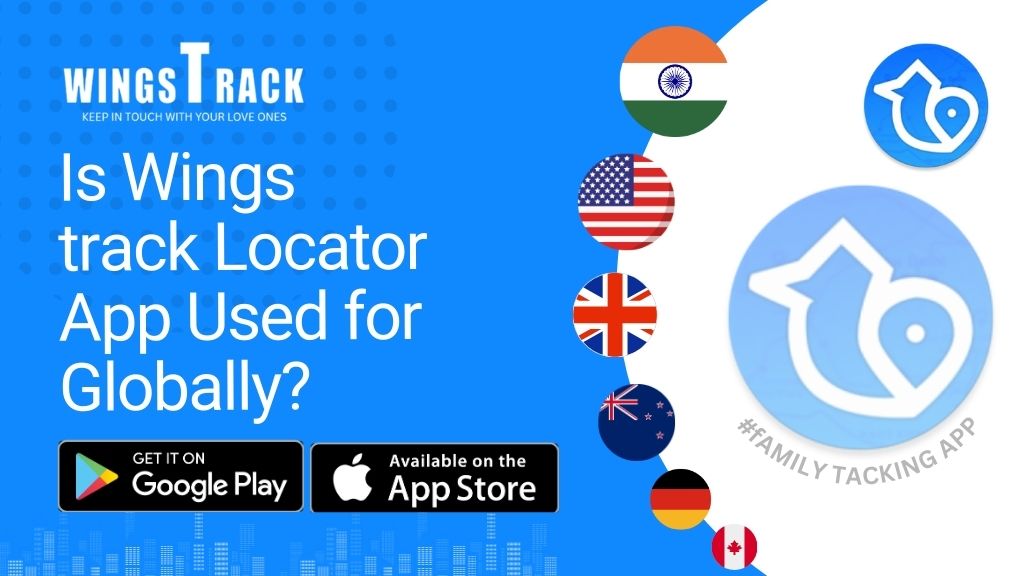
Is Wings track Locator App Used for Globally?

Wings Track is an excellent application in sharing your location with the people you love and care about. You are going to school, driving to work or meeting your friends or just going on errands but your Circle can tell that you are safe. Many of these wanderers are questionable whether they will enjoy the same security once they go outside the country. The answer to this question will be provided in this article. Is Wings Track For International Members? Yes Wings Track has a wide range of international membership in various countries. In case you or the person you love is going abroad this year, you should be ready. The benefits of Wings Track include location tracking and safety coverage of members who travel abroad in the US, CA, IND, GER. Besides that, there are also the limited memberships of Wings Track to international users. Register online today. Wings Track also provides international users with a free and a Platinum membership. Upcoming soon for residential of Sweden, Singapore, United Arab Emirates, United Kingdom, Australia. Wings Track Features For Everyone’s Location sharing is the beginning of peace of mind. Be aware of their whereabouts without paying attention to borders. Follow them when they take off, when they land or when they do their backpacking across Europe. Wings Track makes you know when you are all busy doing your thing. Try Wings Track for free! Will Wings Track Be Effective When I Travel Abroad? Yes, when you go to another country, you will be able to use the functionality that is related to your plan despite the absence of Wings Track. Also, you can continue to share your location with your Circle members wherever you go across the world. The prime consideration is safety especially when one is in a foreign nation. What is the Number of Countries Wings Track is Operating? Wings Track platform is present in 5+ countries via Apple App Store and via Google Play Store, which allows users to travel a great deal and still use the application for secured their family members. What are the Countries that Wings Track is not operating in? Wings Track operates in most of the countries in the world but there are limited countries/territories. These territories/countries include: When travelling in either of these locations, then I am sorry to tell you that you will not be able to make good use of the Wings Track application. Keep in Touch, Even Abroad, on Wings Track.

Children locator App
Child Locator App, Family Tracking App

How to Ease Your Anxiety for Kid’s Back-To-School

Fox News, The Doctors, Access Hollywood, Access Hollywood Live, Inside Edition and more. Preparing for the new school year can be a daunting task for both parents and children. To ensure a smooth transition, here are some tips and tech tools to help families navigate back-to-school challenges with confidence. From fostering open communication to leveraging the latest technology, these strategies will help set the stage for a successful academic year. Talk About It Communication is the key when helping your child prepare for the new school year. While you may think they are concerned about who they are going to sit with at lunch, their real concern could be something completely different. Try to get some time alone with your child on the way to the supermarket, cleaning up after dinner or even walking the dog.  Start off on a positive note and ask them what they are the most excited about for the new year. When they bring up concerns, validate them instead of dismissing what’s bothering them. While it may not be a big deal to you, it may be everything to them. Make A Schedule The logistics of a new routine can be overwhelming, especially if your child is anxious about a school bus, a carpool, or who is going to pick him or her up. Make a schedule and post it on a bulletin board in the kitchen so that every morning everyone knows what to expect.  Then, create a mutual digital schedule that everyone has access to via their phones. Reassure them that in case you are late for picking them up or even if their soccer game got shifted from one location to another, they can track where you are with Wings Track and you can also locate them. Ease Into A Routine If your child is up at 3:00am on their phone and sleeping until 12:00am every day, waiting to change those habits until the night before school starts is going to be a rough first day. A few days before they begin, get them into the habit of going to bed and getting up at the time they will need to get ready for school. Figure out what they will eat for breakfast and what food you will need to have for them if they want to bring lunch or snacks with them.  You may even want to walk or drive to school one day just so they know how long it takes or how to get there if they are driving or walking by themselves for the first time. This practice run can help to identify any potential issues and provide an opportunity to address them before the first day. What to Expect Understanding what to expect on the first day of school can reduce anxiety greatly. Take some time to review the school schedule, class locations and any new procedures/policies. Familiarize your child with their schedule, teachers, where their locker is, and even where the school is located (if it’s in a new building, show your child the school). If you can walk through the school in advance so they know where their classrooms are, that could help them as well.  Be sure that they know where you will be, who will be picking them up and when they can expect to see you. If they need to get in touch with you, explain to them how to locate you on the Wings Track app and what each location might mean. For example, show them where the location is where you work and let them know that if you are there as well and do not respond to them right away it is because you may be in a meeting. Social Connections Navigating social situations can be one of the most daunting aspects of returning to school after a long break. If your child is anxious about starting a new school or being in a class with people they do not know, reach out to some of the parents and see if you can help your child meet some people before the first day of school.  If your child is worried about not being popular or not having anyone to sit with during lunch, help them to find a club or an after school activity that they enjoy. Sometimes connecting with other people who have the same interests can give your child a sense of community. It’s also important to talk about ways to make new friends and have good relationships. Make Them Imagine They Are As Independent As Possible Children love to feel that they can do things on their own and be independent. Sometimes, kids are worried that parents will be hovering over them and do not give them the space to hang out with friends or go somewhere on their own. This is where Wings Track can be an important tool. Being able to see where they are can give you the peace of mind to know where they are whilst giving them the space to put a little more independence in those little feet. This is best if you drop them at the mall, someone’s house or a meet up with friends. Using Technology Sharing the digital schedule and all the features of Wings Track can be a game changer when it comes to back to school butterflies. Kids do not like surprises. They feel the most secure when they know what to expect. They also want to have the feeling that someone is there to help them if they get in trouble. For young drivers, knowing your parents will be alerted should you get lost, have a flat tire or get in an accident can ease some of the nervousness when driving. If you have children that depend on you to pick them up and you are running late, seeing your location on the app gives them peace of mind that you are on your way.  This is an innovative technology to ensure that

Scroll to Top