Family Locator App

free parental control apps
Family Locator App

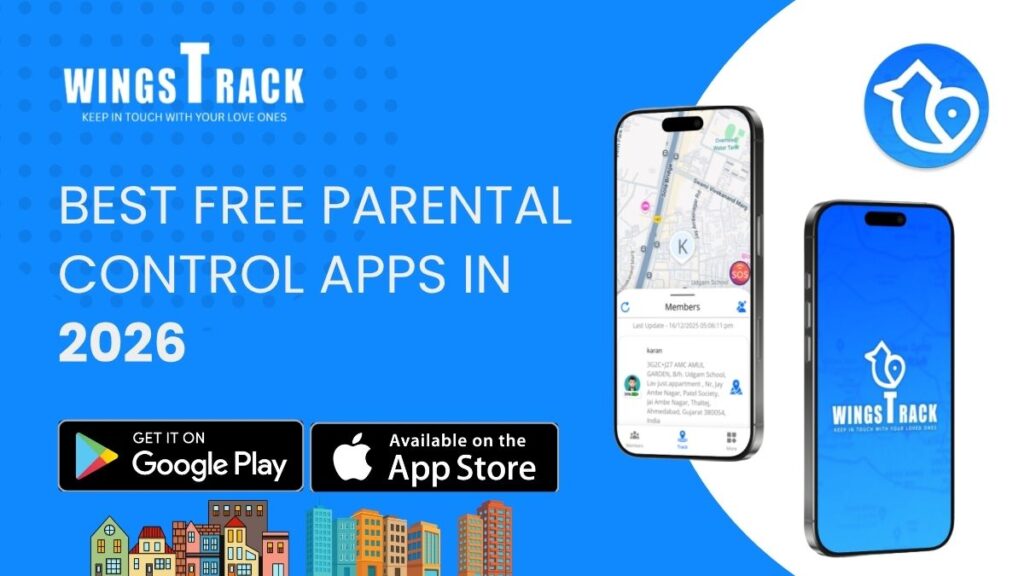
Best Free Parental Control Apps in 2026

Because “free parental control apps” in the world rarely mean what parents hope it means, and sorting the genuine from the misleading takes longer than most families have. The Search That Starts at 10 PM A father opens the app store. His eleven-year-old has just discovered a corner of YouTube he wasn’t supposed to find, and the discovery happened because the family had no filter in place, just hope and the assumption that the default settings on a new phone were enough. They weren’t. So now he’s searching “free parental control app” at 10 PM, scrolling through results that all look identical, reading descriptions that all promise everything, and trying to figure out which one will actually work without requiring a credit card number before he’s confirmed it does anything useful. This experience is nearly universal among parents who’ve reached the point of looking. The problem isn’t that the tools don’t exist. The problem is that “free” is the most abused word in the parental control app market and navigating what it actually means for each app requires more research than most parents have time or patience for at 10 PM on a school night. This article does that research for you. It covers the apps that are genuinely free at a functional level, the ones that use free as a marketing entry point for a paid product, and the specific situations each tool handles best. No sponsored rankings. No affiliate disclaimers hidden in fine print. Just the honest picture of what’s available without cost and what that actually delivers for your family. What “Free” Should Mean And What It Usually Means Instead Before evaluating specific apps, establish a standard. A genuinely free parental control app delivers its core safety function without payment. The features that address the reason you downloaded the content filtering, screen time limits, location sharing, app management work without a subscription. Optional premium tiers might add convenience, advanced reporting, or additional devices, but the basic protective function is accessible to any family regardless of budget. This standard is met by fewer apps than the market suggests. The more common model: the app is free to download, functional enough during a trial period to convince you it’s worth keeping, and then progressively restrictive as the free tier quietly shrinks. Content filtering works until you realize it only covers the default browser and not the three other ways your child accesses the internet. Screen time limits work for one device. The app is technically free for 7 days, after which the features you actually used during evaluation require a monthly payment. Identifying which category an app falls into requires testing it against your family’s real daily usage for at least a week before concluding anything about its value. The apps that hold up under that test are the ones worth recommending. Wings Track: Free Location Sharing That Fills the Gap Both Built-In Tools Leave Google Family Link doesn’t cover iPhones. Apple Screen Time doesn’t cover Android devices. Neither provides the cross-platform family circle experience that mixed-device households which is most households actually need for location sharing. Wings Track fills this gap as a genuinely functional free option for family location sharing across both platforms. A family with a mother on iPhone, a father on a company Android, and two children on different device brands can create a single Wings Track family circle where all four members are visible to each other simultaneously. The location accuracy, update frequency, and alert functionality is equivalent regardless of which device each person carries. This is not a feature claim, it’s the baseline design requirement the app was built around, because mixed-device families are the norm rather than the exception. What the free tier includes: Real-time location sharing within a family circle. Arrival and departure alerts for saved locations home, school, workplace, regular activity locations. Family circle management for multiple members. Cross-platform visibility between iOS and Android users. These features function without payment because they represent the core safety use case the app is built to serve. Where Wings Track sits in the parental control picture: Wings Track is a location safety tool, not a content filtering or screen time management tool. It answers “where is my child?” not “what is my child doing on their device?” For complete parental oversight both physical location awareness and digital content management Wings Track works alongside Family Link or Screen Time rather than replacing either. The combination of Family Link (for Android device management) plus Wings Track (for family location sharing) covers both dimensions of child safety for Android-primary families without any mandatory subscription cost. Best for: Families who need cross-platform location sharing, particularly households with mixed iOS and Android devices. Essential for families where the built-in location tools of either ecosystem can’t cover all family members. Google Family Link: The Most Genuinely Free Starting Point for Android A parent sets up Family Link on their child’s Android phone in under fifteen minutes. From that point: every app their child tries to download triggers an approval request on the parent’s phone. Daily screen time limits lock the device automatically when the limit is reached. Location updates continuously on the parent’s dashboard. The child’s Google account is managed through the parent’s, meaning search results apply SafeSearch and YouTube applies restricted mode. All of this costs nothing. Not a trial. Not a freemium tier. Nothing. Google Family Link is the most honest free parental control option in the Android market because it delivers its core function: app management, screen time limits, content filtering at the Google account level, and location sharing without restriction or payment. Google’s business model doesn’t depend on monetizing Family Link users because the value to Google is in maintaining family relationships within the Android and Google ecosystem, not in subscription revenue from parents. What it handles well: App approval before installation is Family Link’s strongest feature. Nothing reaches a child’s device from the Play Store without explicit parental sign-off. For families where the

Parental Control Apps
Family Locator App

Best Parental Control Apps in India 2025

From first smartphones to teenage Instagram accounts what actually works, what costs money, and what Indian families need to know before downloading anything. The Phone in the Schoolbag A Class 6 student in Pune gets her first smartphone. Within three weeks, she has discovered YouTube Shorts, two gaming apps her parents have never heard of, and a way to stay up until 1 AM watching content while her parents assume she’s asleep. Her parents aren’t negligent. They’re exactly like most Indian parents navigating this situation for the first time handed a problem they weren’t given any tools to manage, by a device they bought for their child’s safety. This scene plays out across millions of Indian households every year. India added over 150 million smartphone users between 2020 and 2024. A significant portion of those new devices ended up in children’s hands for online classes, for communication, and increasingly, as a default entertainment system that runs 24 hours a day with no natural stopping point. Parental control apps exist to put a practical boundary around this. Not to surveil children. Not to replace the conversation about responsible phone use. But to create the digital equivalent of what responsible parents have always done in physical spaces: establish limits, monitor what’s age-appropriate, and maintain enough visibility to intervene when something genuinely concerning appears. This guide covers the apps that will work in India in 2025, what they do, what they cost, which devices they support, and which situations they’re actually built for. What Parental Control Apps Can and Cannot Do Before comparing specific apps, set accurate expectations. This prevents the frustration that comes from downloading a tool, discovering it doesn’t solve the problem you had, and concluding that nothing works. What these apps can do: Filter websites and block categories of content, such as adult material, gambling, and violent content, before they reach your child’s screen. Set daily screen time limits that automatically cut off access when the limit is reached. Block specific apps or prevent new apps from being installed without parental approval. Track a child’s physical location in real time. Monitor which apps a child uses and for how long. In some cases, review messages or social media activity. What these apps cannot do: Guarantee that a determined teenager won’t find a workaround. Prevent exposure to harmful content on apps that aren’t flagged in their filtering systems. Replace the ongoing conversation about why certain content is inappropriate. Automatically know the difference between a child using YouTube for homework research and using it to watch content you’d prefer they didn’t see. The most effective parental control setup combines a well-chosen app with a clear household conversation about why the limits exist. The app handles enforcement. The conversation handles understanding. Neither works as well without the other. The Indian Context: Why Generic Recommendations Fall Short Most global “best parental control apps” lists are written for American or European audiences. They assume fast, stable broadband, devices bought at full price, and a regulatory environment that doesn’t apply in India. Indian parents face specific conditions worth accounting for: Device variety is wider.The Indian market includes a significant proportion of budget Android devices, such as Redmi, Realme, Infinix, and Samsung’s A-series, alongside premium iPhones and mid-range options. An app that works perfectly on a flagship device sometimes behaves inconsistently on budget hardware. Data plans vary significantly.Families using prepaid data plans with daily limits have different usage patterns than those on unlimited fiber. Some parental control features — particularly real-time location tracking consume background data continuously, which matters for families managing data costs carefully. The joint family dynamic.In households where grandparents, aunts, uncles, or cousins are also present and interacting with children’s devices, a parental control app that only allows one “parent” account to manage settings creates friction. Multi-admin support matters more in Indian family structures than global app developers typically anticipate. Language and local content.Hindi, Tamil, Telugu, Kannada, Bengali, and other regional language content platforms MX Player, JioCinema, Hotstar, ShareChat, Josh are heavily used by Indian children but often underrepresented in the content filtering databases of apps built primarily for Western markets. An app that blocks English-language adult content but has no awareness of regional language platforms has significant blind spots in the Indian context. Keep these factors in mind as you evaluate the options below. Wings Track: When Family Safety Is the Priority Wings Track sits in a different category from the content filtering apps above. It’s built specifically around family location sharing, real-time GPS tracking, arrival and departure alerts, and family circle management rather than device content control. For Indian families where the primary anxiety is physical safety rather than screen time — a child commuting to school by auto-rickshaw or metro, a teenager out with friends in the evening, a parent working in another city who wants to know their family is home safely — Wings Track addresses the actual problem more directly than a content filtering app would. What makes it relevant for India specifically:Wings Track functions reliably on budget Android hardware. It works equivalently across iOS and Android from a single family circle, which matters for Indian households where family members use different device brands. The core location sharing features are accessible without mandatory payment, which removes the financial barrier that makes paid apps inaccessible for a significant portion of Indian families. What it doesn’t do:Wings Track is not a content filtering or screen time management tool. It tracks where people are, not what they’re doing on their devices. For parents whose concern is specifically digital content and social media use, it needs to be paired with a content-focused app. Best for:Indian families where physical location awareness is the primary need for school commutes, independent children navigating cities, parents managing distance, or households with elderly members living alone. Google Family Link: The Free Starting Point for Android Families For families with children using Android devices, Google Family Link is the most logical first tool primarily because it costs nothing,

Location Tracking App - Wings Track
Family Locator App, Family Tracking App

Which App Is Best for Location Tracking?

A Brutally Honest Guide for Families Who Worry, Let me tell you something I don’t share often. Two years ago, my fourteen-year-old son missed his bus after basketball practice. His phone died. For ninety-seven minutes, I sat in my living room staring at a blank screen, my chest tight, my mind spinning through every terrible headline I had ever read. My wife paced the kitchen. Neither of us spoke. When he finally walked through the door a friend’s mom had driven him I hugged him so hard he asked me to stop. That evening, I installed a location tracking app on every phone in our household. I am not proud of the panic. But I am grateful for the solution it pushed me toward. If you are reading this right now, chances are you already know that specific brand of dread. Maybe your spouse commutes across state lines every day. Maybe your aging mother lives alone in another city. Maybe your teenager just started driving. Maybe your family is scattered across countries, and the distance keeps you up at night. This post exists because you deserve a straight answer to a simple question: which app actually works for keeping your family visible and safe? No corporate fluff. No jargon. Just one parent talking to another. Why Families Actually Need a Location Tracking App in 2025 Before we compare tools, let me address the elephant in the room. Some people hear “tracking app” and picture surveillance, control, suspicion. I get it. But here is the reality most families face today: A good family locator app does not replace trust. It reinforces it. It gives every member the ability to say, “I’m here, I’m fine,” without typing a single message. How Do I Track My Son’s Mobile Location? This is the question that brought me down the rabbit hole two years ago, so let me save you hours of research. Most modern tracking apps work through GPS combined with Wi-Fi and cellular signals. You install the app on your child’s phone, create a family group, and their location appears on your map in real time. Some apps also show battery percentage which, if you have a teenager, you know is critical because their phone always seems to hover at three percent. Here is what matters when choosing an app specifically for tracking your son or daughter: Accuracy. A pin that is consistently off by half a mile is useless. You need street-level precision. Background operation. The app must update location even when your child is not actively using it. Many free tools fail here; they stop reporting the moment the screen locks. Alerts and geofencing. You should receive a notification when your child arrives at school, leaves a friend’s house, or enters an area you have flagged. This feature alone replaced about forty “where are you?” texts per week in my household. Battery impact. If the app drains your son’s phone by noon, he will uninstall it. End of story. After testing several options, the one that checked every box for my family was Wings Track. It ran quietly, reported accurately, and my son never once complained about battery drain. That last detail matters more than any feature list. How to Track All Family Members in One Place Once I solved the problem for my son, the obvious next step was bringing everyone in. My wife travels for work. My mother-in-law lives two hours away. My brother drives long-haul routes across three states. The best approach is an app that supports a family group one shared map where every member appears simultaneously. No switching between accounts, no juggling multiple tools. Here is what I learned the hard way: not every app handles groups well. Some cap the number of members at four or five, which is fine for a small family but falls apart for bigger households. Others require every person to use the same phone platform, which is a problem when half your family owns Android devices and the other half uses iPhones. A cross-platform, group-friendly tracker eliminates these headaches. You create one circle. Everyone joins. Everyone sees everyone. My family currently has eight members on a single map, and it works without a glitch. How to Locate a Family Member by Phone Sometimes you do not need constant tracking. You just need to find someone right now. Maybe your husband was supposed to land an hour ago and has not called. Maybe your daughter said she would be at the library, and you want to confirm before driving across town to pick her up. Maybe your father went for a walk and hasn’t returned. A dedicated tracking app. Open it, tap the person’s name, see their pin on the map. This takes roughly three seconds. If the person has not moved in an unusual amount of time, some apps flag that as an underrated feature for families with elderly members. A dedicated app designed for family safety removes the friction. Install once, configure once, and forget about it until you need it. That simplicity is why I stopped relying on built-in alternatives. Is Location Tracking Legal? Short answer: yes, with conditions. In most countries, parents have every legal right to track their minor children’s devices. This falls under parental responsibility. No gray area. For adult family members your spouse, your siblings, your elderly parents consent is the key. If a person knowingly installs the app, joins your family group, and agrees to share their location, you are on solid legal ground virtually everywhere. What is not legal is installing tracking software on someone’s phone without their knowledge or permission. That crosses into surveillance territory, and laws in the United States, European Union, and most other jurisdictions treat it seriously. My advice: make it a family conversation. Sit down together. Explain why you want everyone connected. Let each person opt in willingly. When my mother-in-law understood that the app would help us reach her faster in an emergency, she handed

Best Apps for Woman Safety in India
Family Locator App, Family Tracking App

Best Apps for Woman Safety in India

If you are a father waiting for your daughter to reach coaching class, a mother checking whether her child got into the cab safely, a husband whose wife travels home late from work, or a family with loved ones living in another city or country, you already know this truth: worry does not switch off. In India, women travel for study, work, business, exams, night shifts, hospital duties, and daily commuting. Some take metros, some auto-rickshaws, some cabs, some buses, and many walk alone for at least part of the journey. The problem is not “fear” alone. The real problem is uncertainty.   This is where a woman safety app stops being “just another app” and starts becoming something practical for real life. Let me be brutally honest. No app can replace awareness, common sense, public safety systems, or emergency services. And no family tracking tool can promise zero risk. Anyone who says that is selling fantasy. But a good safety app can reduce panic, save time, share live location, send SOS alerts fast, and help families react when every minute matters. That is exactly what most Indian families want before they make a decision: not big promises, not fancy words, but simple answers. Who should use it? Why does it matter? How does it work? What should you look for? Where can you download it? And will it actually help when life gets messy? Let’s talk about it properly. Why You Need to Use Women’s Safety App A lot of people download safety apps only after a bad incident, a close call, or a terrifying delay. That is normal. We all act late when life gets busy. But if your daughter, sister, wife, fiancée, friend, or mother travels alone often, waiting for “something” to happen is a painful mistake. Here is why these apps matter: 1. They help during silent emergencies Sometimes a woman cannot make a full phone call. She may be in a cab that feels unsafe, walking through an isolated lane, stuck with a dead-looking route, or simply too scared to speak openly. In that moment, one-tap alert features can be more useful than trying to explain everything over a call. 2. They reduce family panic If a loved one is traveling daily for work or college, families often keep calling again and again: This creates stress on both sides. A reliable family locator app can reduce that constant anxiety. 3. They support women living away from home Many women today study or work in another city. Some are in hostels, PGs, rented flats, or shared accommodations. Families cannot physically be there. But staying informed about movement, routes, and emergency signals helps everyone breathe a little easier. 4. They are useful beyond crime-related situations Safety is not only about harassment or assault. It is also about: 5. They build a habit of preparedness The best time to set up a safety system is before you need it. Not after. Who Should Use a Women’s Safety App? This is not only for “girls who travel alone at night.” That is too narrow and unrealistic. A woman safety app is useful for: And just as importantly, it is for the people waiting at home: A safety app is not about spying. It is about staying connected when timing and location matter. There are many apps in this space, but not all are dependable. Some look nice in screenshots and fail when you need them. Some ask for too many permissions without clarity. Some are confusing for older family members. And some simply do not fit Indian family use cases. When choosing among the best apps for woman safety in India, look for these essentials: Family locator App Must-having Features likes: What makes a good app actually useful? A good app should work for daily family life, not just rare emergencies. That means it should help during school commutes, office travel, coaching classes, intercity movement, late returns, and long-distance trips. That is why many families prefer apps that combine women’s safety features with broader family tracking support. How Do Emergency Alert Systems in Safety Apps Work? This is one of the most important questions, and families should understand it before downloading anything. Most emergency alert systems inside safety apps work like this: 1. User sets trusted contacts The woman adds family members or close friends who should receive alerts in case of danger or distress. 2. App gets basic location permission For alerts to be useful, the app needs location access. Without this, emergency messages may be incomplete or useless. 3. SOS is triggered manually In many apps, the user can press an SOS button to send an instant alert. Some apps may also offer quick tap or shortcut options. 4. Alert is sent with live location The trusted contacts receive: 5. Family can react faster Instead of wasting 10 minutes figuring out where she is, family members can immediately: This speed matters. In stressful moments, even small delays feel endless. What families should know Emergency alerts are helpful only if: Again, honest truth: no app is magic. But a properly configured alert system is still far better than having nothing. How to Download a Reliable Woman Safety App on Android Android is the most widely used smartphone system in India, so most families search for safety tools there first. But downloading any random app is not smart. Here is a practical checklist. Step 1: Search from the official app store Always use the Google Play Store. Avoid unknown APK files, random links, or forwarded downloads from unofficial websites. Step 2: Check developer credibility Look at: Step 3: Read reviews like a real person Do not only look at star ratings. Read what users say about: Step 4: Review permissions carefully A woman safety app may need: That is normal. But if the app asks for excessive unrelated permissions without explanation, pause and think. Step 5: Install and test it with family Do not stop at download. Test: If

Best Child Location Tracking App For Parents 2025
Child Locator App, Family Locator App

Best Child Location Tracking Apps 2025

Quick Summary for Busy Parents:  In 2025, child location tracking has matured from a niche parenting tool into a practical necessity for millions of families. The best apps combine real-time GPS accuracy, cross-platform compatibility, and transparent privacy practices. This guide breaks down what works, what doesn’t, and which solutions genuinely fit modern family life including Wings Track, built specifically for families managing distance, busy schedules, and the daily anxiety of not knowing if your child is safe. The Anxiety No Parent Talks About Openly Let me tell you about a Tuesday afternoon that changed how one mother thought about child safety technology forever. Her eleven-year-old son was supposed to walk home from school a route he’d done a dozen times. Twenty minutes passed the usual arrival window. Then thirty. Her texts went unanswered. She called the school. She called his friend’s mother. She was three minutes from calling the police when he walked through the door, earphones in, completely unbothered, having stopped at a corner store without thinking to mention it. She wasn’t angry. She was shaking. That evening, she downloaded a child location tracking app. Not out of distrust. Out of the raw, physical recognition that the gap between “probably fine” and “something is wrong” is invisible until it isn’t and that gap had just swallowed thirty of the most terrifying minutes of her life. This story isn’t unusual. Variations of it happen in millions of households every week, across every kind of familysingle parents managing school pickups alone, fathers working two cities away trying to stay connected, large families with children across multiple schools and activities, and parents of teenagers who are gaining independence faster than anyone is emotionally prepared for. The demand for reliable child location technology in 2025 isn’t driven by paranoia. It’s driven by genuine complexitymore children with smartphones, more families spread across distances, more daily logistics requiring real-time awareness. The apps that exist to meet this demand vary enormously in quality, privacy practices, and honest usefulness. This guide gives you the unfiltered version: what the best options actually do, which platforms they work on, what they cost, and which one belongs on your phone if your family’s safety genuinely matters to you. Apps to Track a Child’s iPhone: What Your Options Actually Look Like iPhone-specific tracking is where many parents start, because Apple’s own ecosystem offers a built-in starting point that costs nothing and requires no third-party download. Apple’s Find My remains the strongest native option for all-Apple households. It’s accurate, battery-efficient, integrated directly into iOS, and free. If your child has an iPhone and you have an iPhone, and everyone in your family shares that same ecosystem, Find My handles basic location sharing well. Arrival and departure alerts work reliably. The interface is familiar. The ceiling hits fast, however. Wings Track has no family circle management beyond basic sharing. It has no check-in features, no alert customization, no location history, and critically zero functionality the moment someone in your household uses an Android device. Which, statistically, most families do. Beyond Apple’s native offering, the third-party landscape for iPhone-compatible tracking includes a mix of genuinely useful tools and an alarming number of apps that exist primarily to collect and monetize your child’s location data while offering just enough functionality to justify the download. The filtering question every parent should ask before installing anything on their child’s iPhone: What does this company do with the location data it collects? Read the privacy policy. Not the marketing summary of the actual policy. If the language around third-party data sharing is vague, non-specific, or buried in a section you have to scroll three pages to find, treat that as the answer. What Is the Best App to Track Your Child’s Location in 2025? Answering this honestly requires separating what the marketing says from what real families experience in daily use. The criteria that actually matter: Real-time accuracy Not “updates every few minutes” accuracy. Actual current location that reflects where your child is right now, not where they were when the app last decided to check in. Cross-platform functionality Works equivalently on both iPhone and Android. Your family shouldn’t have to standardize devices to use a safety tool. Battery impact A tracking app that drains a child’s phone to 20% by 2 PM is a safety liability, not an asset. The phone being dead is worse than no tracking at all. Meaningful notifications Arrival alerts when they reach school. Departure alerts when they leave. Low battery warnings before the phone dies. These specific, actionable signals are what reduce parental anxiety. Constant buzzing about routine movements does the opposite. Privacy you can trust This is non-negotiable in 2025, particularly given the documented history of several major location apps selling anonymized user data to advertising and data broker networks. Your child’s movements are not a product. Any app treating them as one should be eliminated from consideration immediately. Wings Track consistently meets these criteria in a way that most competing apps don’t. It was designed for families with genuine complexity not the idealized nuclear family where everyone lives under one roof and uses the same phone brand. The real families. The ones with long commutes, absent-for-work parents, multiple children in multiple schools, and the kind of daily logistics that require actual real-time awareness rather than a location that updates when the app feels like it. The child tracker app experience within Wings Track is built around the family circle concept everyone in the circle can see everyone else, notifications are customizable and specific, and the interface works equivalently whether you’re on iOS or Android. Parents working in other cities can stay genuinely connected to their children’s daily movements without requiring constant phone calls that interrupt everyone’s day. What App Can I Use to Track My Child? A Practical Breakdown by Family Type Different families have different needs, and the honest answer to “what app should I use” depends on your specific situation. For parents of young children (ages 6–12):The

Family Locator App
Family Locator App, Family Tracking App

Is Wings track Locator App Used for Globally?

Wings Track is an excellent application in sharing your location with the people you love and care about. You are going to school, driving to work or meeting your friends or just going on errands but your Circle can tell that you are safe. Many of these wanderers are questionable whether they will enjoy the same security once they go outside the country. The answer to this question will be provided in this article. Is Wings Track For International Members? Yes Wings Track has a wide range of international membership in various countries. In case you or the person you love is going abroad this year, you should be ready. The benefits of Wings Track include location tracking and safety coverage of members who travel abroad in the US, CA, IND, GER. Besides that, there are also the limited memberships of Wings Track to international users. Register online today. Wings Track also provides international users with a free and a Platinum membership. Upcoming soon for residential of Sweden, Singapore, United Arab Emirates, United Kingdom, Australia. Wings Track Features For Everyone’s Location sharing is the beginning of peace of mind. Be aware of their whereabouts without paying attention to borders. Follow them when they take off, when they land or when they do their backpacking across Europe. Wings Track makes you know when you are all busy doing your thing. Try Wings Track for free! Will Wings Track Be Effective When I Travel Abroad? Yes, when you go to another country, you will be able to use the functionality that is related to your plan despite the absence of Wings Track. Also, you can continue to share your location with your Circle members wherever you go across the world. The prime consideration is safety especially when one is in a foreign nation. What is the Number of Countries Wings Track is Operating? Wings Track platform is present in 5+ countries via Apple App Store and via Google Play Store, which allows users to travel a great deal and still use the application for secured their family members. What are the Countries that Wings Track is not operating in? Wings Track operates in most of the countries in the world but there are limited countries/territories. These territories/countries include: When travelling in either of these locations, then I am sorry to tell you that you will not be able to make good use of the Wings Track application. Keep in Touch, Even Abroad, on Wings Track.

Scroll to Top