
What actually works on iPhone, what Apple already gives you for free, and what to add when your family doesn’t fit neatly inside one ecosystem.
The iPhone Family That Isn’t Quite All-iPhone
A mother in San Diego has three children. Two have iPhones, hand-me-downs from her and her husband as they upgraded over the years. The youngest just got his first phone for his eleventh birthday, and because the family found a better deal on a refurbished Android device, he’s the outlier.
She assumed Apple’s built-in tools would cover her family’s location-sharing needs. They cover two-thirds of it. Her youngest son, the one who just started walking to a friend’s house a few blocks away, the one whose location she actually wants to keep closest tabs on during this transitional independence phase, is invisible to her Find My family circle.
This situation is more common than most iPhone-focused guides acknowledge. “iOS family” rarely means “100% iOS family” once you account for hand-me-down devices, budget purchases, a teenager’s specific brand preference, or a spouse whose work-issued phone is Android. The question is “What’s the best family locator app for iPhone?” usually carries an unstated second half: And what happens when not everyone in my family has one?
5 Key Takeaways About Family Locator App For IOS
Apple’s Find My is the strongest free option for all-Apple households.
It’s accurate, battery-efficient, and built directly into iOS — no separate download, no account creation beyond your existing Apple ID. For families where every device is an iPhone, it remains hard to beat on cost and integration.
The moment one family member uses Android, Find My stops being a family solution.
This isn’t a minor inconvenience; it’s a complete exclusion. Find My cannot include Android devices under any configuration. Families need to know this before building their entire safety plan around it.
“Available on iPhone” and “built for iPhone families” are different standards.
Many third-party apps technically run on iOS but were designed primarily for Android markets, resulting in interface inconsistencies, delayed updates, or features that work better on the Android version. Test the actual iOS experience before committing, not just the app store listing.
Real-time accuracy varies more by app architecture than by device.
An iPhone running a well-optimized location app and one running a poorly built one will show meaningfully different update frequencies and battery impact, even though the underlying iOS GPS hardware is identical. The app matters as much as the platform.
A dedicated cross-platform family locator app fills the gap Apple’s tools leave open.
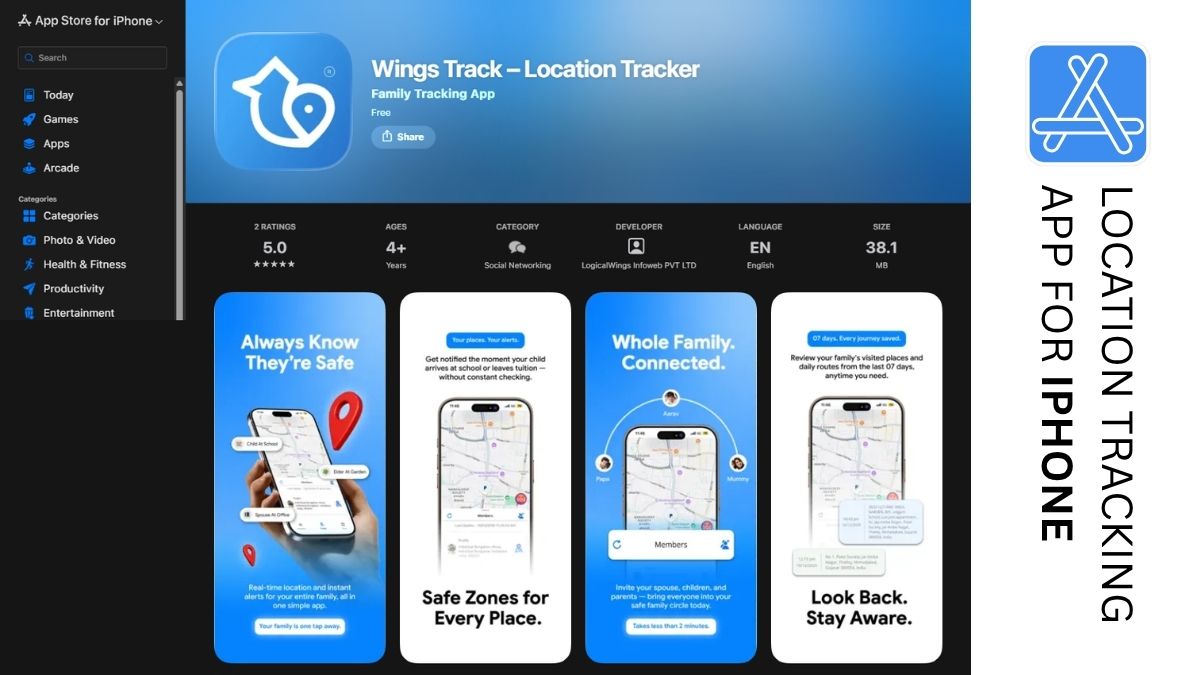
For the San Diego mother and millions of families like her, a tool like Wings Track extends the same iOS reliability to Android family members closing the exact gap that makes “family locator app for iPhone” an incomplete question for most real households.
What Is the Best Family Locator App for iPhone?
The honest answer depends on one variable above all others: does your entire family use iPhones, or does it not?
If every device in your family is an iPhone:
Apple’s Find My, accessed through Family Sharing, is genuinely the best option. It costs nothing beyond your existing Apple devices. It’s integrated at the operating system level, which means better battery efficiency and more reliable performance than third-party apps running as background processes. Setup takes minutes through the Family Sharing settings already present on every iPhone. Geofence alerts notify when a family member arrives at or leaves a saved location work consistently. For an all-Apple household, no third-party app improves meaningfully on what’s already built in.
If your family includes even one Android device:
Find My is immediately disqualified as a complete solution, regardless of how many iPhones the rest of your family uses. This is the scenario the rest of this guide focuses on, because it describes more families than the all-Apple scenario does.
In this case, the best family locator app for iPhone is one that runs natively and reliably on iOS while extending equivalent functionality to the Android devices in your circle. Wings Track is built around this exact requirement the iPhone experience is full-featured and performs at the same standard Apple users expect from native tools, while Android family members receive the same location accuracy, update frequency, and alert reliability rather than a degraded secondary experience.
The test worth running before you commit: install the app on an iPhone and an Android device side by side. Compare location accuracy, how quickly arrival alerts fire, and how much each device’s battery drains over a day of normal use. The answer to “best for iPhone” should hold up under that comparison, not just look good in an app store screenshot.
Wings Track vs. Life360: Side-by-Side for iPhone Families
| Feature | Wings Track | Life360 |
| iOS performance and integration | ✅ Full-featured, optimized for iOS | ✅ Full-featured, well-established on iOS |
| Real-time location (free tier) | ✅ Included | ❌ Restricted — requires paid plan |
| Works with Android family members | ✅ Full parity, equal experience | ✅ Full parity, equal experience |
| Arrival / departure alerts (free) | ✅ Included | ❌ Limited on free plan |
| Driving behavior monitoring | ❌ Not included | ✅ Available (paid tiers) |
| Battery impact on iPhone | ✅ Optimized, low impact | ⚠️ Moderate, varies by iOS version |
| International / cross-border tracking | ✅ Full function | ✅ Available, feature-dependent on tier |
| Location history access | ✅ Free tier included | ❌ Paid tier required |
| Subscription cost | Free for core features | $8–$30/month depending on plan |
| Privacy practices | ✅ Family-first, no data-broker history | ⚠️ Documented past data sales (policy since updated) |
| Best suited for | iPhone families with mixed-device members, cost-conscious households | Families prioritizing teen driving safety features, willing to pay for them |
For most iPhone families whose primary need is reliable, free, cross-platform location sharing, Wings Track delivers more of the core function without a subscription wall. For families specifically wanting driving behavior alerts for a new teen driver, Life360’s paid tier offers a feature set Wings Track doesn’t currently include worth the cost if that’s your specific concern.
How to Locate Family Through iPhone
If your family is entirely iPhone-based, here’s the practical setup using Apple’s native Find My feature:
Step one: Confirm family sharing is set up.
Go to Settings, tap your name at the top, then Family Sharing. If you haven’t created a family group yet, you’ll set one up here, adding each family member’s Apple ID.
Step two: Enable location sharing within Find My.
Open the Find My app, go to the People tab, and confirm each family member appears with location sharing turned on. Family Sharing members are prompted to share their location, but it requires their explicit acceptance — which is exactly the consent-based approach that makes location sharing work well relationally.
Step three: Set up notifications for specific people.
Within Find My, you can enable notifications for when a specific family member’s location changes significantly or set up Significant Locations under each person’s privacy settings to track patterns like arriving at school or work.
Step four: Add labeled locations.
Within the Find My app, you can save specific addresses: home, school, or a grandparent’s house, making it easier to glance at the map and confirm someone has reached a familiar destination rather than parsing unfamiliar coordinates.
Step five: Check sharing duration settings.
Family Sharing location is typically set to share indefinitely once accepted, but each family member retains control to stop sharing at any time from their own device an important transparency feature that keeps the arrangement consent-based rather than permanent and unchangeable.
This entire setup, for a family already using Apple devices, takes under fifteen minutes and requires no additional app, account, or subscription.
How Can I Track My Son’s Location on My iPhone?
This is one of the most common specific searches in this category, and the answer depends heavily on what device your son is using.
If your son has an iPhone:
Use Find My through Family Sharing as outlined above. Add him to your Family Sharing group if he isn’t already included and confirm he’s accepted location sharing, and his location will appear in your Find My app continuously. You can set up a notification for when he arrives at or leaves specific locations his school, your home through the Find My app’s location alert settings.
If your son has an Android device:
Apple’s Find My cannot include him, regardless of how the rest of your family’s devices are configured. This is the scenario where a cross-platform app becomes necessary rather than optional. Wings Track, installed on your iPhone and his Android device, creates a shared family circle where his location appears on your phone with the same real-time accuracy and alert reliability you’d expect from a native iOS tool without requiring either of you to switch devices.
The conversation matters more than the technology for this specific question.
If your son is old enough to have meaningful opinions about being tracked particularly in the early-to-mid teenage years — the way you introduce this matters significantly for whether it works long-term. “I want to see your location so I don’t have to text you every twenty minutes asking where you are” lands differently than installing something without telling him. Consider making it mutual: he can see your location too.
This reframes the arrangement from one-directional monitoring to shared family awareness, which research on adolescent development consistently shows produces better outcomes for both safety and trust.
The practical setup, once the conversation has happened: download the chosen app on both devices, create a family circle, send him an invitation, and confirm he’s accepted before relying on the location data for anything time-sensitive.
Conclusion:
A dedicated child locator app built for genuine cross-platform parity where the iPhone experience is just as reliable as Apple’s own tools and the Android experience matches it rather than trailing behind closes that gap without asking anyone to give up their preferred device.
Download family tracking app, access it through Wings Track, and test it across whatever mix of iPhones and Android devices your actual household includes. Set up the family circle this weekend. Confirm the arrival alerts fire reliably for the people and places that matter most to you.
The peace of mind you’re looking for shouldn’t depend on everyone in your family owning the same brand of phone. It shouldn’t have to.
Wings Track — Built for the iPhone family you actually have, not the one a single-platform app assumes you do.