
Family Tracking App

Wings Track SOS Alerts with Emergency Dispatch
Family Locator App, Family Tracking App

Wings Track SOS Alerts with Emergency Dispatch

What happens if you or someone you love is in a situation where they need emergency assistance but can’t contact 911 or 100, 118 because they are unable to talk on the phone? SOS alerts from Wings Track could help. Of course, you’ll want to have a better understanding of what these alerts are and how to use them. What Are Wings Track SOS Alerts? Wings Track SOS alerts send loud beep notification to people you designate contacts in the event of an emergency when you activate the SOS button. This essentially lets your contacts know that something is wrong so they can try to contact you. Peace of mind starts with location sharing. Know where they are without asking. See when they get home from school, leave work, or start warming up on the practice field. When you’re all busy doing your thing, Place Alerts keep you in the know. Try Wings Track for free now! How to Use Free SOS Alerts Everyone who is a member of Wings Track in the United States, India, United Kingdom will have access to the free SOS alert feature. You can activate the feature through the main screen of the Wings Track app, where you will see a large button on the right side of the map. To learn more about how SOS can be activated, read here. How to Use SOS Alerts with 24/7 Emergency Dispatch While the free SOS alerts can be helpful, you will find that you have a lot more features and your memberships don’t matter. With the SOS and 24/7 emergency dispatch features, the app will also contact dispatch services as soon as the SOS countdown is complete.  All of the Circle members and emergency contacts will be alerted, as well as the dispatch centre. This means that you don’t have to call for help. The dispatcher can then call you to get a better idea of what’s happening. They will then contact the proper authorities to provide help. This might be an ambulance or the police, for example. How to Cancel Wings Track SOS Alert Of course, you are probably wondering how to cancel the Wings Track SOS alert if you aren’t in any real danger. It’s easy – all you need to do is just tap on the bell icon on the right side of the member from the app who sent the notification. Notify them 3-Times on the app they need to turn-off notification tap on the bell icons to make sure they are getting your help. It’s About Peace of Mind As you can see, Wings Track has a lot to offer, and it’s well worth considering if you want to keep your family safer, as well as your data, your phone, and more. We promise a free family locator app with advanced features to feel they are in safe hands and Zones. Choose one of these best family tracking apps, and rest easy knowing you and everyone in your family are a bit safer no matter where they might be.
location-tracking-guide
Family Locator App, Family Tracking App

Location Tracking Guide

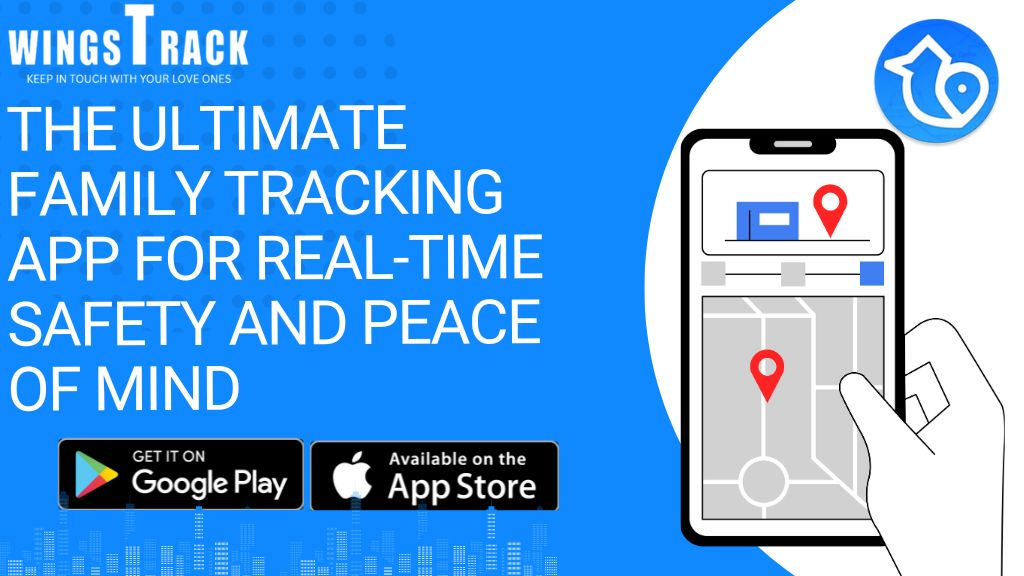
Your Complete Guide to Location Tracking and Family Safety In today’s busy world, staying connected matters more than ever. Location tracking apps do more than just point you toward the nearest coffee shop—they create a real safety net for your loved ones. Whether it’s knowing your teen got home safely or finding each other in an emergency, the right location sharing solution offers peace of mind you can actually count on. What Exactly Is Location Tracking? Location tracking technology monitors where people and objects are at any given time. You’ve probably used it without thinking about it—every time you pull up Google Maps for directions or use Waze to navigate around traffic, you’re using location tracking. While we often use “location tracking” and “location sharing” interchangeably, they’re technically different: Location tracking is the technology that identifies and monitors a device’s position and movement. Location sharing is when a phone actively sends out its GPS coordinates to others. How Does It Actually Work? Location tracking relies on three main technologies that work together seamlessly: GPS gives precise coordinates from satellites, Wi-Fi pinpoints your location through nearby networks, and cellular signals provide backup data. By combining all three, these systems deliver accurate, real-time updates on exactly where a device is located—whether you’re downtown or in the suburbs. Why Location Sharing Matters for Your Family Imagine this: you’re at work, your kids are at school, and your spouse is at a meeting. With location sharing, you don’t need to send texts asking “Where are you?” Instead, you simply open an app and see exactly where everyone is. No guessing. No worries. Location sharing apps make staying connected effortless. Set up alerts when your child leaves school or arrives at practice. Get notified the moment your elderly parent gets home. In an emergency, responders have your exact location instantly. That’s real peace of mind. Choose the Right App for Your Needs There are plenty of location sharing apps on the market, each with different features. The best one depends on what matters most to your family—whether that’s real-time tracking, location history, emergency alerts, or safety reporting. Wings Track stands out because it’s built with families in mind. It combines essential safety features like instant location sharing, emergency dispatch, location history, place alerts, and community crime reports into one simple app. With millions of families already using it, Wings Track delivers the security and reliability you need when it counts. Ready to give it a try? Start using Wings Track for free and discover how location sharing can transform the way your family stays safe and connected. Download for Android Download for IOS

Scroll to Top