Picking a tracking app for your kid’s phone sounds simple until you actually start looking. One app promises location, another wants to read every text, a third buries the useful stuff behind three upgrade tiers. So which Android app is actually worth putting on your child’s phone?
Short answer: the best one is the one that gives you accurate location, works reliably in the background, and doesn’t turn into a surveillance tool that wrecks your kid’s trust. Below is how to judge that for yourself, plus where Wings Track fits in.
What “best” actually means when you’re tracking a child
There’s no single winner for everyone, and any article that names one and calls it a day is skipping the hard part. A single parent tracking a seven-year-old’s walk home has completely different needs than a parent of a sixteen-year-old who just wants to know they got to a friend’s house safely.
So before comparing apps, get clear on what you’re solving for. A few honest questions help:
- Do you mainly need real-time location, or do you also want alerts when your child arrives at or leaves specific places like school or home? These are different features, and cheaper apps often do one well and the other poorly.
- Are you comfortable with light-touch tracking, or do you genuinely need content monitoring like app usage and screen time? The more invasive the feature set, the bigger the conversation you owe your kid.
- How old is the phone, and how good is its battery? Constant GPS pinging drains batteries fast, and a tracker that dies by 2 PM tells you nothing.
Answer those and the shortlist shrinks quickly.
The features that separate a good child locator app for android from a gimmick
Most apps look identical on their download page. The differences show up after a week of real use. Here’s what actually matters.
Location accuracy and refresh rate.
A tracker that updates every 30 minutes is fine for a rough idea and useless in an emergency. Look for apps that let you request an on-demand live location instead of waiting for the next scheduled ping.
Geofencing that actually fires.
Geofencing lets you draw a zone around school, home, or a relative’s place and get notified when your child crosses it. The catch is reliability. On Android, aggressive battery optimization can silently kill background apps, so a geofence alert that never arrives is worse than no alert at all. The better apps walk you through disabling battery restrictions during setup.
Background stability on Android.
This is the quiet dealbreaker. Android’s power management is designed to shut down apps running in the background, which is exactly what a tracker needs to do. Apps that handle this well survive reboots and stay alive without you re-opening them every morning.
Battery impact you can live with.
Any honest app trades some battery for accuracy. The good ones let you tune how often location updates, so you can dial it up when your child is traveling and ease off when they’re safely at home.
Where Wings Track fits
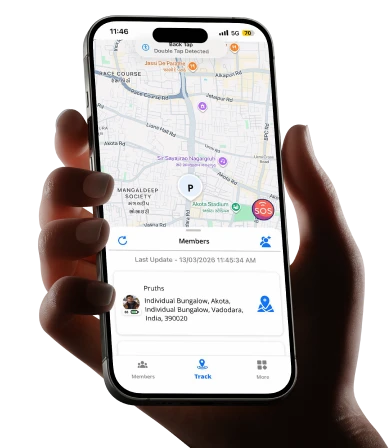
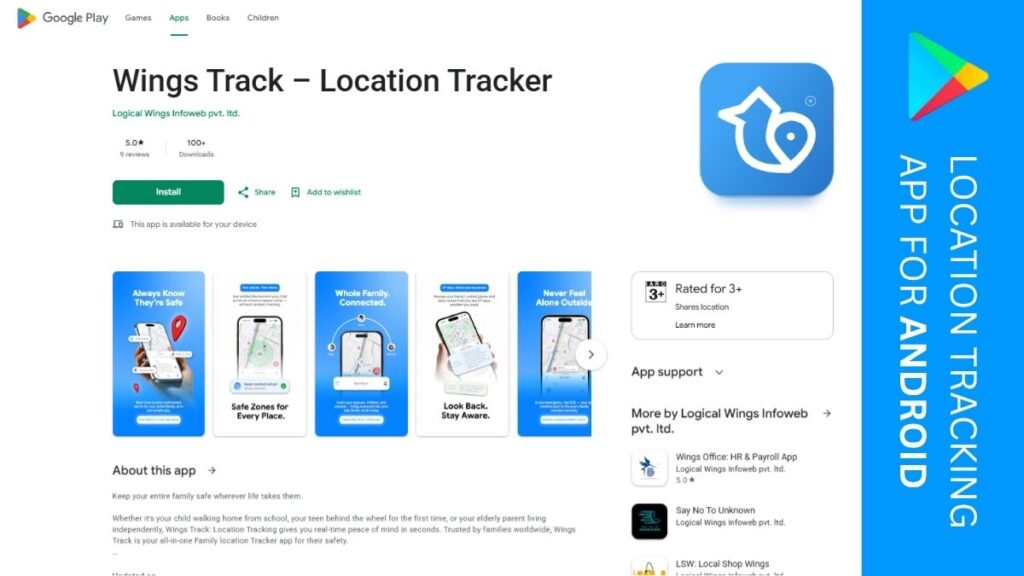
Wings Track is built around the stuff parents actually use daily: live location on demand, place-based alerts, and location history so you can check where your child has been rather than only where they are right now. It’s designed for Android’s background constraints, which is where a lot of otherwise-decent trackers quietly fail.
The pitch isn’t “monitor everything your child does.” It’s “know they’re safe without hovering.” For most parents, that’s the sweet spot. You want to see that your kid reached school and left on time, not read their group chats.
If your main worry is location and arrival alerts rather than deep content monitoring, that focused approach usually beats a bloated all-in-one that does ten things adequately and none of them well.
A quick comparison of the common options
Here’s how the typical categories stack up, so you can match a type to your situation rather than chasing brand names.
| Option type | Best for | Watch out for |
|---|---|---|
| Focused location trackers (like Wings Track) | Parents who want reliable location, history, and arrival alerts | Won’t give you deep content monitoring, by design |
| Built-in phone features (Google Family Link) | Basic location plus screen-time controls, free | Location updates and alerting are fairly basic |
| Full parental-control suites | Parents needing content filtering, app blocking, web monitoring | More setup, more cost, more to explain to your child |
| Generic “find my phone” tools | Occasional location checks on your own family devices | Not built for consistent child-tracking use cases |
Google Family Link deserves a specific mention because it’s free and already tied into Android. If your needs are light, it’s a reasonable starting point. Where it tends to fall short is precise, on-demand location and dependable alerts, which is exactly what worried parents care about most.
The child safety app conversation you shouldn’t skip
Here’s the part most buying guides ignore. The best child safety app in the world backfires if your kid finds it and feels spied on.
Secret tracking can work for a young child who doesn’t have a phone of their own yet. For an older child or teen, hidden monitoring usually does more damage than good once it’s discovered, and it almost always gets discovered. Trust, once broken, is expensive to rebuild.
A better approach for older kids: tell them the app is there and explain why. “I want to know you’re safe, not read your messages” is a reasonable position, and framing it that way turns the app from a leash into a shared safety net. Some families even set it up as two-way, where the child can see the parent’s location too. That small change shifts the whole dynamic from surveillance to mutual check-in.
There’s also a legal and ethical line worth respecting. Tracking your own minor child on a phone you own and pay for is generally fine. The rules get murkier as kids approach adulthood, so use judgment as they get older.
How to choose without overthinking it
If you’re staring at a dozen options and feeling stuck, narrow it with three questions:
- What’s the youngest, most safety-critical scenario you’re planning for? Build your choice around that, not around the fancy features you might use someday. A young child walking to school needs rock-solid location, nothing more.
- Will this app survive on your child’s specific phone? Test background stability and battery drain on the real device before you pay for a year.
- Can you explain this app to your child without flinching? If the answer is no, either you’ve picked something too invasive or you owe them a conversation first.
Match those answers to the app that does the essentials reliably, and you’ll be happier than the parent who bought the feature-packed suite and never got the geofence to work.
Frequently Asked Questions
Will a tracking app drain my child’s phone battery too fast?
Can my child tell the tracking app is installed?
Is a free option like Google Family Link enough?
Is it legal to track my child’s Android phone?
The best Android app to track your child isn’t the one with the longest feature list. It’s the one that reliably tells you they’re safe, survives a full day on their phone, and doesn’t quietly erode the trust between you. Get clear on your real needs, test on the actual device, and choose the tool that nails the basics.