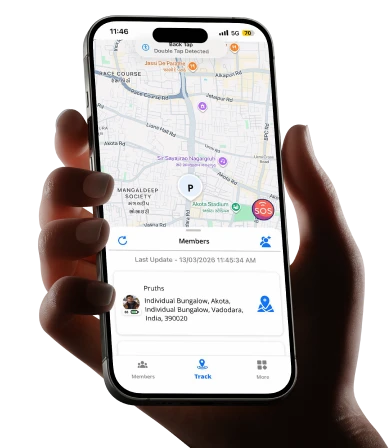
Because the moment you actually need to send an emergency signal is not the moment to figure out how it works.
The Three Seconds That Change Everything
A young woman in Pune is walking home from the metro station at 9:45 PM. It’s a route she’s taken a hundred times. Two blocks from home, something feels wrong — a man has been following her for three turns. Her hands are shaking. She can’t call. She can’t type a message. She needs to reach her family right now, silently, without making it obvious that she’s alerting anyone.
She presses the side button on her phone three times.
Within seconds, her mother gets a notification. Her father gets one. Her precise, real-time location appears on both their screens simultaneously. A pre-written message goes out: she needs help, here’s exactly where she is.
She didn’t have to say a word. She didn’t have to look at her screen. She just pressed a button. That’s what an SOS feature in a family safety app actually does and why, in a country as large, as diverse, and as logistically complex as India, it has moved from a premium feature to an essential one for millions of families.
India presents specific safety challenges that make this technology more relevant here than almost anywhere else. Long daily commutes across cities that never fully sleep. Women and young adults navigating public transport late at night. Elderly parents living alone in cities away from their children. Students in unfamiliar cities for the first time. Workers travelling between states on overnight trains and buses. Each of these situations carries a category of vulnerability that a regular phone call can’t address because calling requires two available parties, requires time, requires the ability to speak. An SOS alert requires none of that. It requires three seconds and one deliberate action. The best time to set up an SOS alerts app is before you need it. The second-best time is right now
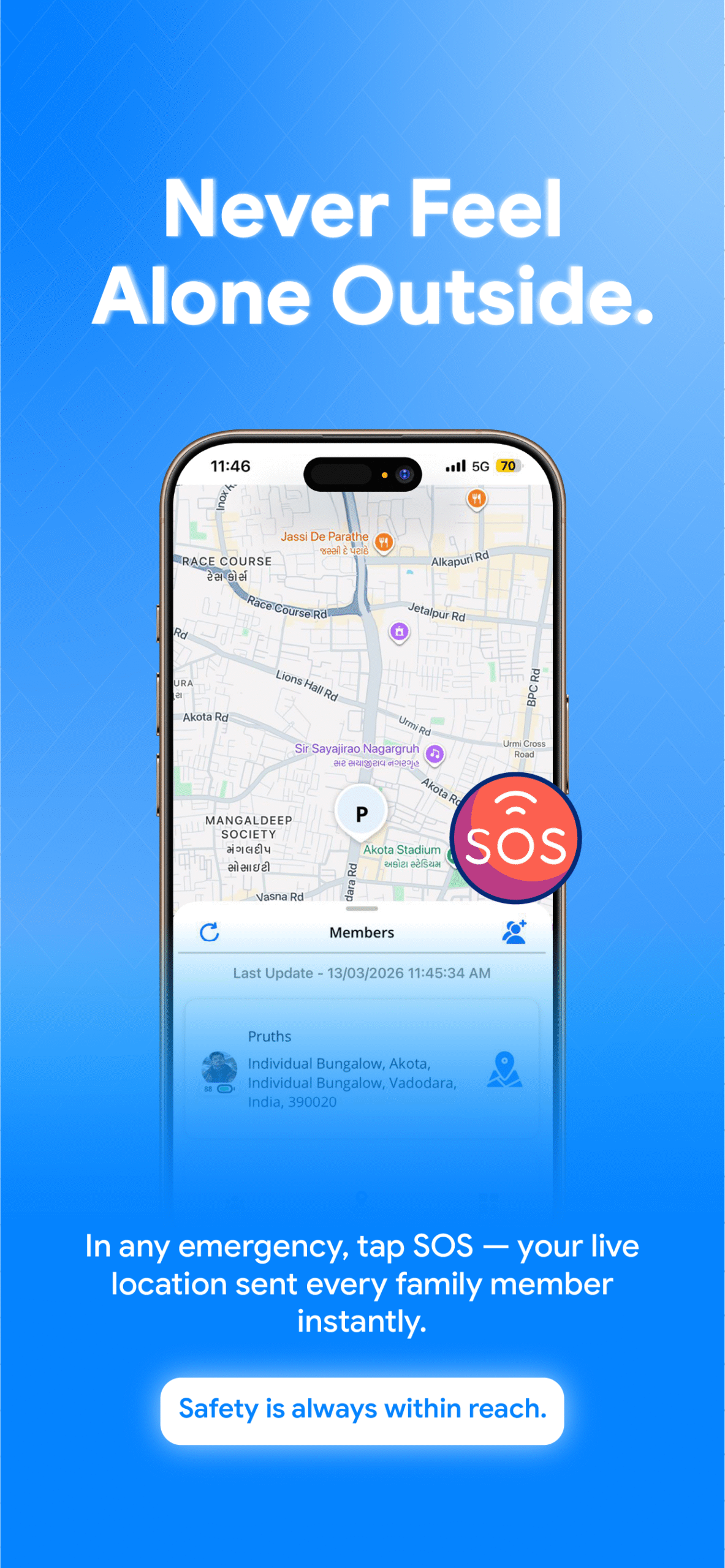
This guide covers everything Indian families need to understand about SOS apps: how the technology works, what distinguishes a genuine emergency alert system from a basic location sharing feature, the specific capabilities Wings Track provides for SOS safety in the Indian context, and exactly how to set it up so that the people you love are never more than a button-press away from knowing you need them.
How SOS Alert Works: The Technology Behind the Three-Second Signal
An SOS alert in a family safety app works through a chain of automated events that happen faster than any manual communication could.
Trigger detection is the starting point. The user activates the SOS signal typically through a designated button combination, a specific gesture, or a dedicated button within the app. The trigger is designed to be activatable quickly and with minimal screen interaction, because an emergency situation rarely allows for careful navigation through menus.
Location capture happens simultaneously. The moment the SOS is triggered, the app captures the device’s current GPS coordinates, combining satellite positioning with cellular network and Wi-Fi triangulation for the most accurate possible location even in urban environments where GPS alone can be imprecise.
Alert transmission fires immediately. Pre-configured emergency contacts family members, trusted friends, whoever the user has designated receive push notifications on their devices containing the user’s real-time location and a pre-written emergency message. This happens within seconds of the trigger, regardless of whether the user’s phone remains active after the alert is sent.
Continuous location sharing activates automatically. Unlike a standard location ping, a properly designed SOS feature initiates ongoing real-time location sharing with emergency contacts for a defined period so recipients can watch the situation develop, see if the person is moving, and track where they go rather than just seeing a single snapshot of where they were at the moment of the alert.
Audio or visual signals in some implementations. Certain SOS features activate a loud alarm on the device itself as a deterrent signal, alerting people nearby that an emergency is being reported. This is particularly useful in public spaces where drawing attention may discourage threatening behavior.
The entire process trigger to emergency contact notification takes seconds. Manual calling takes longer, requires the other person to pick up, and requires the person in distress to speak. An SOS alert has none of these dependencies.
What Is an SOS Alert on a Phone?
Most modern smartphones have some form of built-in SOS feature at the operating system level. Understanding what these do and what they don’t clarifies why a dedicated family safety app with SOS capability adds meaningful value on top of hardware-level emergency features.
iPhone Emergency SOS
(activated by pressing the side button five times rapidly or pressing the side button and volume button together) calls emergency services automatically and sends a location message to designated emergency contacts. This is a powerful feature but it calls the police or ambulance service, which may not always be the appropriate first response, and it requires the emergency contacts to be saved in the device’s native contacts with SOS designation.
Android Emergency SOS
(available on most Android devices through Settings, typically activated by pressing the power button rapidly multiple times) functions similarly emergency call plus location share to designated contacts.
These native features are genuinely useful for medical emergencies and situations where calling emergency services is the correct immediate response. They’re less suited for situations where the first priority is alerting family members directly and specifically — domestic situations, situations where a person is being followed, situations where calling 112 would escalate rather than resolve the immediate concern.
A dedicated SOS app feature like the one in Wings Track sits alongside native emergency features rather than replacing them. It handles the “I need my family to know where I am right now” scenario that native SOS features weren’t designed for, with the real-time location sharing and pre-configured family circle that hardware features don’t provide.
In the Indian context specifically, where the primary concern for most families sending and receiving SOS alerts is family awareness rather than immediate police response, a family-circle SOS feature addresses the actual daily need more directly.
What Is the SOS App Used For? Real Indian Family Scenarios
Women commuting at night.
India’s working women in IT parks, in hospitals, in call centres regularly travel home at hours when public transport is sparse and personal safety requires awareness. An SOS feature that sends precise location to family members without requiring the user to make it obvious they’re raising an alert is specifically designed for this scenario.
Students in unfamiliar cities.
The movement of students from smaller cities to educational hubs Pune, Hyderabad, Bengaluru, Chennai, Delhi puts young adults in environments their families can’t navigate. A family that can receive an SOS from their child in a city they’ve never visited and see exactly where that child is has a genuinely different ability to coordinate help.
Elderly parents living alone.
Falls, medical episodes, and the disorientation that can accompany age-related health changes don’t announce themselves. An SOS feature that an elderly parent can activate with minimal physical dexterity a button press rather than a typed message connects them to their family in the moment that matters without requiring them to navigate smartphone menus while distressed.
Long-distance commuters on overnight transport.
Passengers on overnight trains and buses between cities are in a specific vulnerability window where they’re out of regular communication and physically in transit. A triggered SOS that shares real-time location with family provides a safety thread across a journey where regular check-ins aren’t always possible.
Children navigating independently.
As children in Indian cities take on more independent movement school commutes, visits to coaching classes, time at friends’ homes parents want the knowledge that their child can reach them instantly if something feels wrong, without needing to make a call in front of others.
Key Features of Wings Track for SOS Safety
Wings Track’s approach to emergency alerting is built around the specific needs of Indian families managing real daily safety concerns not a checkbox feature added to a location app, but a functional safety system integrated with the family circle that users already depend on for daily location sharing.
One-touch SOS activation.
The SOS feature is accessible without navigating through the app a deliberate design choice for situations where speed matters and screen interaction is limited. The trigger is designed to be activatable by someone who is distressed, moving, or unable to look at their screen for an extended period.
Simultaneous multi-contact alerting.
When an SOS is triggered, all designated emergency contacts within the Wings Track family circle receive the alert simultaneously. There’s no sequential calling no scenario where one contact is busy and the alert waits. Every designated contact gets the notification at the same moment.
Real-time location sharing with emergency contacts.
The SOS alert doesn’t send a single location coordinate it initiates ongoing real-time location sharing so recipients can watch the situation develop. If the person in distress is moving, their emergency contacts see that movement in real time.
Precise location with address information.
In addition to map coordinates, Wings Track’s SOS alert includes the nearest identifiable address, a critical detail for family members trying to coordinate help, especially in dense urban areas where coordinates alone are difficult to act on.
Pre-written emergency SMS.
The alert includes a pre-configured SMS that goes to emergency contacts, ensuring that even if the user cannot communicate, the recipients understand this is a genuine emergency requiring immediate attention.
Cross-platform delivery.
Emergency contacts receive SOS alerts regardless of whether they use iPhone or Android, a critical consideration for Indian families where device diversity across generations is the norm rather than the exception.
Offline capability for areas with limited connectivity.
Wings Track’s SOS system attempts alert transmission through multiple channels, improving reliability in areas where full internet connectivity isn’t guaranteed relevant for users on the outskirts of Indian cities or in transit between coverage zones.
How to Set Up SOS on Wings Track: A Step-by-Step Guide
Setting up the SOS feature correctly before it’s ever needed takes under fifteen minutes and is the single most important fifteen minutes you’ll spend with this app.
Step 1: Initial App Setup
Download Wings Track from the Google Play Store (Android) or Apple App Store (iPhone). Create your account using your mobile number this connects your SOS alerts to your Indian phone number, ensuring delivery through the channels your family already uses.
Create your family circle. Send invitations to each family member you want included in your safety network. Each invitation is accepted individually on the recipient’s device this consent-based setup ensures everyone in your circle knows they’re in it and understands what an alert from you means.
Grant the required permissions when prompted: location access set to “Allow All the Time” (not “While Using” background location access is essential for SOS alerts to include your current position if your phone is in your pocket when the alert is triggered), and notification permissions so your emergency contacts’ devices can receive your alerts even when their screens are locked.
Step 2: Add Emergency Contacts
Navigate to the SOS or Emergency settings within Wings Track. Add the family members you want to receive your SOS alerts, typically parents, a spouse, a sibling, or a trusted friend. You can designate different people as SOS contacts from your general family circle, which allows you to configure a broader location sharing arrangement while keeping SOS alerts focused on the people most likely to be able to respond quickly.
For each SOS contact, confirm their notification settings on their own device. Your alert is only as reliable as their device’s ability to receive it push notifications must be enabled for Wings Track on every designated contact’s phone.
Write your pre-configured SOS message. This is the text that will be sent to your emergency contacts when the alert is triggered. Keep it simple and clear: “I need help. This is my current location. Please respond immediately.” The message should communicate the urgency without requiring the recipient to interpret it.
Step 3: Using the SOS Feature
The SOS feature in Wings Track is activated through the app’s designated emergency button, a clearly marked, prominently placed control that requires a deliberate press rather than an accidental tap. Familiarise yourself with its location in the app before you need it.
Test the feature with your family circle before relying on it. A test alert announced in advance so nobody panics confirms that all designated contacts receive the notification, that the location data is accurate, and that the delivery time is fast enough to be useful. This test is not optional. Discovering a configuration problem during an actual emergency is not acceptable.
Brief your emergency contacts on what to do when they receive an SOS. Who calls whom? Who goes to the location? Who stays available by phone? Having this discussion in advance prevents the disorganised scramble that can delay a response when coordination matters most.
Conclusion: The Button Press Your Family Needs You to Set Up Today
The young woman in Pune from the opening of this guide got home safely. Her family met her at the corner. The man who had been following her saw them coming and left. Nothing dramatic happened which is the best possible outcome.
But the reason nothing dramatic happened is that the system worked. The alert went out. The location was accurate. Her family moved immediately. Three seconds of preparation — the button press made the difference between a frightening walk home and one that ended with her family standing at the corner waiting for her.
India’s daily safety challenges for women, for students, for elderly parents, for long-distance commuters are real and specific. The tools to address them have to be equally real and specific. A general location app that happens to have a panic button is not the same as a family safety system built around the understanding that emergencies don’t allow for menu navigation and that the people who need to know are the family members already in your circle.
Wings Track’s SOS capability is built for exactly this context: Indian families, Indian cities, the specific scenarios where getting a precise location to the right people in three seconds is the difference that matters.
Download family tracking app access through Wings Track today. Spend fifteen minutes setting up your SOS contacts properly. Test it once with your family so everyone knows what it looks like when it works.
Wings Track Because the people who love you deserve to know the moment you need them.