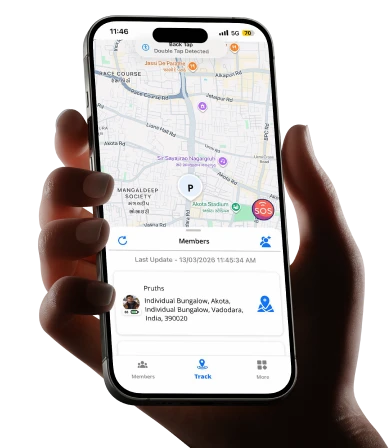
Your teenage daughter texts that she’s leaving her friend’s house. Twenty minutes pass. She’s usually home in ten. You call. No answer. That knot in your stomach tightens.
Most parents know this feeling. And in those minutes of not knowing, an SOS Alerts app can be the difference between guessing and knowing exactly where your child is and whether they need help right now.
This isn’t about hovering over your family or tracking their every move. It’s about giving the people you love a fast, simple way to reach you when something goes wrong and giving yourself a way to check in when your instincts say something’s off.
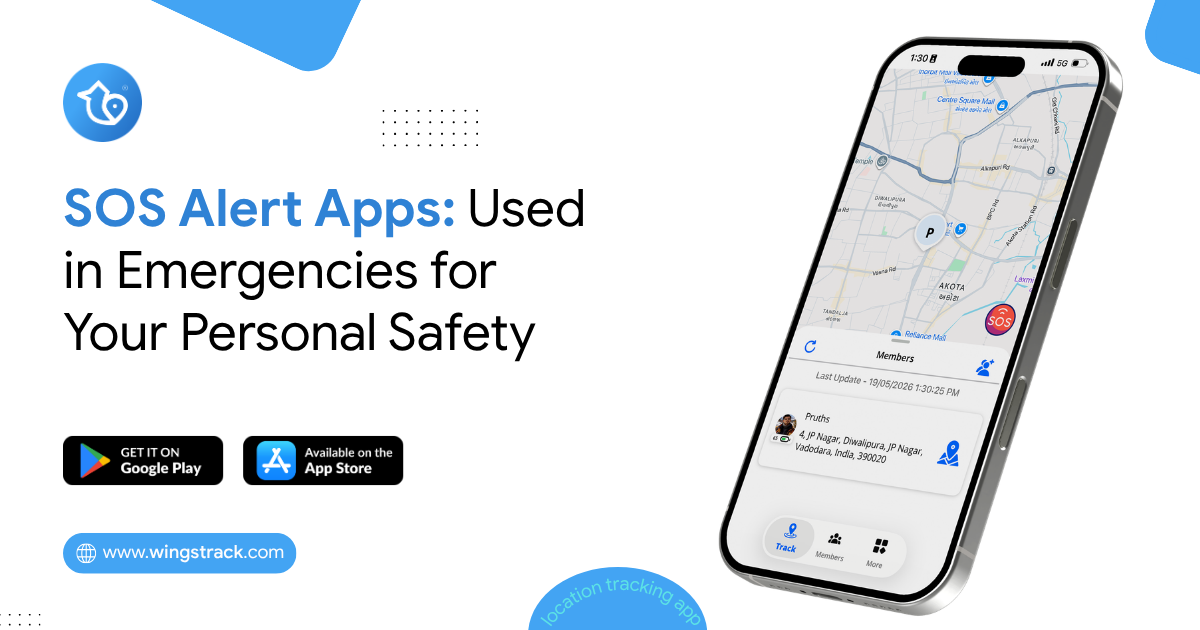
How They Can Support Emergency and Personal Safety
When an emergency happens, every second can matter. Whether someone is traveling alone, walking home late, caring for an elderly parent, or simply finds themselves in an uncomfortable situation, having a reliable way to alert trusted people can provide an additional layer of safety.
An SOS Alert feature in a family locator app is designed to make emergency communication faster and simpler. With a single action, users can notify their trusted contacts and share important information such as their location, identity, and the time the alert was triggered.
Here are the key components of an SOS alert and how each one can support personal and family safety.
1. Current or Live Location
One of the most important pieces of information during an emergency is knowing where the person is.
When a user activates an SOS alert, the app can share their current location with their selected trusted contacts, provided location permissions and connectivity are available. If the app supports live location updates, contacts may also be able to see changes in the user’s location after the alert is triggered.
What information can be provided?
Depending on the app’s capabilities, an SOS alert may include the following:
- Current location on a map
- Approximate address or location name
- Last known location
- Location update time
- Live location updates, when supported
Why is it useful?
In an emergency, a person may not have enough time to explain where they are. Sharing their location can give family members important information immediately.
For example, if someone is traveling alone and feels unsafe, they can trigger an SOS alert instead of spending valuable time describing their surroundings.
Safety benefit: Location information can help trusted contacts understand where the user was when the alert was triggered and coordinate appropriate assistance.
2. Emergency Notification
The emergency notification is the core part of the SOS system. It informs selected contacts that the user has activated an SOS alert and may need assistance. Instead of sending a regular message that could be overlooked, the app can present the notification as an emergency alert.
What can the notification contain?
An emergency notification may include:
- User’s name
- SOS or emergency status
- Current or last known location
- Time the alert was triggered
- A link or button to view the location
- Options to call or contact the user
For example:
Emergency Alert
Priya has activated an SOS alert and may need assistance. View her available location information and contact her immediately.
Why is it useful?
A clear emergency notification helps trusted contacts understand that the message requires attention. It also reduces the need for the person experiencing the emergency to manually contact several people individually.
Safety benefit: A clear and immediate alert can help trusted contacts respond more quickly.
3. Identifying Who Needs Help
In a family locator app, several people may belong to the same family group. When an SOS alert is received, it is important to know exactly who triggered it. The app can identify the person who activated the SOS alert using their name, profile information, or relationship within the family group.
What information can be displayed?
Depending on the app, this could include:
- Name of the person
- Profile picture
- Family relationship
- Contact information
- SOS status
For example:
SOS Alert from Priya
Priya has activated an emergency alert.
View her available location information or contact her.
Why is it useful?
Imagine a family group with parents, children, and grandparents. Knowing exactly who triggered the alert eliminates confusion and allows family members to focus on the person who may need assistance.
Safety benefit: Clear identification helps the family understand who requires immediate attention.
4. Time of the Alert
Knowing when an SOS alert was triggered provides important context. The app can record the date and time when the user activated the SOS feature. If location updates continue afterward, the app can also show when the location was last updated.
What information can be provided?
An SOS record may include:
- Date of the alert
- Time the SOS was activated
- Time of the last location update
- Time of subsequent location updates, if available
Why is it useful?
The timestamp helps trusted contacts understand how recent the alert is. It can also provide a timeline of the event when multiple location updates are available.
Safety benefit: Time information gives contacts better context when deciding how to respond.
5. Immediate Notification to Trusted Contacts
An SOS feature becomes most useful when it is connected to a trusted safety circle.
Before an emergency occurs, users can select family members or trusted contacts who should receive SOS alerts. When the user activates SOS, the app can notify those contacts automatically, depending on the app’s notification and connectivity capabilities.
Trusted contacts could include:
- Parents
- Spouse or partner
- Children
- Siblings
- Close friends
- Caregivers
- Other trusted family members
How does it work?
The process can be simple:
User activates SOS → App creates the alert → Trusted contacts receive the notification → Contacts view available information → Contacts contact the user or seek appropriate assistance
This reduces the number of steps the user needs to take during a stressful situation.
Why is it useful?
During an emergency, a person may not be able to make multiple calls or send individual messages. An SOS feature provides a simple way to communicate with their pre-selected safety network.
Safety benefit: Trusted contacts can be informed quickly without requiring the user to contact each person separately.
SOS for Different Personal Safety Situations
An SOS feature can support people in many everyday situations.
Traveling Alone
People traveling alone can use SOS to notify trusted contacts if they feel unsafe or encounter an unexpected emergency.
Walking or Commuting
Someone returning home late can keep their trusted contacts connected through the app and use SOS if they encounter a situation where they need assistance.
Elderly Family Members
Older adults can use SOS as an additional communication option when they need to quickly notify family members.
Children and Teenagers
With appropriate parental guidance and consent, children and teenagers can use SOS to contact their trusted family members when they feel unsafe.
Road and Travel Emergencies
During a breakdown, accident, or other urgent situation, an SOS alert can help notify trusted contacts and share available location information.
Set Up SOS Before You Need It
The most important time to configure an SOS feature is before an emergency happens.
Users should add trusted contacts, review location and notification permissions, understand how the SOS button works, and make sure their device can communicate with the app.
It’s also important to remember that an SOS feature is a safety-support tool, not a replacement for emergency services. Alert delivery and location availability can depend on factors such as internet connectivity, GPS availability, device settings, permissions, and battery life. In a life-threatening emergency, users should contact their local emergency services whenever possible.
Why an SOS Alerts App Matters More Than a Phone Call
Here’s the problem with a regular phone call in an emergency: it takes time, it needs both hands, and it needs the other person to answer.
Think about the situations where safety matters most. A child feeling followed on a quiet street. An elderly relative who’s fallen and can’t reach the receiver. A family member in a situation where speaking out loud would make things worse. In each of these, dialing a number and waiting for someone to pick up is slow, and sometimes impossible.
An SOS Alerts app removes those barriers. One press does the work of several actions. The alert goes to more than one person, so if you miss it, someone else won’t. And it carries location data automatically, which is often the single most important piece of information in a crisis.
There’s a psychological benefit too. Kids who know help is a tap away tend to feel more confident being independent. Parents worry a little less. That balance, more freedom with a safety net underneath it, is something many families struggle to find.
A Note on Elderly Family Members
Safety apps often get pitched as a “kids” thing, but older relatives may benefit most. As parents age, a fall or a sudden health scare becomes a real concern, especially if they live alone or spend hours at home while the rest of the family is out.
A simple SOS feature they can trigger easily, or one that detects a fall on its own, gives everyone breathing room. The elderly person keeps their independence. The adult children keep their peace of mind. Just make sure the app you choose is genuinely easy for an older person to use, with large buttons and minimal setup. A safety tool that’s too complicated to operate isn’t much of a safety tool.
Choosing the Right App for Your Family
Here’s a quick way to compare what different families tend to need:
| Family Member | Priority Feature | Why It Matters |
|---|---|---|
| Young child | One-touch alert, simple design | They panic; simplicity saves seconds |
| Teenager | Route sharing, privacy balance | Independence with a safety net |
| Elderly parent | Fall detection, large buttons | Ease of use during a real emergency |
| Working adult | Silent alarm, live location | Discreet help in unsafe situations |
Use this as a starting point, not a rulebook. Every family’s routine is different, and the right setup for your home might blend a few of these needs.
How Wings Track Fits Into Your Safety Plan
Wings Track offers an SOS alert solution built around exactly the situations described above: getting fast help to the people you care about, wherever they are.
The app focuses on the fundamentals that actually matter in an emergency. A quick SOS trigger sends an alert with live location to your chosen contacts. Real-time tracking helps you know where a family member is when you’re worried. And the setup stays simple enough that a parent, a teen, or an older relative can all use it without a manual.
What makes a tool like this worth having isn’t a long list of features. It’s whether it works when it counts, and whether the people in your family will actually use it. Wings Track is designed with that reality in mind, keeping the core experience straightforward so no one hesitates in the moment that matters.
If your family’s routine involves kids traveling alone, elders at home during the day, or anyone who’d feel safer with a direct line to help, it’s worth exploring how a dedicated safety app fits your specific needs.
Setting It Up So It Actually Works
Downloading an app is the easy part. Making it useful takes a little planning, and skipping this step is where most people go wrong.
Start by adding the right emergency contacts. These should be people who are likely to respond fast, not just anyone in your phone. A parent, a sibling nearby, a trusted neighbor. Two or three reliable contacts beat a long list of distant ones.
Then, and this matters, practice using it. Run through the SOS button together as a family so no one is fumbling during a real emergency. Kids in particular need to know exactly what happens when they press it, so they trust the tool and don’t hesitate.
For elderly relatives, walk them through it more than once. Place the app somewhere obvious on their home screen. Consider setting up automatic features, like fall detection, so they don’t have to rely on remembering steps in a stressful moment.
Finally, have a conversation about when to use it. An SOS alert is for genuine emergencies, not a missed bus. Setting that expectation early keeps the tool credible, so when an alert does come through, everyone treats it seriously.
Why Download SOS Alerts App Now Rather Than Later
The uncomfortable truth about safety tools is that people usually think about them right after something goes wrong. A close call, a scary news story, a friend’s experience. By then, the worry has already happened.
The better time to download an SOS alert app for Android is before you need it, while things are calm and you can set it up properly. Safety planning works best when it’s not rushed by fear.
There’s also a habit factor. A safety app only helps if your family is comfortable using it, and that comfort takes a little time to build. Setting it up now, practicing a few times, and folding it into your routine means it’ll be second nature if a real situation ever arises.
You don’t need to overhaul how your family lives. You just need one reliable tool that gives everyone a fast way to reach help, and gives you a way to check in when your gut tells you to. That small step tends to pay off in exactly the moments you hope never come.
Frequently Asked Questions
At what age is an SOS alert app appropriate for a child?
Will an SOS alert app drain the phone’s battery?
Can an SOS app work if there’s no strong internet connection?
Is location sharing a privacy risk for teenagers?
Keeping your family safe was never about controlling their every step. It’s about making sure that when the unexpected happens, help is only a tap away. Set the tool up today, practice it a couple of times, and let it quietly do its job in the background while your family lives their life.